HeyTop.ai

Seedance 2.5 AI Video Generator

Elevate your creative workflow with the Seedance 2.5 AI video model on HeyTop. Create longer, cinematic scenes with stable multi-shot consistency and precise camera control. Perfect for ads, e-commerce, and brand storytelling.

30snative clips
50references
4Koutput potential
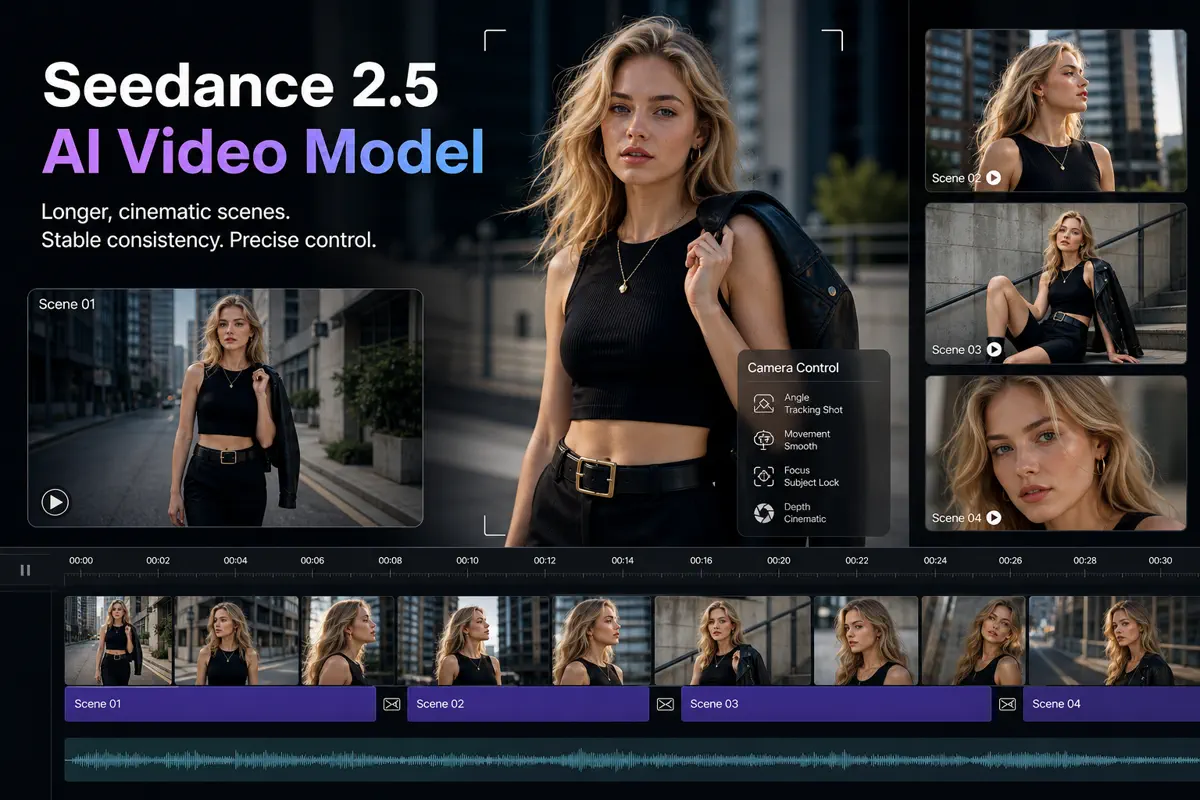
Seedance 2.5 interface showing a cinematic multi-shot AI video timeline

What Is Seedance 2.5?

Seedance 2.5 is the latest generation of ByteDance's flagship video model series. Upgraded from Seedance 2.0, it is engineered for professional, production-grade video workflows. With support for up to 30-second native video generation, 50 multimodal reference assets, and industry-leading multi-camera control, it bridges the gap between creative imagination and actual commercial output.

Seedance 2.5 vs Seedance 2.0: Major Upgrades

Discover how Seedance 2.5 redefines the boundaries of AI video generation with longer native duration, stronger consistency, and cinematic control.

Upgrade Area Seedance 2.0 Seedance 2.5
Native Video LengthBetter for shorter clipsUp to ~30s native generation
Reference CapacityLighter reference useUp to 50 multimodal references
Input TypesLimited input mixText, image, video, audio, and more
Output CeilingStandard high qualityHigher-quality, with 4K potential
Multi-Shot ConsistencyFluctuated single outputsStronger continuity for characters & products
Character ReplacementLimited flexibilityCharacter replacement with scene retention
Scene RetentionLess control over stylingBetter retention of camera, lighting, & style
Previs PotentialLess suited to previsPerfect fit for previs and storyboards

Powerful Features of the Seedance 2.5 AI Video Model

Break free from unpredictable AI outputs with advanced control tools designed to deliver precise, consistent results for every scene.

Combine Text, Images, and Audio to Generate Perfectly Synced Videos

Mix your voiceovers, music, text, and images together to instantly generate video scenes that match your audio beats perfectly. Ad copywriters and social media managers can bypass complex editing, using Seedance 2.5 text to video and image to video tools to sync visuals and sound in one step.

Sync Audio & Video Now
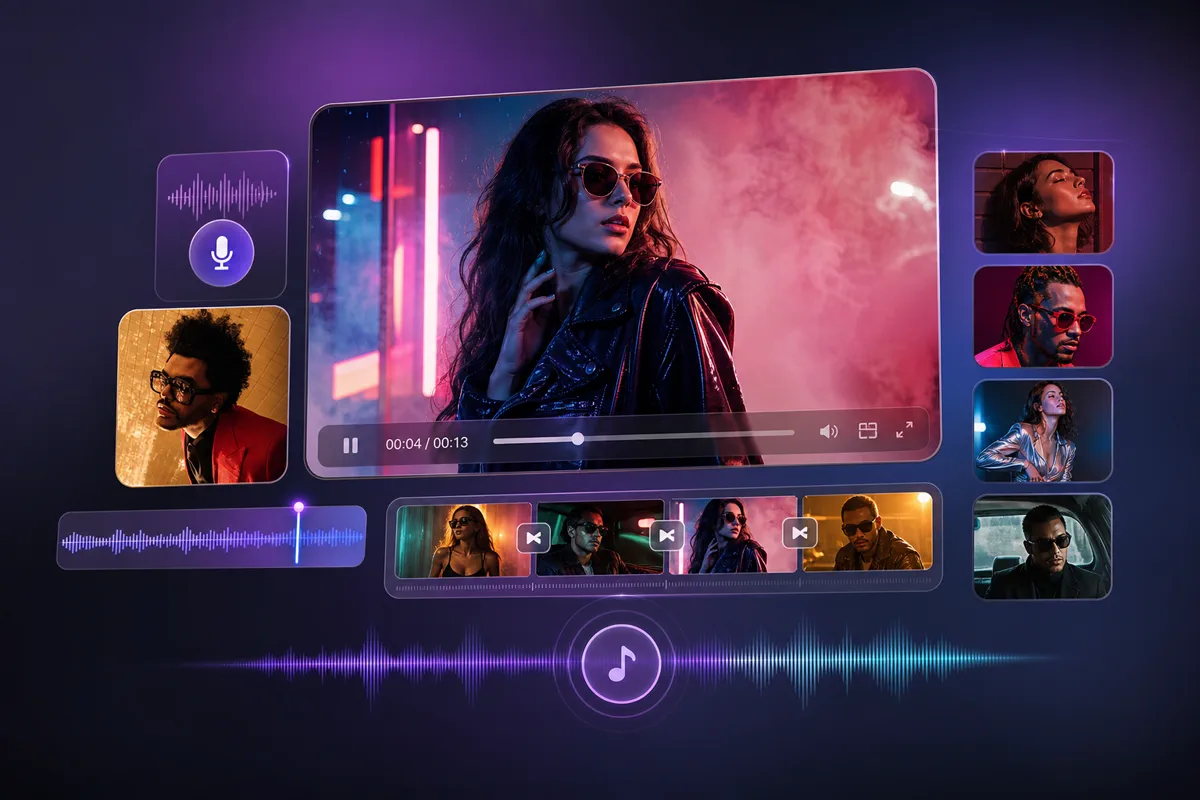
Seedance 2.5 workflow syncing text, images, and audio into matched video scenes

Import Up to 50 Reference Images to Lock In Your Brand Style

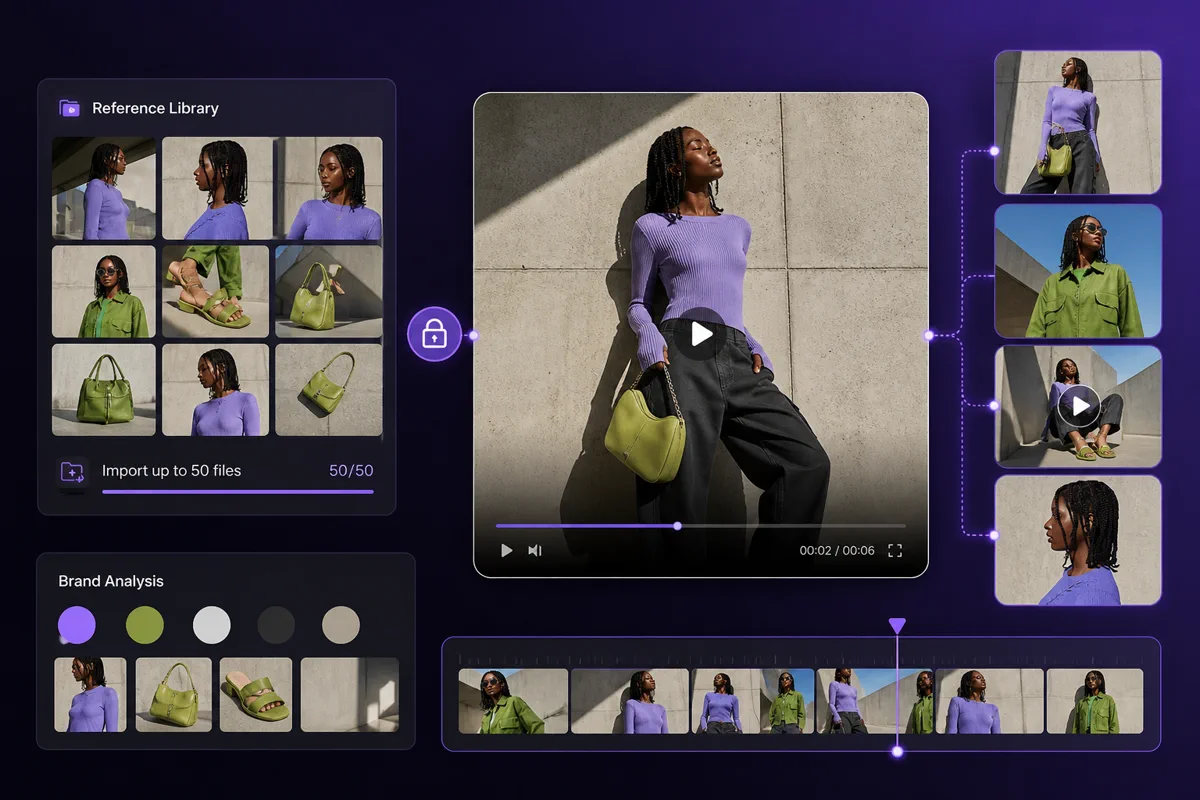
Upload up to 50 reference files to automatically lock in your brand's specific colors, product details, and studio lighting across all generated scenes. E-commerce merchants and marketers rely on Seedance 2.5 reference based generation to maintain a cohesive brand identity without style drifting.

Lock In Brand Style
Reference image board preserving brand style, product details, and studio lighting

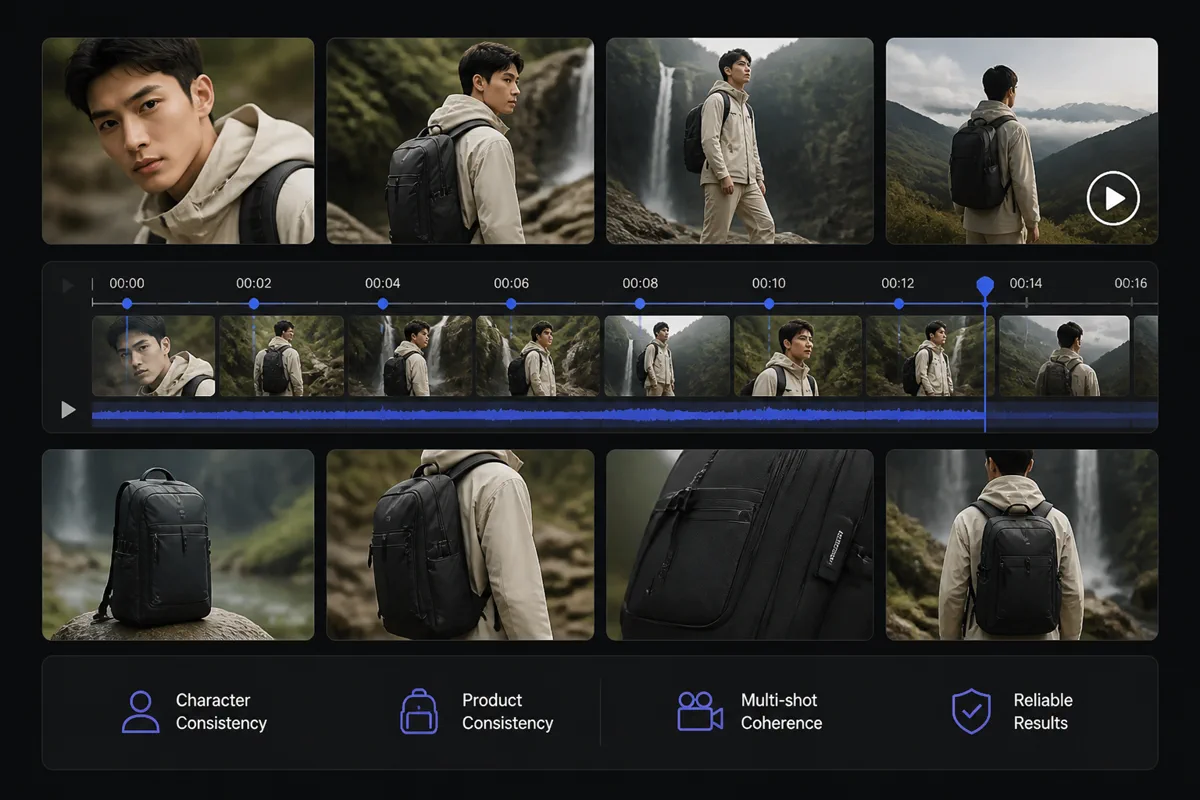
Ensure Consistent Characters and Products Across Multiple Shots

Keep your main characters and products looking exactly the same even when the camera switches angles, distances, or backgrounds. Storyboard artists and video directors use Seedance 2.5 multi shot video generation to build coherent narrative videos with reliable character consistency and product consistency.

Maintain Consistency Now
Multiple AI video shots keeping the same character and product details consistent

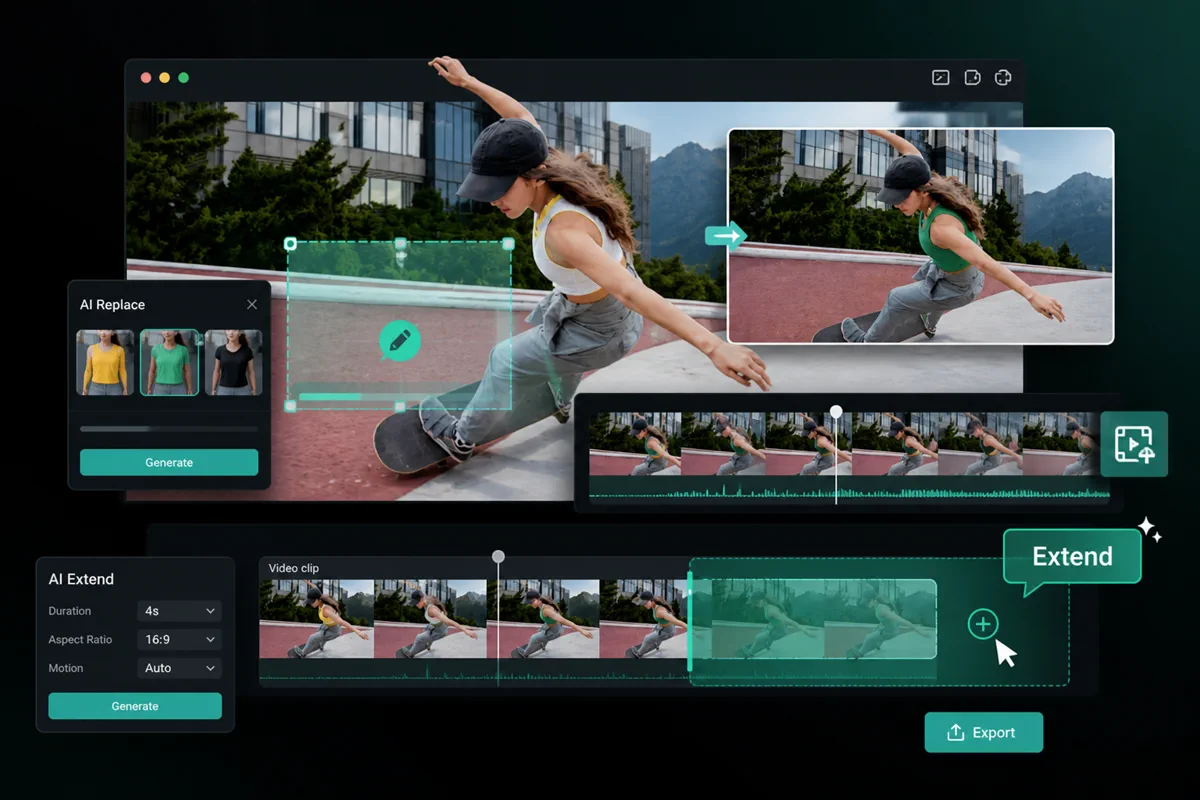
Modify Specific Areas and Extend Videos Seamlessly Without Regenerating

Swap a character's outfit or extend a short clip smoothly without wasting time regenerating the entire scene from scratch. Video editors and ad teams use Seedance 2.5 video editing and video to video tools to quickly update specific details and adapt footage for multiple platforms.

Edit & Extend Videos
Video editing canvas for modifying selected areas and extending clips seamlessly

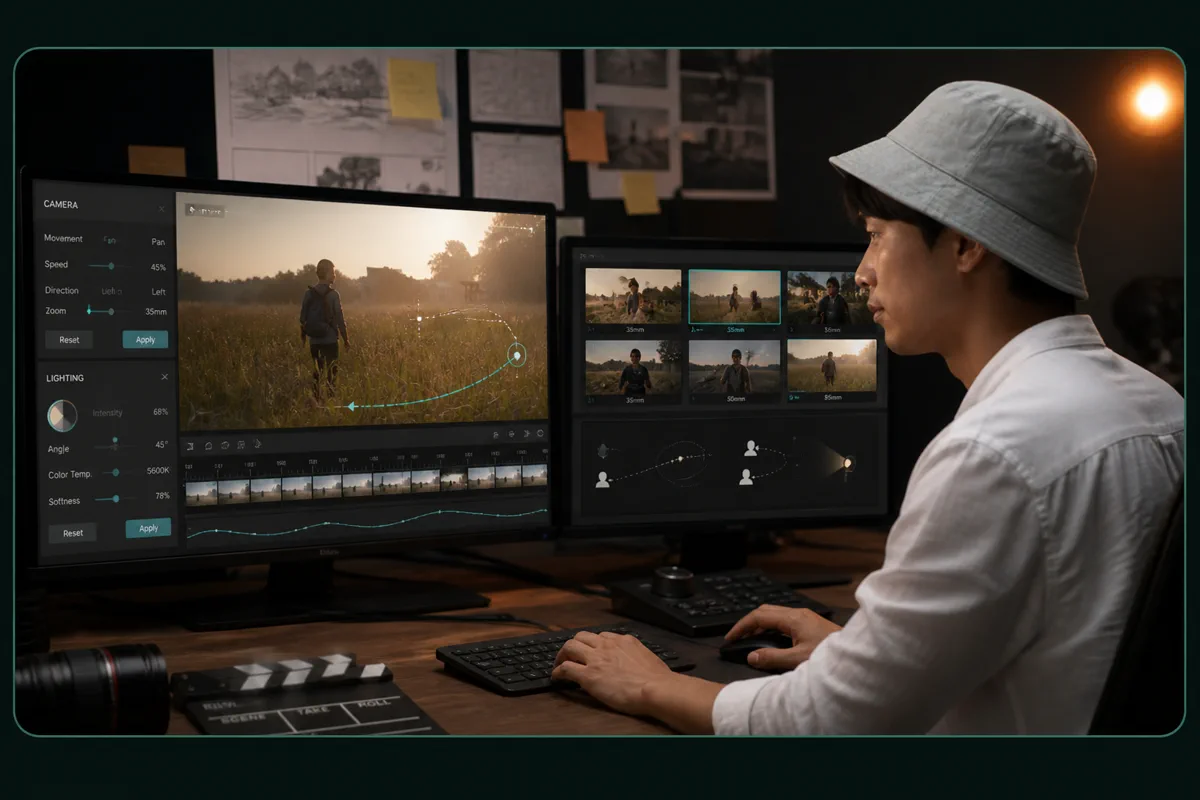
Control Camera Movement and Lighting for Cinematic Previsualization

Direct complex camera pans, zooms, and lighting directions with absolute precision to test your visual concepts early. Creative planners and directors use Seedance 2.5 for previsualization and storyboards to align their team's vision and save on actual production budgets.

Try Camera Controls
Camera and lighting control panel for cinematic Seedance 2.5 previsualization

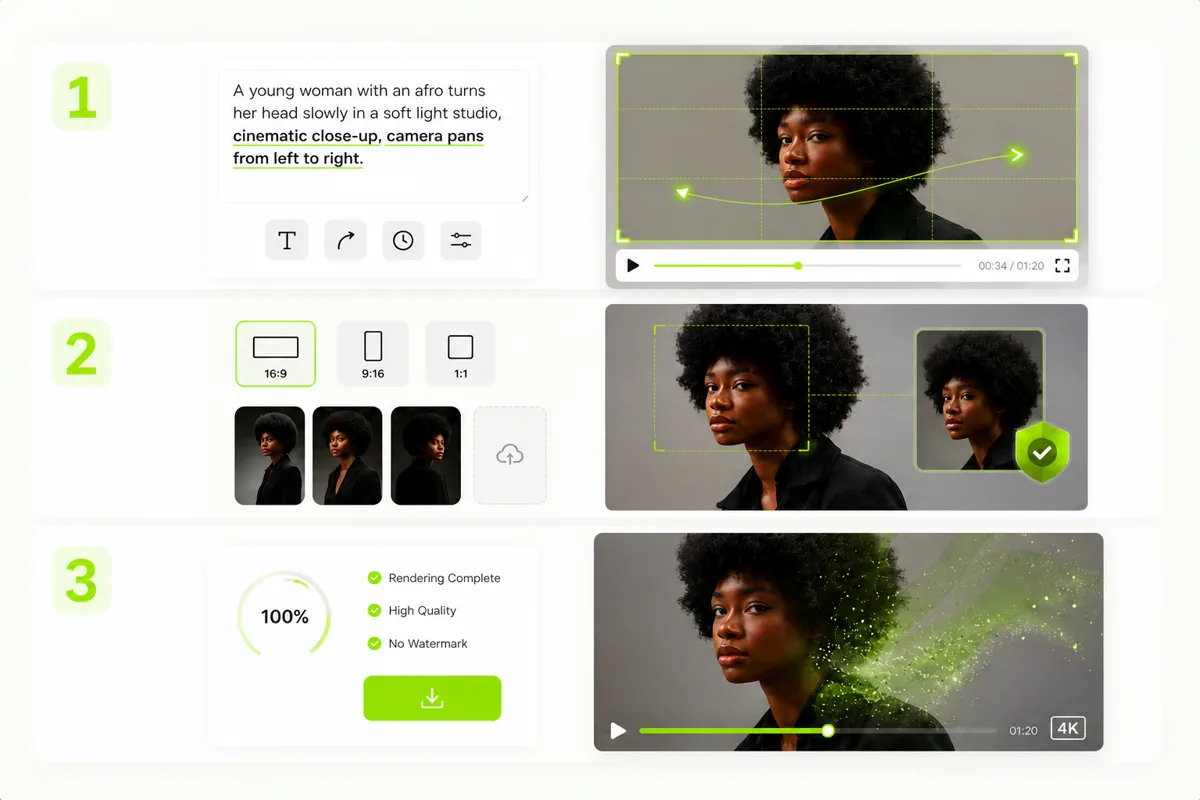
How to Generate AI Videos with Seedance 2.5?

Turn your creative concepts into high-fidelity, visually consistent professional videos in just three simple steps.

1

Enter Prompts & Motion Cues

Write text prompts to describe your scene, and define camera movements (e.g., zoom, pan) or speed directly within the text.

2

Select Ratio & Upload References

Choose your aspect ratio (e.g., 16:9 or 9:16) and upload reference images to lock in character or style consistency.

3

One-Click Rendering and Export

Click generate to render via HeyTop's cloud GPUs, then instantly download high-quality, watermark-free videos.

Start Generating Now
Three-step Seedance 2.5 video generation workflow from prompt to export

Why Creators Use Seedance 2.5 on HeyTop?

Beyond a raw model, HeyTop provides a production-ready ecosystem for creators and enterprises.

Ultra-HD & No Watermarks

Export watermark-free, studio-grade 4K videos ready for instant commercial and broadcast deployment.

Enterprise-Grade Privacy

Protect your IP and brand assets with enterprise-grade data isolation and strict security protocols.

Fast GPU Rendering

Leverage high-performance cloud GPUs to render complex multi-shot sequences in just minutes.

Versatile Commercial Adaptability

Generate premium video assets optimized for diverse marketing campaigns, social media, and brand storytelling.

What Can You Create with Seedance 2.5 on HeyTop AI?

From digital advertising to creative storytelling, translate your ideas into visually consistent, high-quality videos that support your diverse business and production needs.

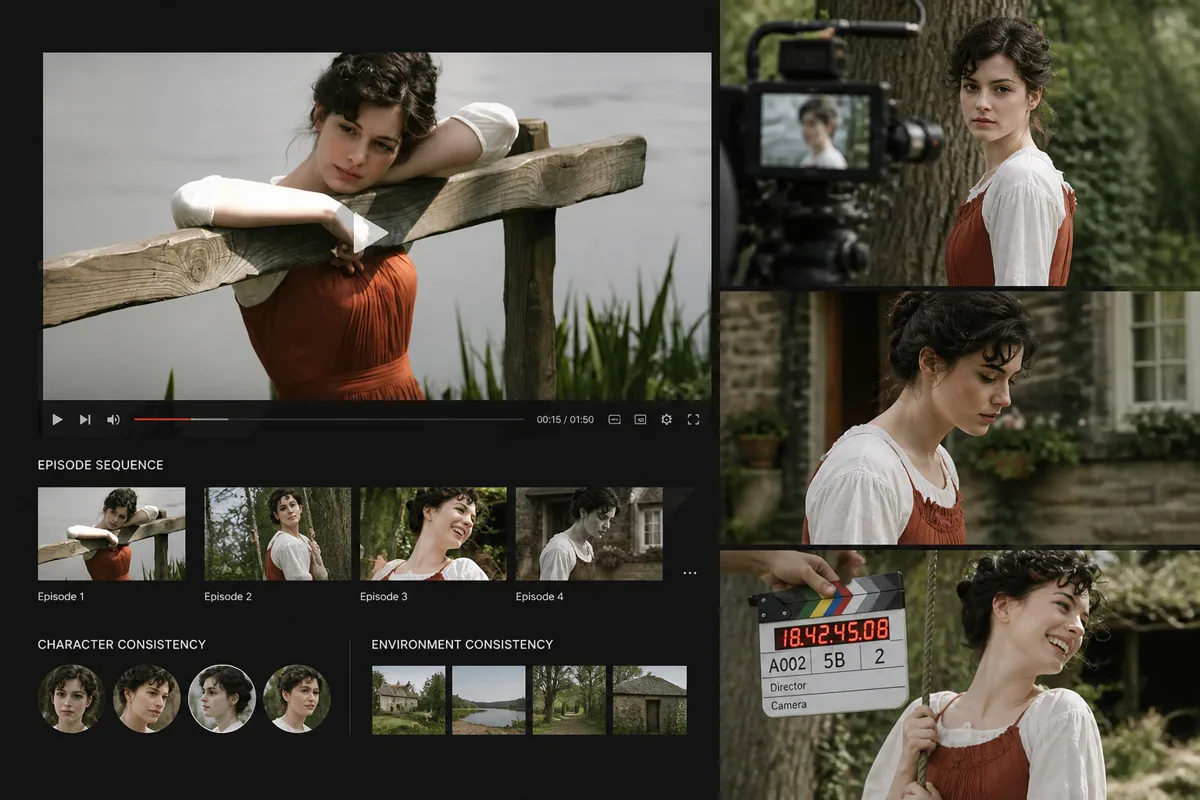
Produce Cohesive Episodic Content with Consistent Character Visuals

Well-suited for vertical short-drama creators, indie filmmakers, and serialized storytellers. It helps creative teams maintain visual consistency for main characters and environments across different scenes. This simplifies the creation of multi-episode series, turning scripts into engaging video assets without the high overhead of traditional drama production.

Storyboard scenes showing consistent character visuals for short film narratives

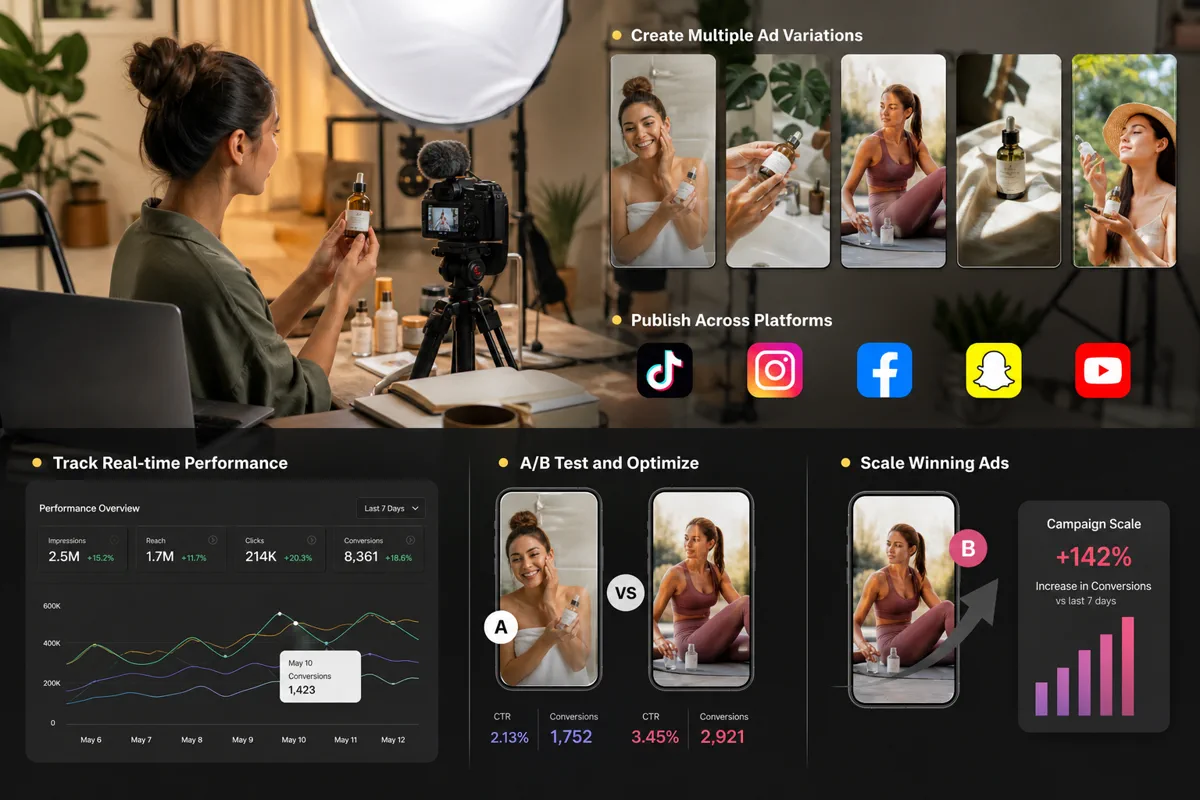
Drive Ad Engagement with Dynamic Multi-Shot Variations

Designed for marketing teams running high-frequency tests on platforms like TikTok and Instagram. Instead of booking repetitive and costly physical shoots, you can rapidly generate diverse ad hooks and localized scene variations. This helps lower overall production costs while supporting agile campaign testing and better audience engagement.

Dynamic digital ad variations generated for rapid campaign testing

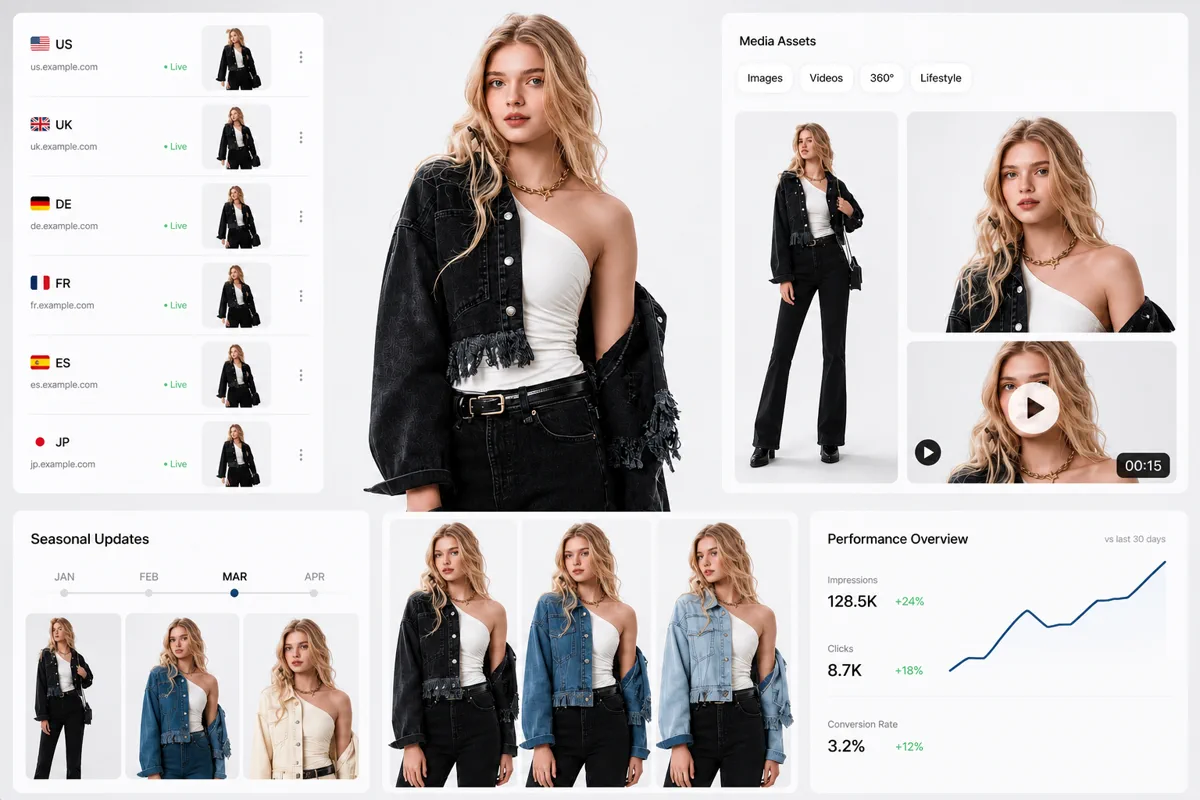
Streamline Global Listings with Efficient Visual Variations

Tailored for cross-border e-commerce brands updating listings across global platforms. By utilizing adaptable virtual models and environments, you can run product tests and seasonal updates more frequently. This shortens the content asset creation pipeline from weeks to days, while maintaining a cohesive brand aesthetic.

E-commerce product video variations for global listings and seasonal campaigns

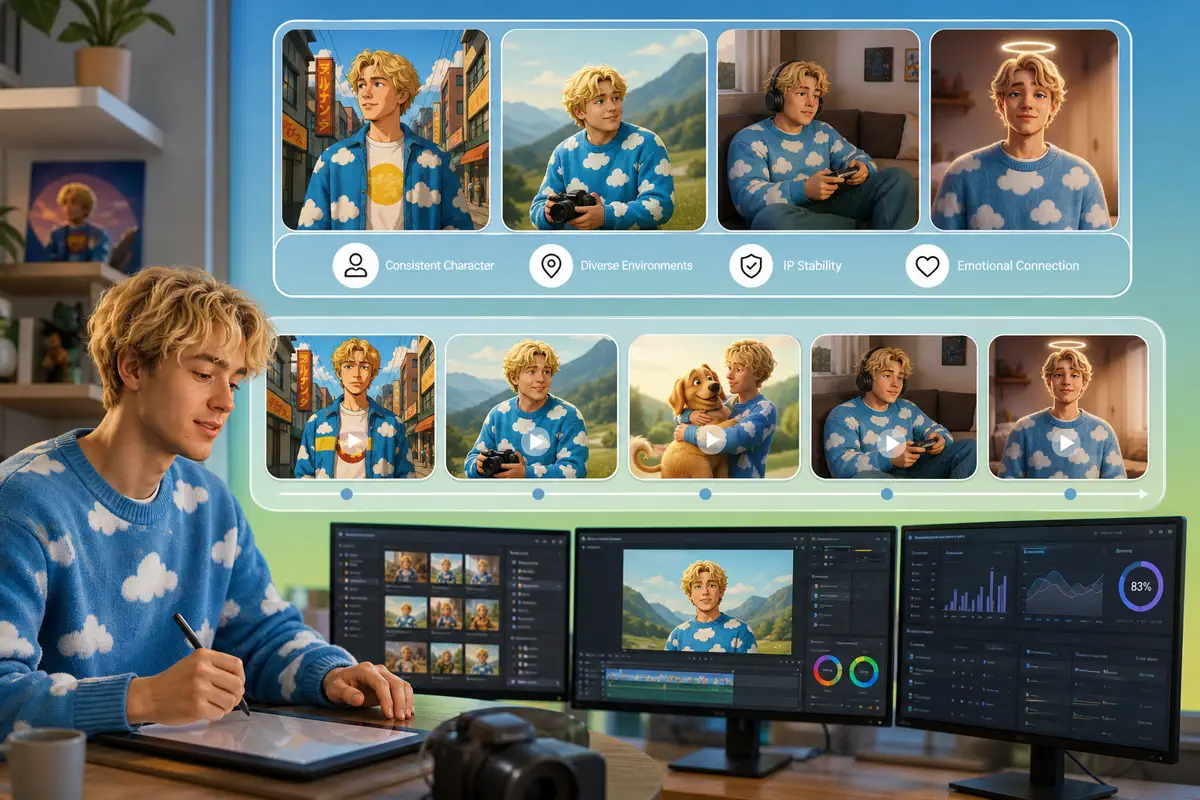
Build Brand Loyalty Through Consistent Virtual Character Campaigns

Aimed at brand managers and virtual influencer operators building continuous IP stories. The model supports stable character appearances across diverse environments, allowing for creative, ongoing brand storytelling. This provides enterprises with a highly controllable and scalable marketing asset, reducing dependence on traditional external talent.

Virtual character campaign scenes maintaining a stable branded persona

Elevate Product Launches with Cinematic Lighting and Detail

Ideal for showcasing consumer goods, cosmetics, and electronics through close-ups and shifting camera angles. It reduces the need for complex studio setups and lengthy rendering pipelines, allowing brands to quickly produce high-quality showcase videos. This helps highlight product premium details and accelerates your marketing timeline.

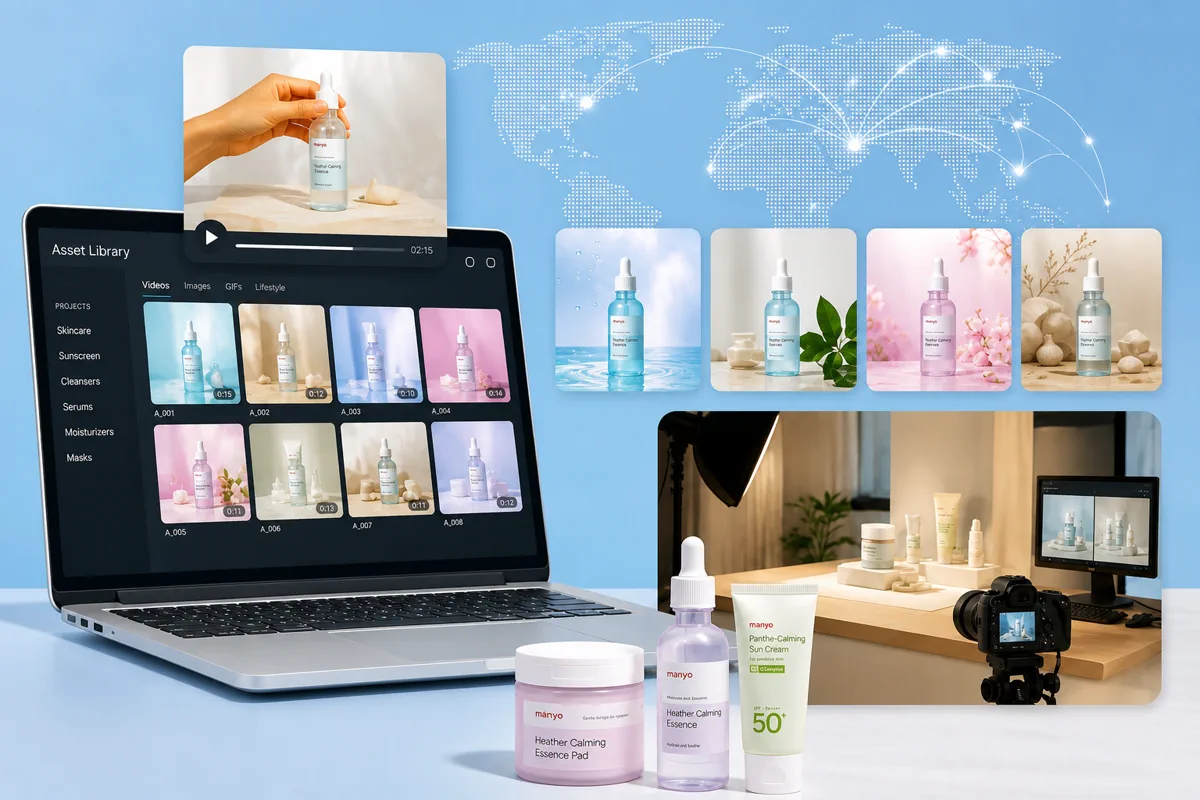
Cinematic product video scene with controlled lighting for a premium launch

Frequently Asked Questions

Yes, Seedance 2.5 is fully integrated and online on HeyTop. You can experience its text-to-video and image-to-video features directly through our web interface. There is no need for complex local GPU setups; you can start generating high-quality video assets by uploading your references or inputting prompts.

Yes, provided that you comply with our Terms of Service and use legally authorized input materials (such as prompts and reference images). Under these conditions, you can use the generated videos for commercial purposes, including advertising, social media, and client delivery.

HeyTop supports standard aspect ratios like 16:9 (horizontal), 9:16 (vertical), and 1:1 (square). Videos are exported in MP4 format, optimized for direct online sharing and streaming.

Credits are deducted based on your chosen settings, such as resolution and duration. The exact credit cost is clearly shown on the interface before you generate, helping you manage your budget easily.

For prompt writing, we recommend using concrete, descriptive language that specifies camera movement, lighting, and action details rather than abstract concept words. When using reference assets, uploading high-resolution, clear subject images will significantly help the model capture and maintain consistent styles and details.

Start Creating with Seedance 2.5 on HeyTop Today!

Rated 4.8/5 by 30000+ creators for fast, consistent AI video generation.

Try Seedance 2.5 Now