HeyTop.ai

AI Text to PPT: Turn Your Words into Slides in Seconds

Don’t waste hours summarizing and formatting. Just paste your rough notes, essays, or reports. HeyTop extracts the main points and structures them into a clear, ready-to-use presentation.

Outline Design Export
0/10000
Native .pptx export Fully editable layouts No design skills needed

Everything You Need to Turn Words into High-Impact Slides

Explore the core capabilities built to handle the heavy lifting of presentation making. From parsing unstructured text to applying professional designs, we make the process effortless.

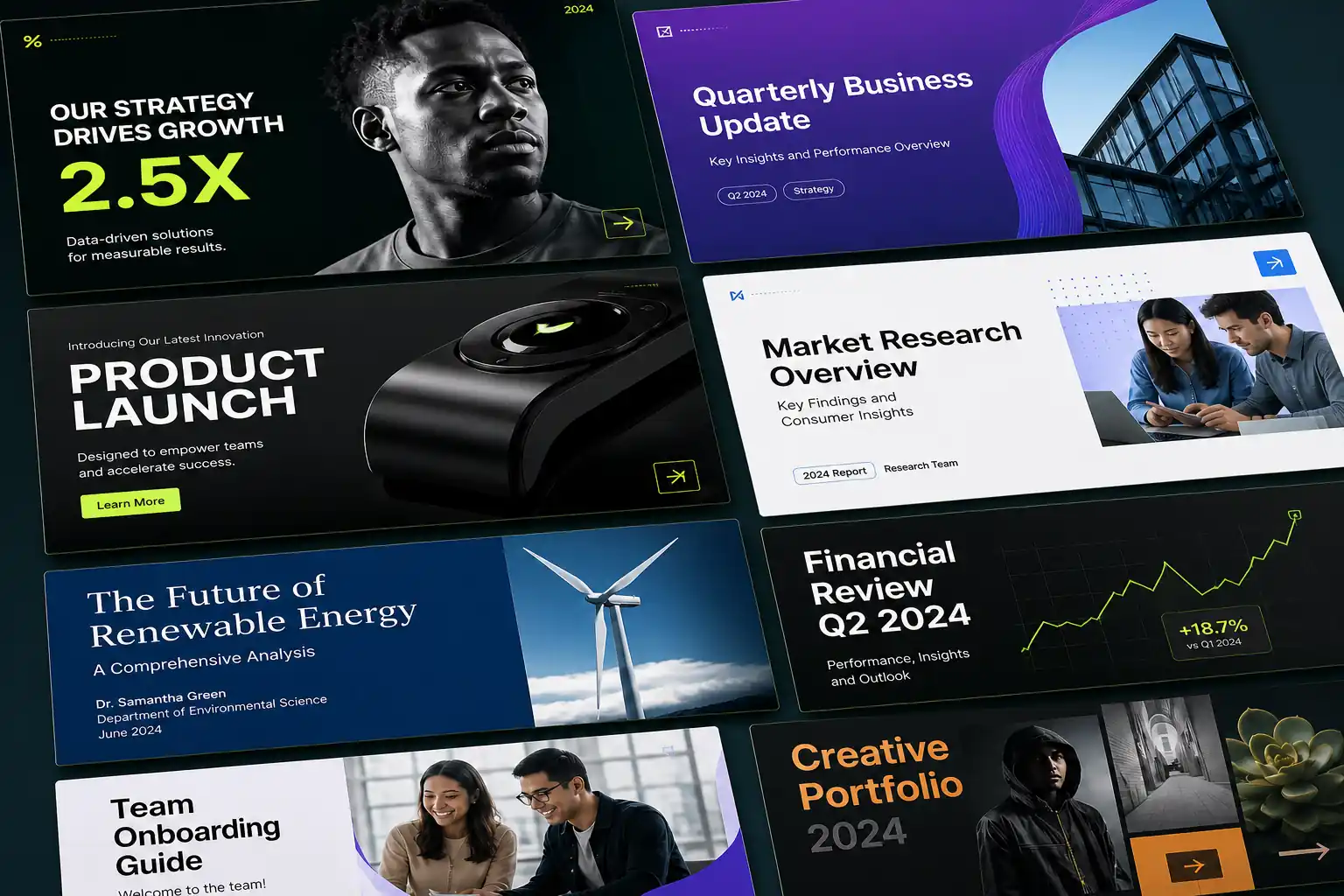
Auto-Populate Slides with Relevant Icons and Visuals

Text-heavy slides quickly lose your audience’s attention. To make your slides visually engaging, we automatically pair your core points with high-quality icons and relevant illustrations. You can stop wasting hours searching stock image libraries; instead, enjoy perfectly balanced, visual-first layouts that explain complex ideas at a single glance.

Try Text to PPT AI
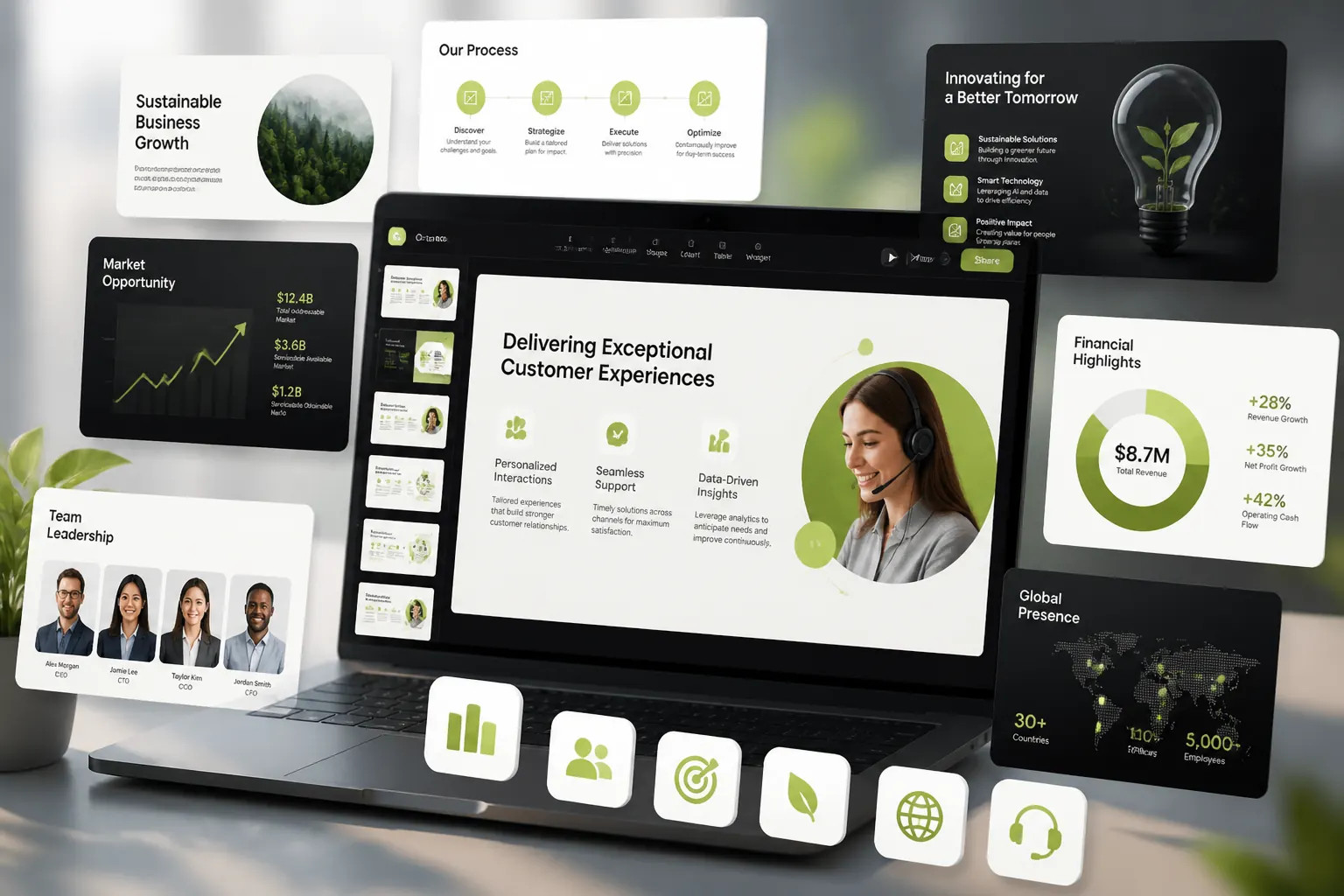
AI Text to PPT slide layout enhanced with matched icons and supporting visual elements
AI matched

Adapt Your Slide Copy to Any Presentation Style

A sales pitch requires high energy, while a corporate update demands strict professionalism. You can refine your raw text to match the exact tone your audience expects. We rewrite your drafts into persuasive marketing bullet points, academic summaries, or structured corporate arguments, ensuring your message lands perfectly without manual re-writing.

Convert Text to Presentation
Slide copy rewritten into different tones for sales, academic, and corporate presentations
Tone

Pick from Professional Slide Templates and Brand Colors

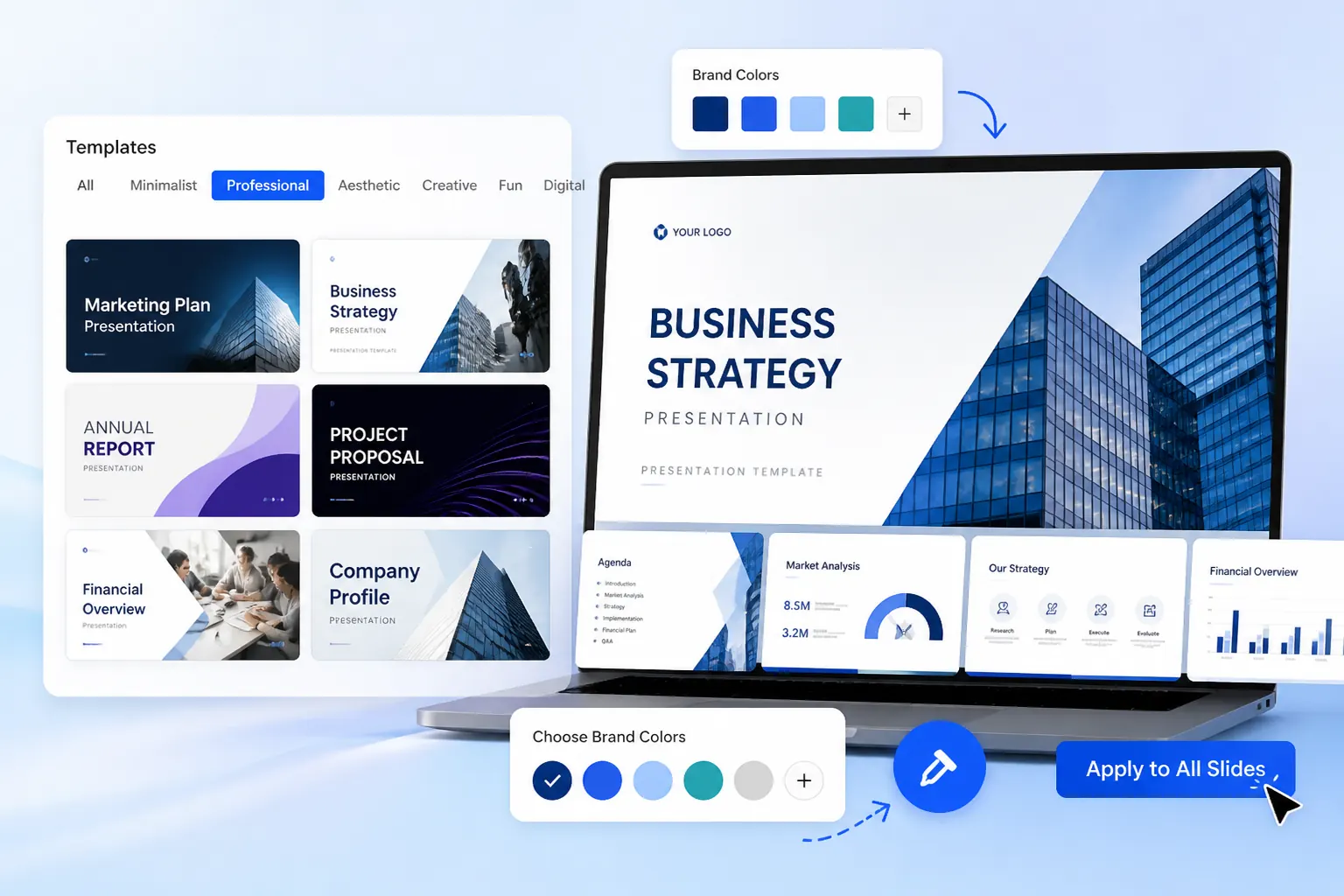
Skip the pain of designing from scratch. You can browse a rich gallery of designed PPT templates categorized by style—including Minimalist, Professional, Aesthetic, and Creative. Simply pick a template that fits your topic, select your brand colors, and apply the entire look in one click to get a cohesive, polished design instantly.

Explore AI Presentation Maker
Template gallery showing professional slide styles with selectable brand color options
MinimalistProfessionalAestheticCreative

Break Communication Barriers with Multi-Language Support

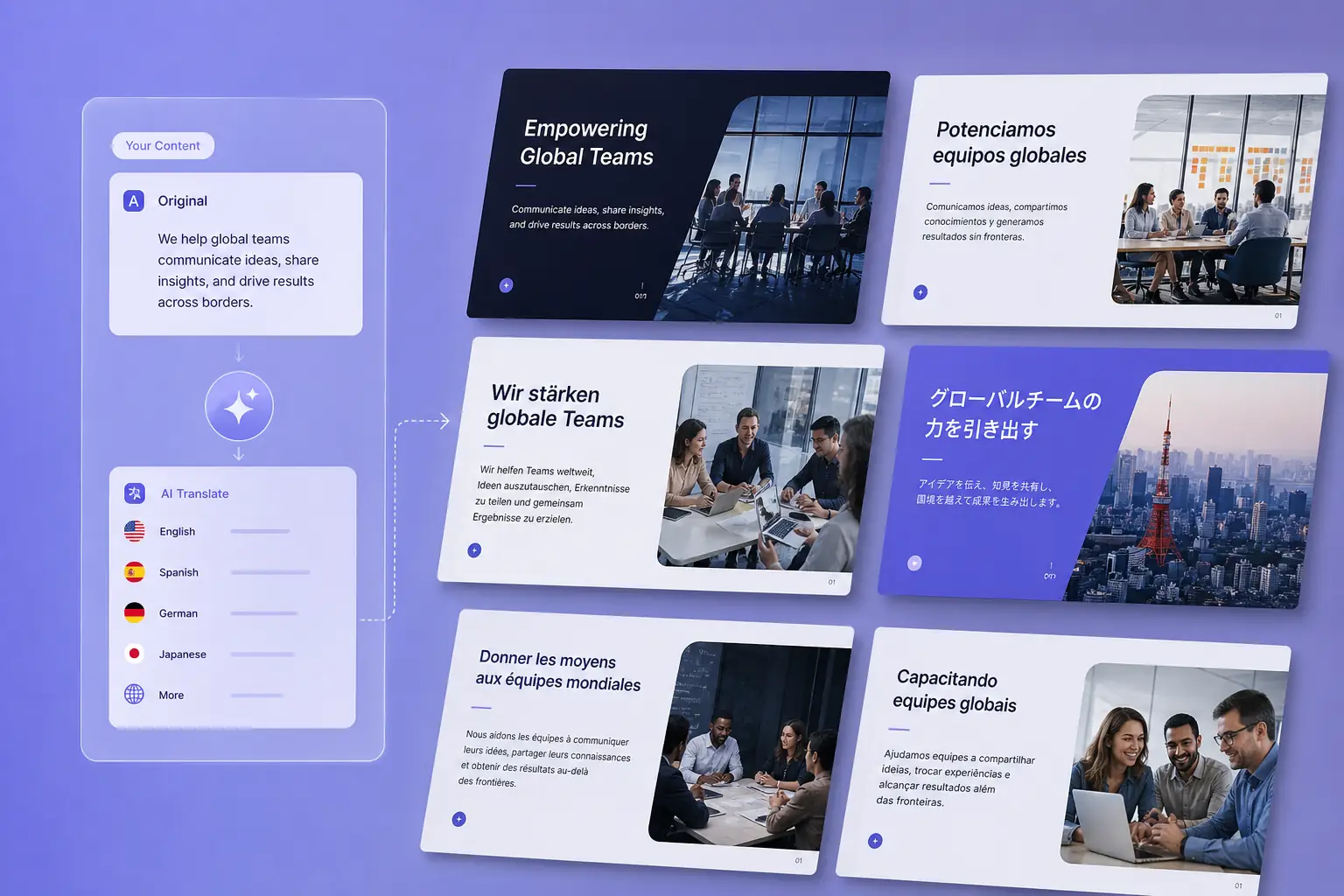
Preparing pitches for international clients shouldn’t double your workload. You can paste your ideas in one language and instantly generate beautifully structured slides in another. We preserve your industry-specific terminology and local phrasing, helping you deliver professional, global-ready presentations in just a few clicks.

Convert Text to PPT
Input and output slides showing multilingual presentation generation for global audiences
Input
Output
ENESFRDEZH

How to Convert Text to Presentation in 3 Steps

1

Paste Your Text or Markdown

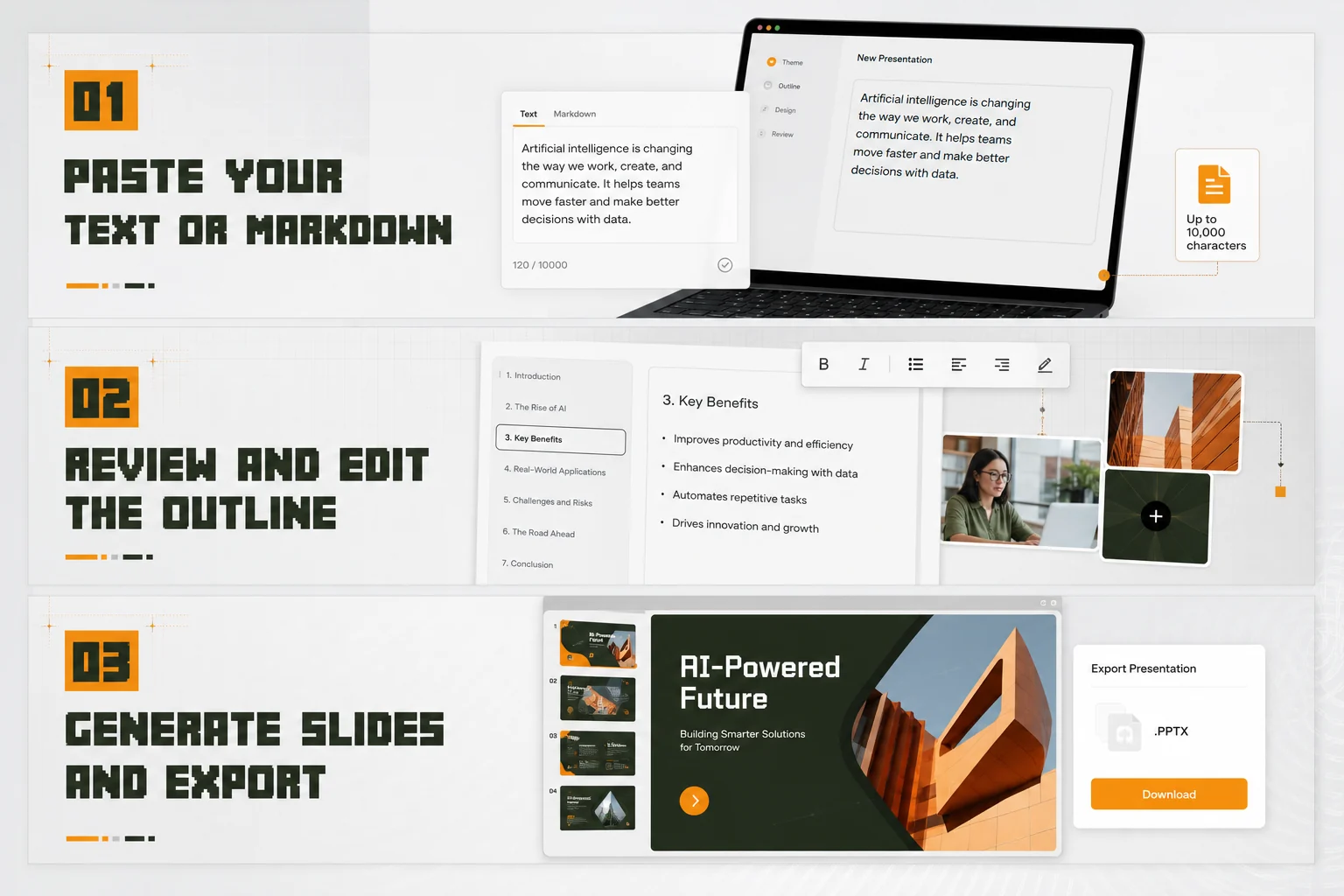
Choose the input option and drop any text into the box. It handles up to 10,000 characters at once, so you can paste freely without cleaning up the format.

2

Review and Edit the Outline

The AI instantly structures your content into a clear outline. You have full control to freely edit text details, rewrite bullet points, and adjust the logic before moving forward.

3

Generate Slides and Export

Once the outline is complete, click "Next" to automatically generate the slides. Review and adjust the final design, and immediately download it as a native .pptx file.

Try Text to PPT for Free Now
Three-step workflow for pasting text, editing an outline, and exporting a PPTX deck
Live outlinePPTX ready
Outline
Theme

Why Choose Our Text to PPT Converter?

Instant Draft Generation

Turn your text into a complete slide outline in seconds, eliminating the blank-page struggle.

Smart Auto-Formatting

The system automatically handles spacing, alignment, and sizing to keep your content neat and readable.

Flexible Re-Editing

Modify content directly on the web or export standard PPTX files to edit freely in PowerPoint.

Diverse Styles & Assets

Browse a rich library of professional themes and icons to easily customize the look for any occasion.

Presentations Built for Your Business Goals

Whether you are raising capital, closing a deal, or educating an audience, find the exact structure to deliver your message clearly and achieve your expected results.

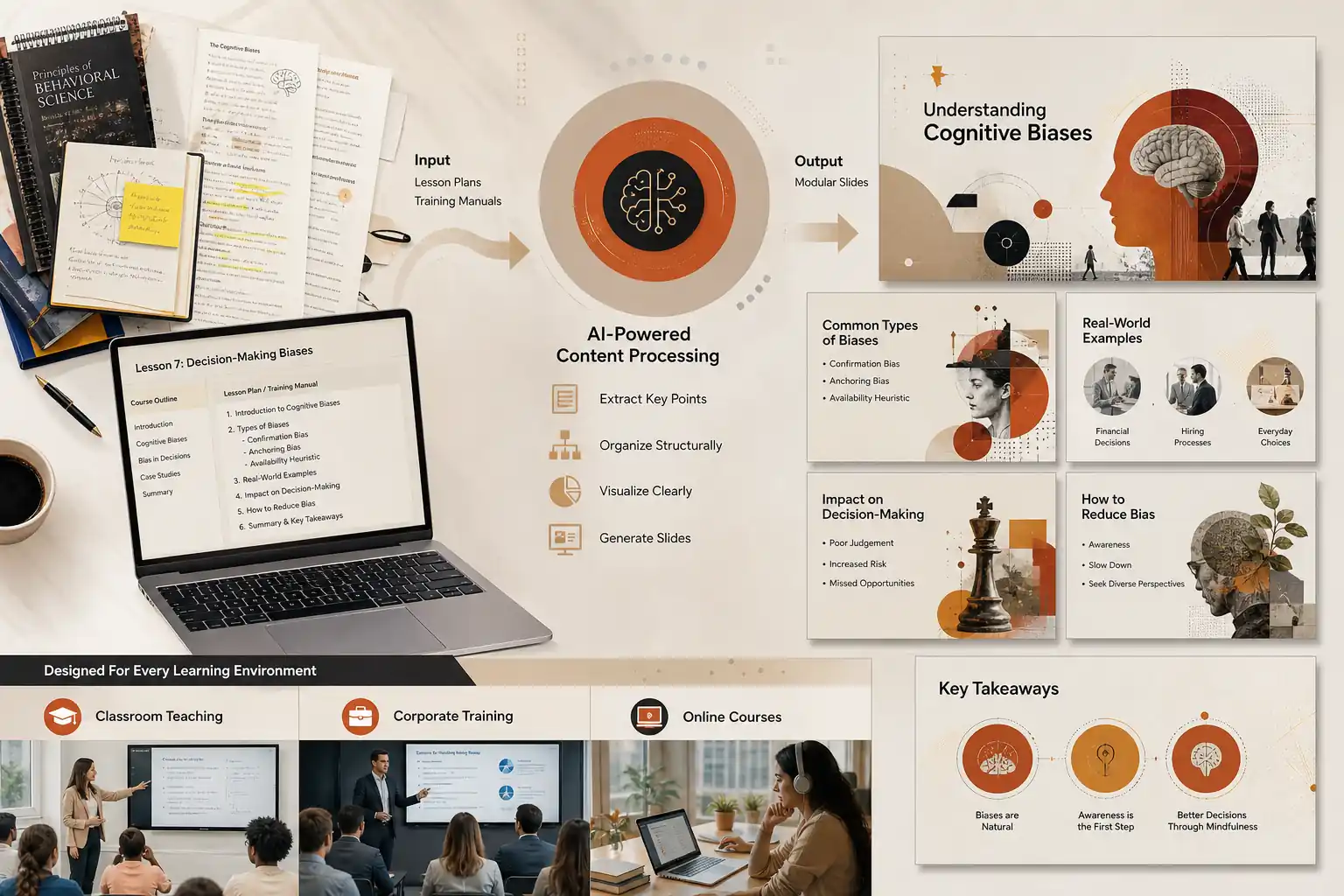
Reduce Cognitive Load to Improve Learning

Suited for classroom teaching, corporate employee training, and online courses. Instructors input lengthy lesson plans or training manuals, and the system automatically extracts key points into modular slides. By simplifying complex information, it reduces cognitive load, keeps the audience focused on essential takeaways, and significantly improves learning efficiency.

Training and classroom slides simplifying lesson content into clear modular learning points

Frequently Asked Questions

HeyTop's Text to PPT converter is an AI-powered presentation maker that instantly transforms raw text, meeting notes, or long documents into structured, visually appealing slides. Instead of manually creating outlines and formatting text boxes, the AI analyzes your content, divides it logically, and applies professional design templates, saving you hours of manual work.

Yes, you can export your generated presentation in the standard .pptx format. This format is widely compatible with major software like Microsoft PowerPoint, Google Slides, WPS Office, and Apple Keynote. The downloaded file retains editable text boxes, shapes, and layouts, allowing you to make further detailed adjustments locally.

We provide options to adjust the output at multiple stages. Before generating the visual slides, you can review and modify the AI-generated text outline to ensure the logic meets your expectations. If you prefer a different visual style after generation, you can switch themes, adjust colors, or apply your preferred custom PPT templates.

You can paste substantial amounts of text directly into the prompt box. For more comprehensive materials, such as research papers or business reports, we recommend using our document to PPT feature. You can upload standard formats like Word, PDF, or TXT, and the AI will work to extract the key information while maintaining the core context. (Note: Please check your current plan details for specific character and file size limits.)

We take user data privacy seriously. The text and documents you provide are processed securely for the primary purpose of generating your presentation. We follow strict privacy protocols and do not use your personal files or business data to train our core public AI models without explicit permission.

Your Next Great Presentation is Just a Few Clicks Away!

Try Text to PPT Now