AI Writing Generator for Essays, Stories, Reports and More

Turn a topic, outline, notes, or rough text into clear writing for school, work, business, or creative projects. Shape ideas into editable content that is easy to refine, format, and share.

AI Writing Studio
Tell HeyTop AI what you want to write. Add the topic, audience, structure, length, tone, language, and any notes directly in your request.
Your draft will appear in the document preview, where you can keep editing, rewriting, copying, downloading, or sharing it.
0 characters Start Generating
Editable draft

From rough notes to a ready-to-refine document

What is an AI Writing Generator?

Most writing doesn't fail at the end. It fails at the first sentence.

An AI writing generator is a tool that transforms scattered ideas, rough notes, or brief topics into clear, structured drafts. By handling the initial structure and phrasing, it eliminates the "blank page" paralysis—turning three bullet points into a full chapter, or a one-line thought into a complete speech.

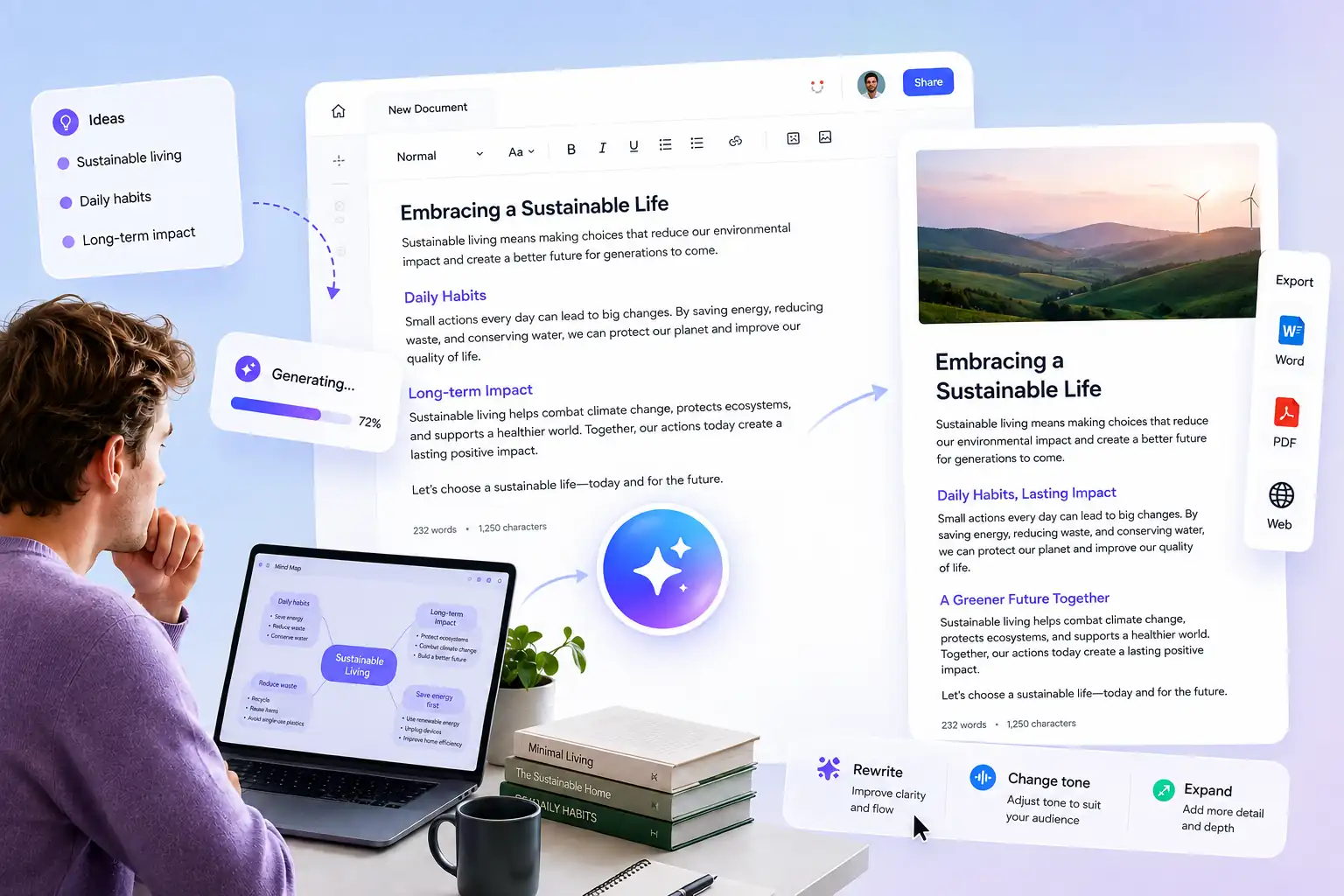
At HeyTop AI, the draft is only the beginning. You can rewrite any sentence, regenerate entire sections, and adjust the tone until it sounds exactly like you. The tool does the heavy lifting. You keep the final word.

Draft workflow turning rough ideas into an organized outline, editable text, and final content

Features Built for Every Stage of AI Writing

HeyTop AI Writing is more than an AI text generator. From the first idea to the final piece, every feature is designed to remove a specific bottleneck, so you spend less time fighting the page and more time finishing it.

Turn Rough Notes into Structured First Drafts in Seconds

Provide a topic, an outline, or a few scattered lines, and the AI writing generator builds them into complete, logically organized paragraphs — not a wall of generic text. You get a working draft you can react to and improve immediately, which is always faster than writing from nothing.

Generate My First Draft
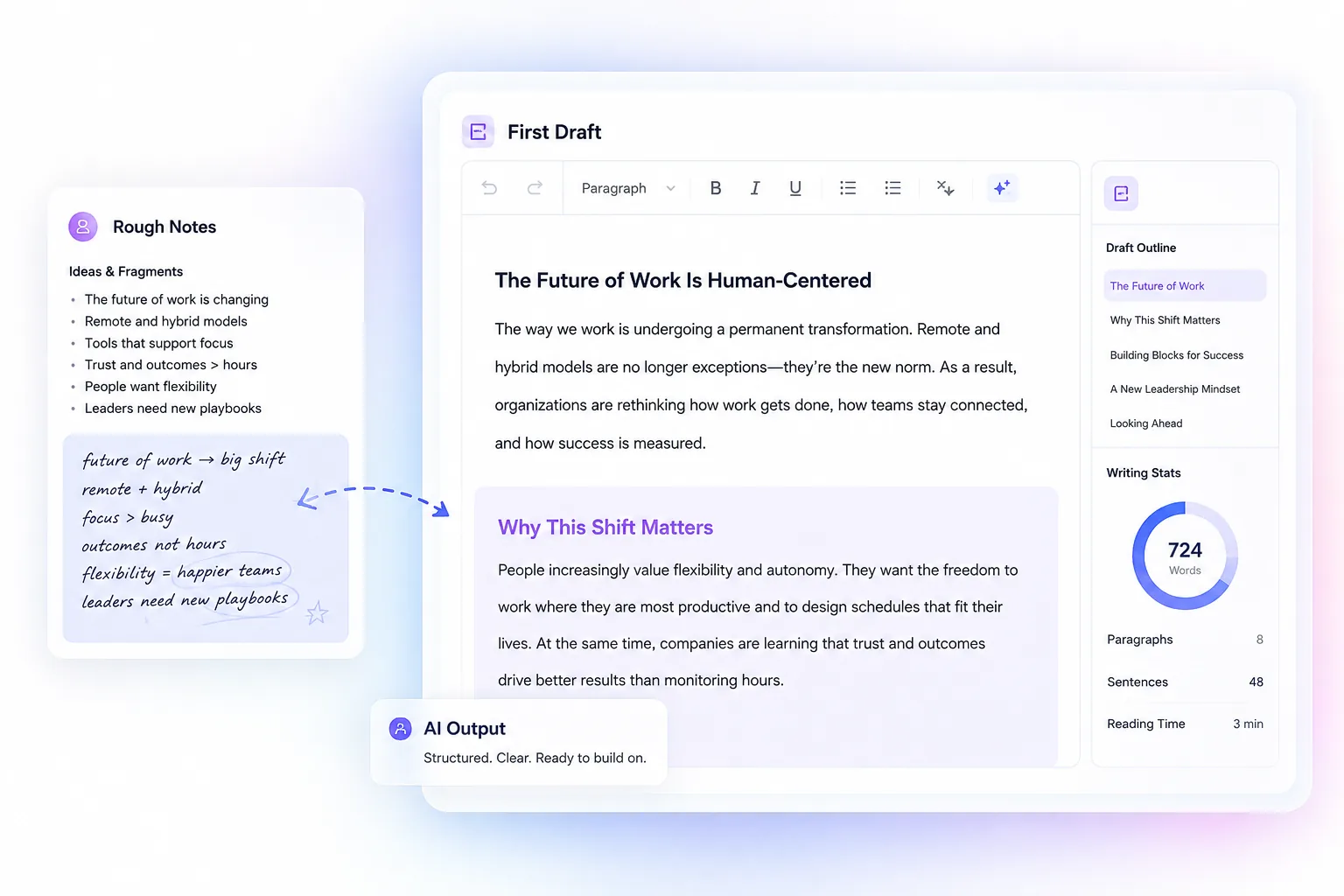
Rough notes expanded into a structured first draft with organized paragraphs and clear sections

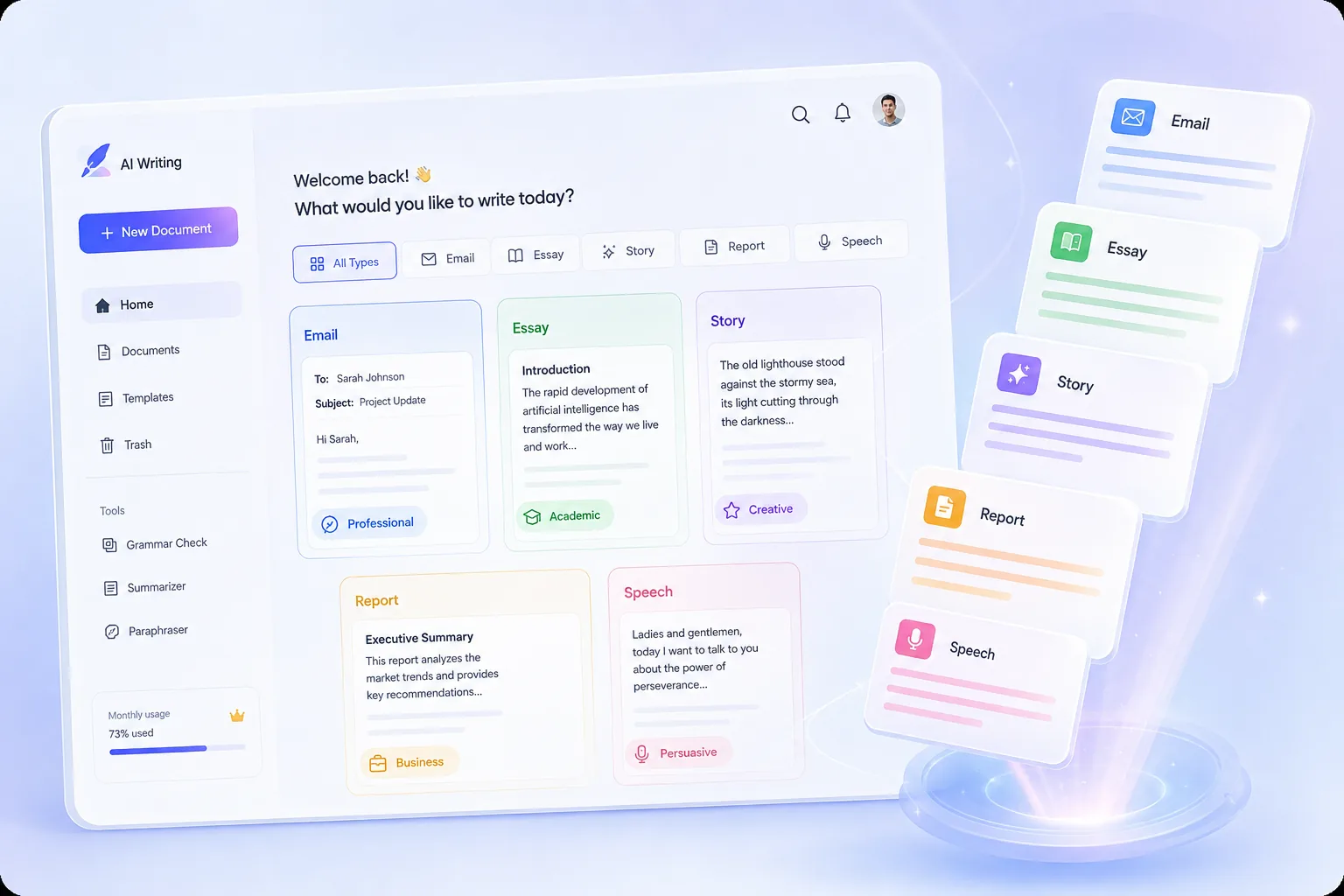
AI Writing Generator for Emails, Essays, Stories, Reports, and Speeches

Each writing type follows its own structure and conventions, and the generator applies them automatically — so an email reads like an email and a speech sounds like a speech, with the structure each format calls for already in place. You can move between professional and personal writing in the same session without switching tools.

Try Any Writing Type
Writing type selector for emails, essays, stories, reports, speeches, and scripts

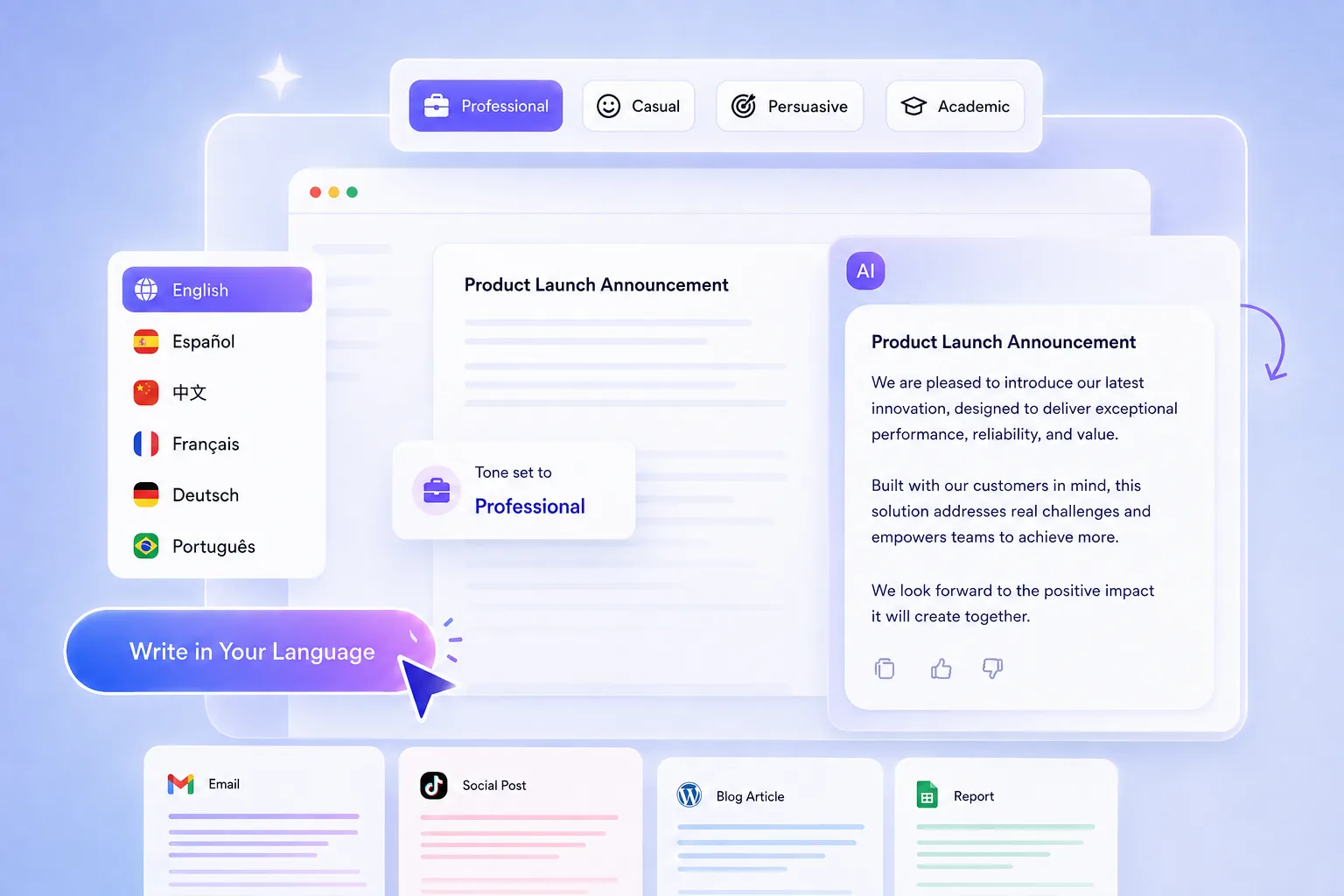
Set the Tone in Any Language Before a Single Word Is Generated

Choose professional, casual, persuasive, or academic, and the writing follows that register from the opening sentence — in English, Chinese, Spanish, and every supported language. Give instructions in the language you think in and receive polished content in the language your audience reads, with tone carried through word choice and rhythm in every language, so the result reads as if it were originally written for that audience.

Write in Your Language
Tone and language controls for professional, casual, persuasive, and academic writing outputs

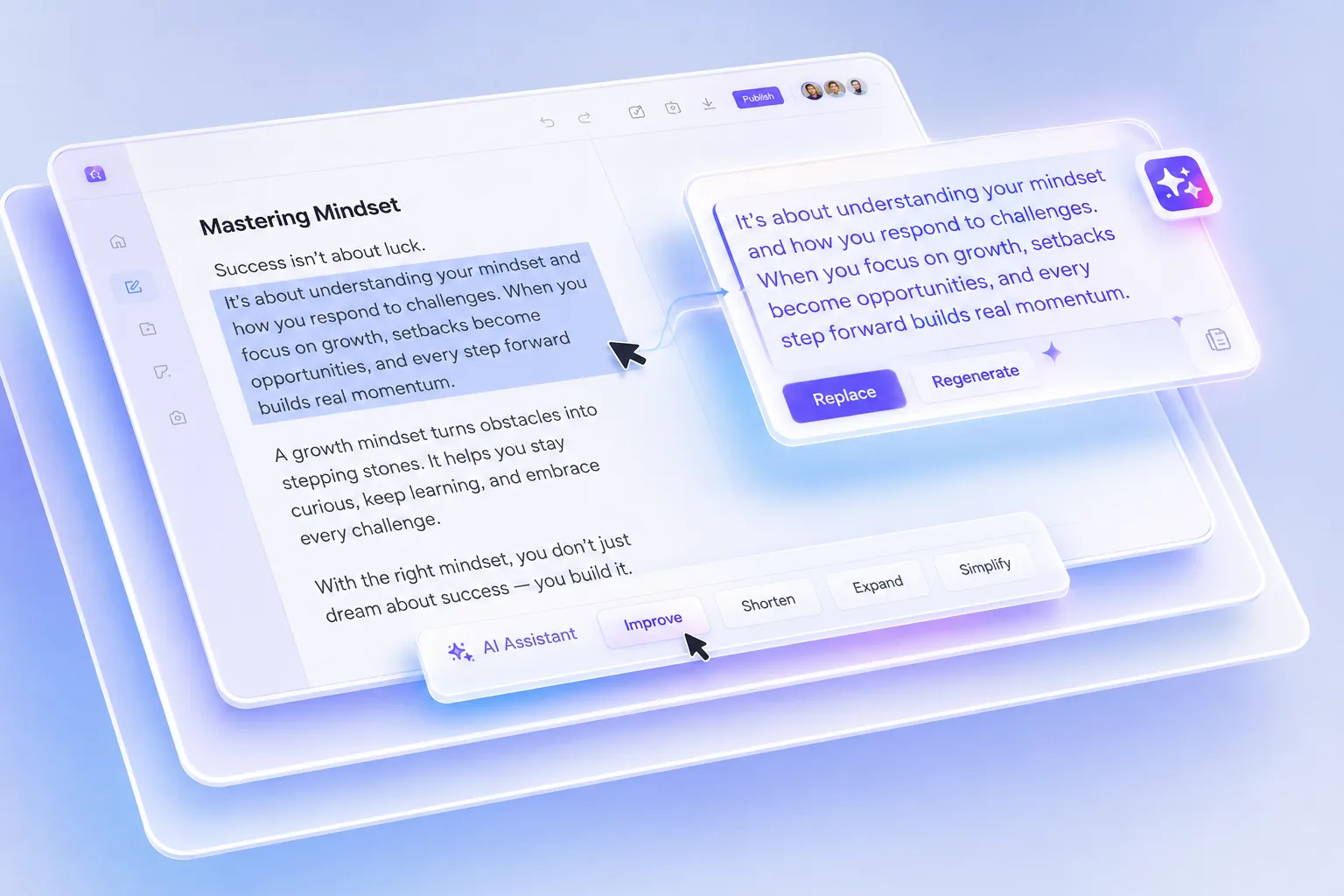
Regenerate Any Paragraph Without Starting the Whole Piece Over

When one section falls flat, the AI content generator rewrites only the part you select while everything else stays exactly where it was — so the parts that already work stay untouched while you improve the parts that don't. Each revision affects only what you choose, keeping the rest of your draft exactly as it was.

Perfect Your Draft Section by Section
Paragraph regeneration editor showing selected text rewritten while the rest stays unchanged

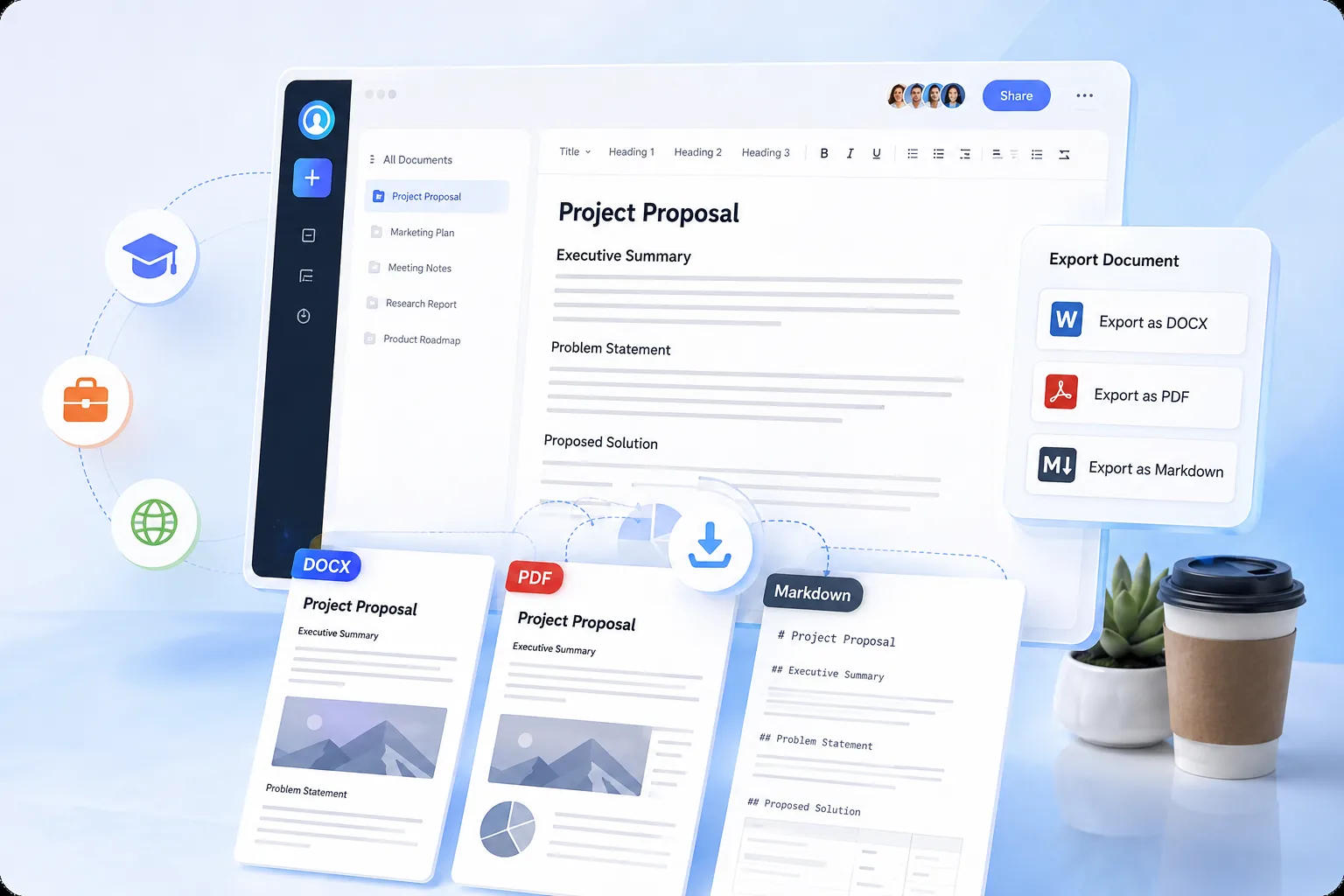
Export Ready-to-Send Documents in DOCX, PDF, or Markdown

Finished work downloads as DOCX, PDF, or Markdown with headings and formatting fully preserved, so there is no copy-paste cleanup between the tool and wherever the writing needs to go. You can submit an assignment, deliver a document to a client, or publish to your platform the moment the last sentence is right.

Get Your Finished Document
Export panel for finished documents in DOCX, PDF, and Markdown formats

How to Use the AI Writing Generator in 3 Simple Steps

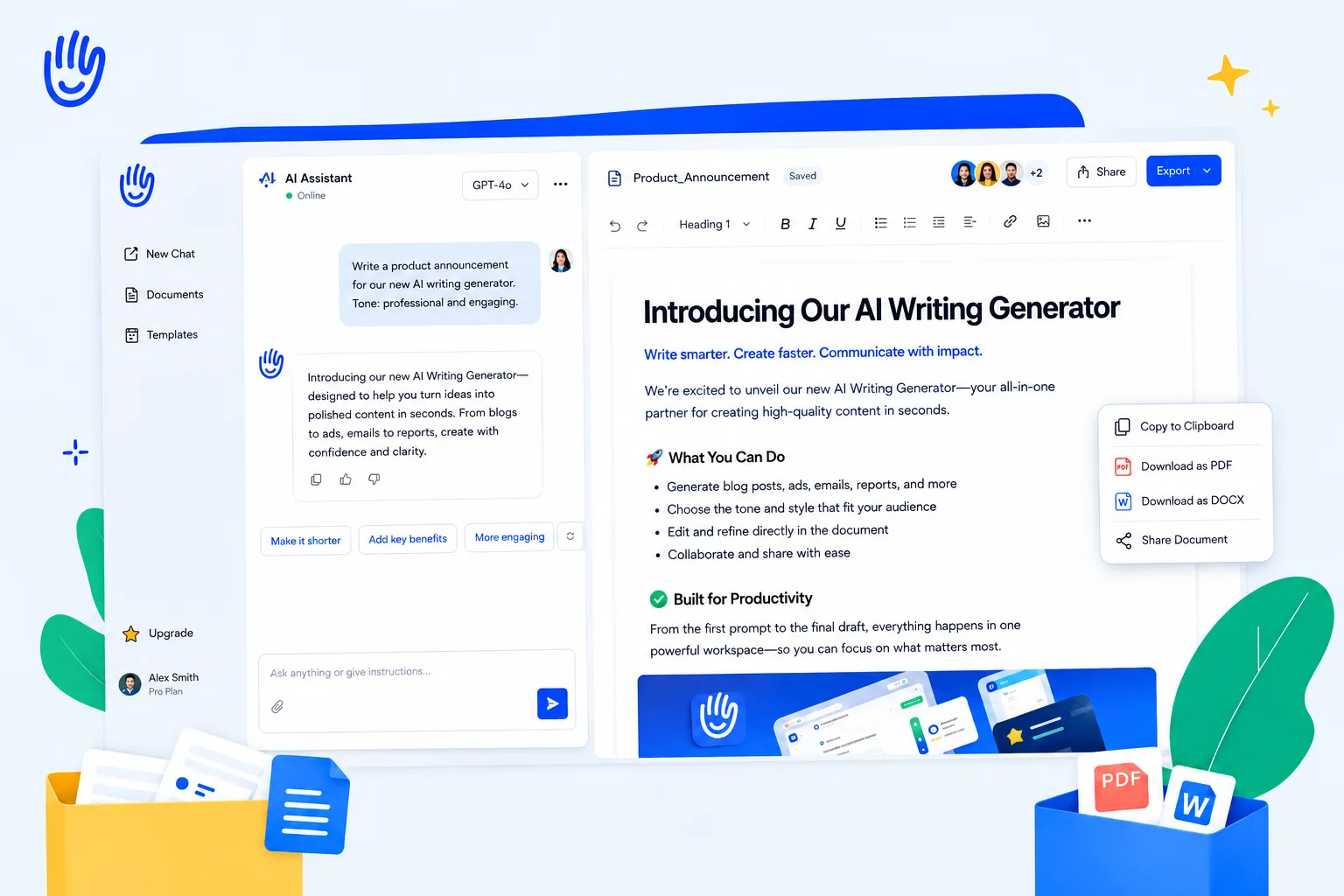
From prompt to finished page, everything happens in a single view — chat, document preview, and quick actions side by side.

Three-step writing workflow from chat request to document preview and final actions
1

Start with a Request in the Chat Panel

Type what you want to create, revise, or continue, pick the model that fits, and send — the assistant responds in the same thread, keeping your instructions and the result connected.

2

Review and Edit in the Document View

Content appears on the right in a clean page layout — freely edit the text while checking flow, spacing, and section order, with the conversation always within reach for further changes.

3

Finalize with Quick Actions

When the page is ready, copy, download, or share it directly from the action bar — moving from review to delivery without leaving the screen.

Start Writing for Free

Why Choose HeyTop AI as Your AI Writing Assistant

Built for Long-Form Writing

Draft full novels, reports, and scripts chapter by chapter—create, reorder, and refine sections in one continuous document, from page one to the final draft.

Original Content, From Scratch

Every draft is generated fresh from your input—not copied or spun from existing articles—giving you original writing to refine and make your own.

Right Model for Every Task

Switch between available AI models mid-document—fast drafts, deep reasoning, or creative flair—without ever losing your place.

No Skills Required

No prompts to learn, no setup needed. Describe what you want in plain language—just like asking a colleague—and the generator handles the rest.

AI Writing Generator for Every Writing Scenario

Blog posts, business emails, product descriptions, essays—whatever you need to write, our AI writing generator adapts to the way you work and helps you write faster and better.

Never Run Out of Ideas—Keep Your Content Calendar Full

Built for bloggers and content creators who need to publish consistently. Turn a rough topic into a structured article draft in minutes, so you can spend your time refining ideas instead of fighting writer's block.

Content creation workflow for turning a topic into a publishable article draft

Launch Campaigns Faster, Without the Copywriting Bottleneck

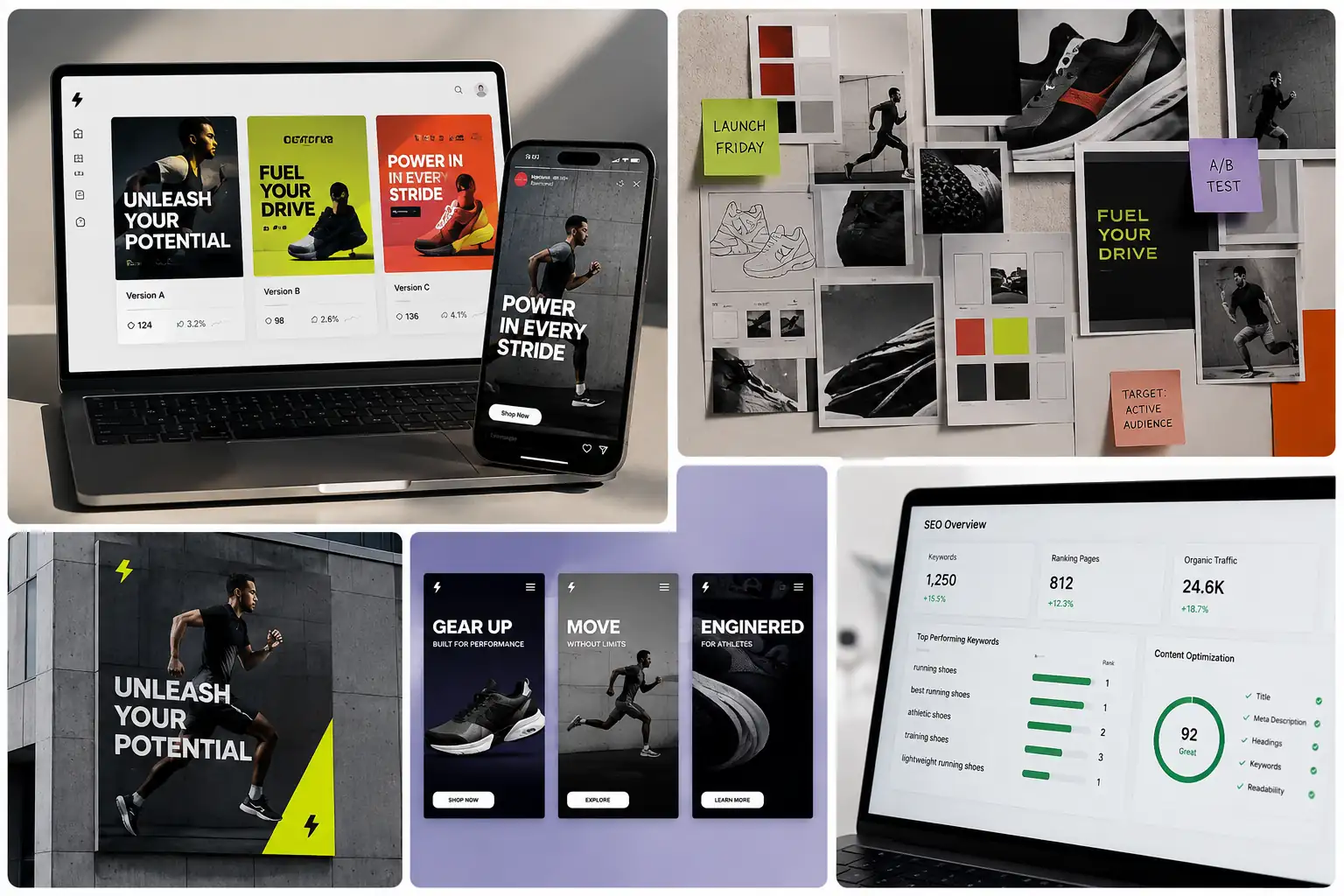
Ideal for marketers preparing ad copy, landing pages, and promotional content under deadline. Generate multiple versions of the same message to test different angles, and keep your SEO articles aligned with target keywords from the first draft.

Marketing copy workflow for campaign drafts, landing page text, and SEO article angles

Write Product Descriptions That Actually Sell

Made for e-commerce sellers managing large catalogs. Batch-generate product descriptions that highlight key selling points and answer common buyer questions—so your listings stay complete and persuasive, even with hundreds of SKUs.

E-commerce copywriting workflow for product descriptions and persuasive listing text

Go From a Blank Outline to a Structured First Draft

Helpful for students and educators working on essays, reports, and course materials. Get a clear structure and a first draft to build on, so you can focus your energy on research, analysis, and your own argument.

Academic writing workflow for turning an outline into a structured essay or report draft

Handle Everyday Business Writing in Half the Time

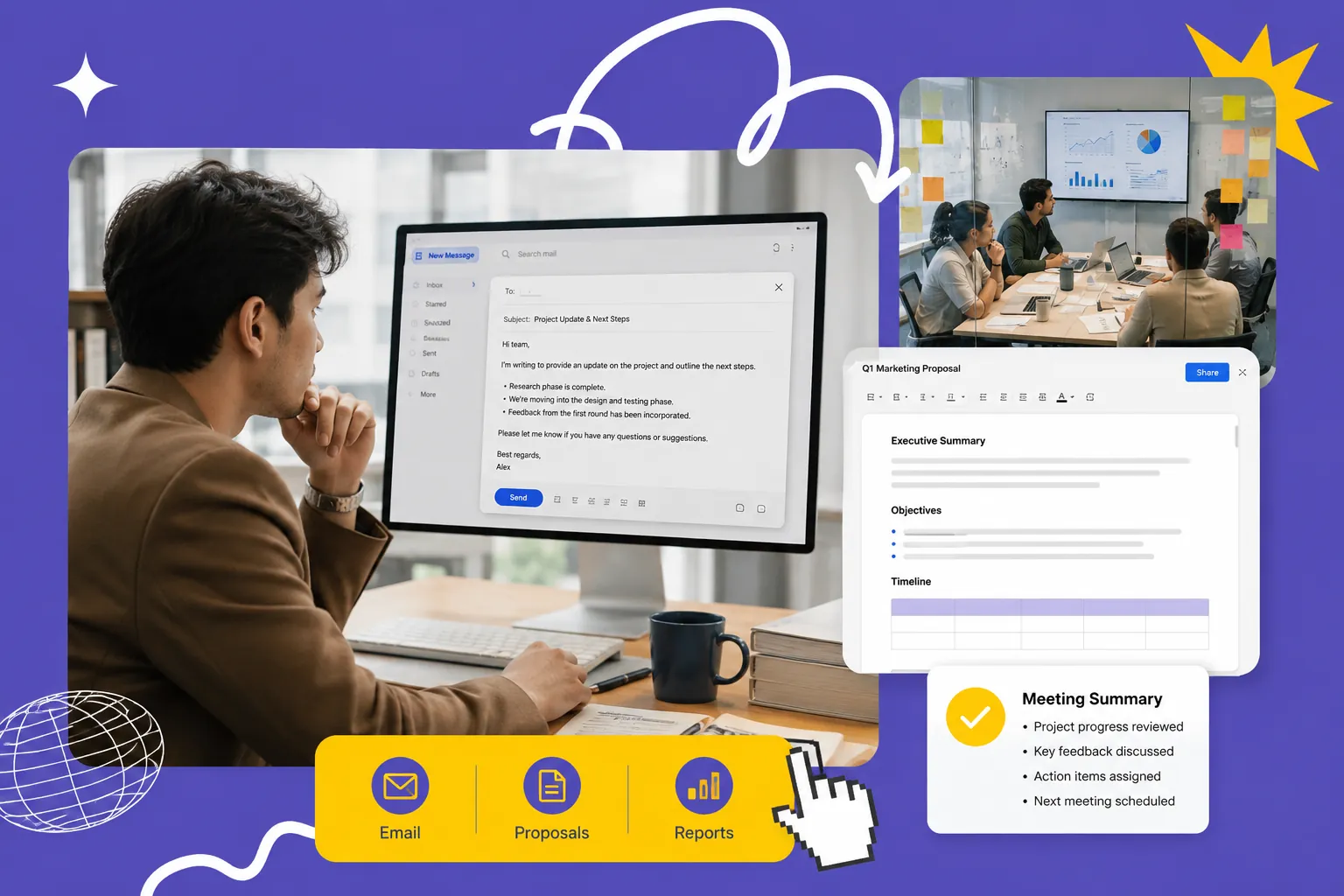
Designed for professionals who write emails, proposals, meeting summaries, and reports every day. Enter the key points, and get a polished, appropriately toned draft you can send after a quick review—keeping your communication professional without eating up your schedule.

Workplace writing assistant for emails, proposals, meeting summaries, and business reports

Frequently Asked Questions

Yes. The AI writes each piece from scratch based on your input, rather than copying from existing sources—so every output is unique. For content you'll publish formally, we still recommend a quick pass through a plagiarism checker and a final human review as good practice.

Yes—getting started is free. New users receive complimentary credits upon signing up, which you can use to try out the core writing features right away. If you need higher usage limits or access to more advanced features, you can upgrade to a subscription plan whenever it suits you.

Yes. Content you create with the tool can be used in commercial projects, including marketing campaigns, product pages, and business communications. Before publishing, review and fact-check the output to make sure it fits your brand voice and meets your industry's standards.

Not if you use it well. Google rewards helpful, people-first content regardless of how it's produced. The smart approach is to treat AI output as a first draft: add your own insights, verify the facts, and refine the tone. Content that genuinely helps readers is what ranks.

The more specific your input, the better the output. Instead of a broad topic, include details like your target audience, desired tone, key points to cover, and preferred length. You can also generate multiple versions of the same request and combine the strongest parts into your final piece.

Ready to Create Your Best Content Using an AI Writing Generator?

★★★★★ 4.9/5 Trusted by writers, marketers, and creators worldwide
Start AI Writing for Free