HeyTop.ai

Convert PDF to PPT in Seconds with AI

Skip the hassle of manual formatting. HeyTop AI rebuilds your PDF documents into editable PowerPoint presentations, preserving your text, tables, and layout structure so you can edit or present immediately.

Upload your PDF file here

Drag and drop or click to upload

Rebuild Your PDFs into Presentation-Ready Decks

While standard converters only turn pages into flat images, HeyTop AI reconstructs your PDF into native, editable PowerPoint elements to keep your workflow uninterrupted.

Get Editable PPT Slides, Not Static Background Screenshots

HeyTop AI uses structure-aware technology that maps your PDF elements into native PowerPoint shapes and text boxes. It analyzes the original document coordinate system and recreates editable layers, allowing you to directly modify text fonts, colors, and graphical objects. This means no more tedious retyping or starting from scratch.

Try Editable Layouts
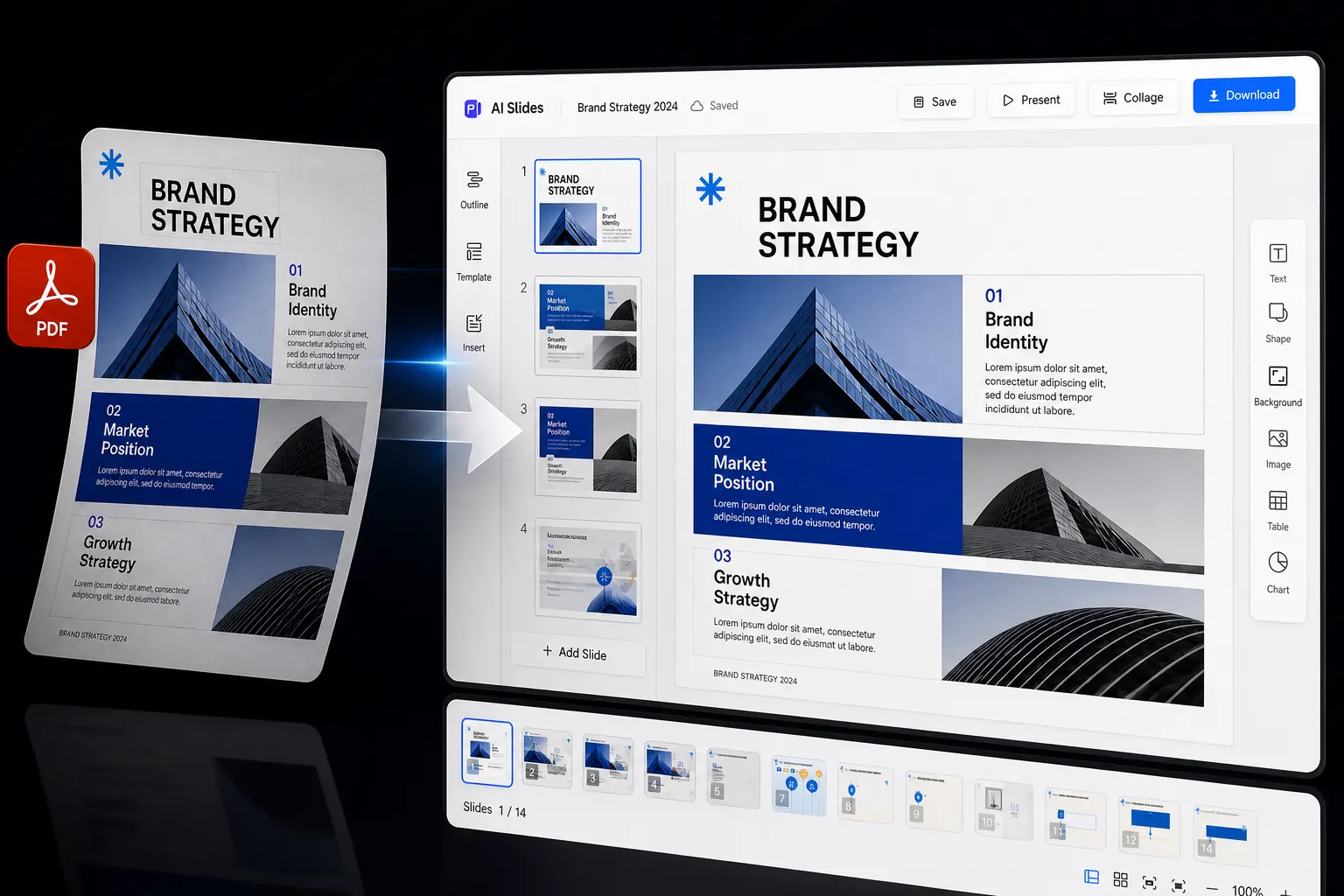
Editable PDF to PPT slide layout with text boxes, shapes, and presentation elements ready to adjust

Keep Complex Tables Intact and Ready for Office Editing

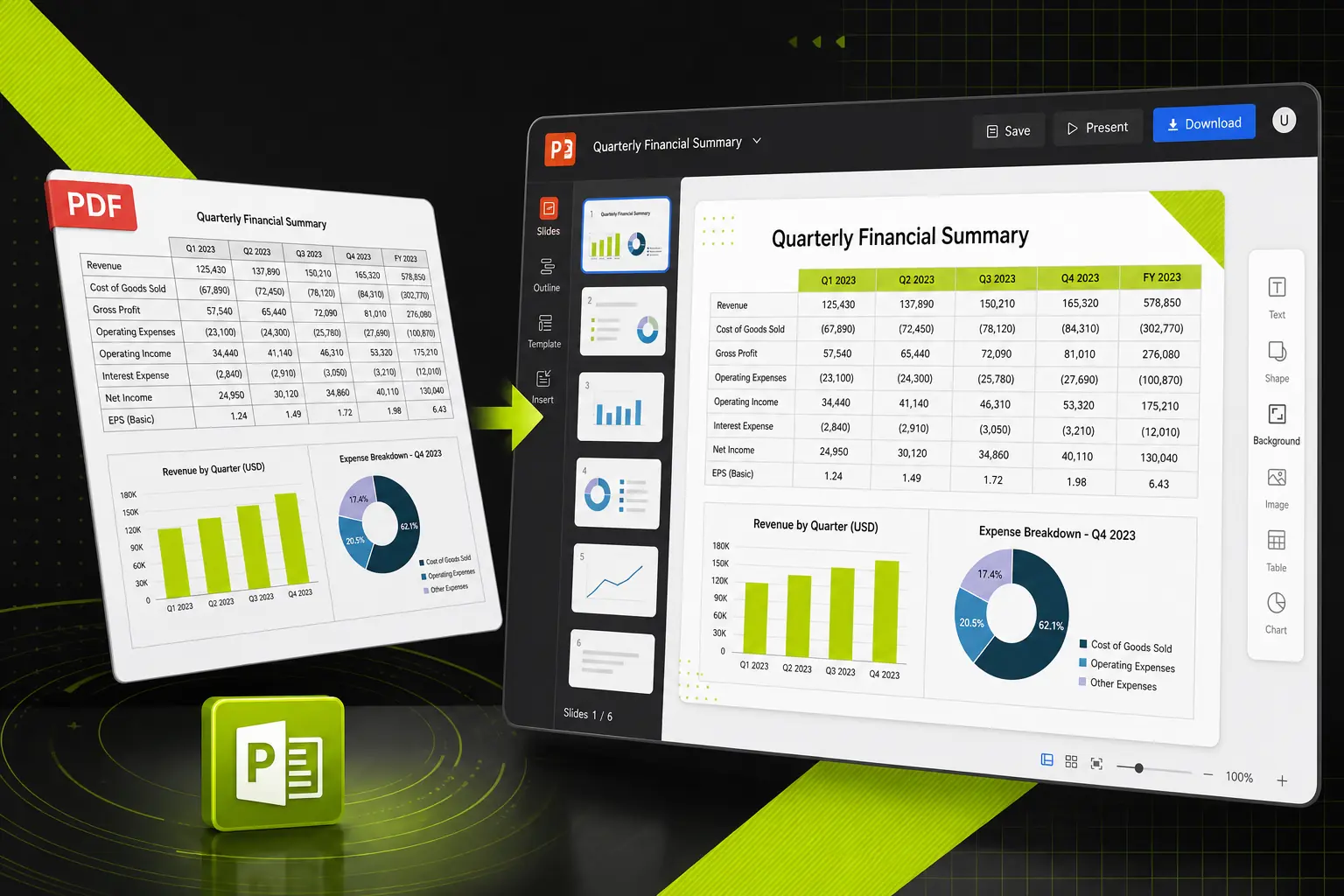
This specialized parser identifies cell boundaries and numeric alignments within PDF tables, mapping them into native PowerPoint table grids. It prevents rows and columns from breaking apart into separate text blocks, allowing you to update statistics directly. Your financial reports and data sheets, kept structured and functional.

Convert Data Sheets
PDF table converted into an editable PowerPoint grid for updating rows, columns, and report data

Turn Dense Reports into a Structured Slide Narrative

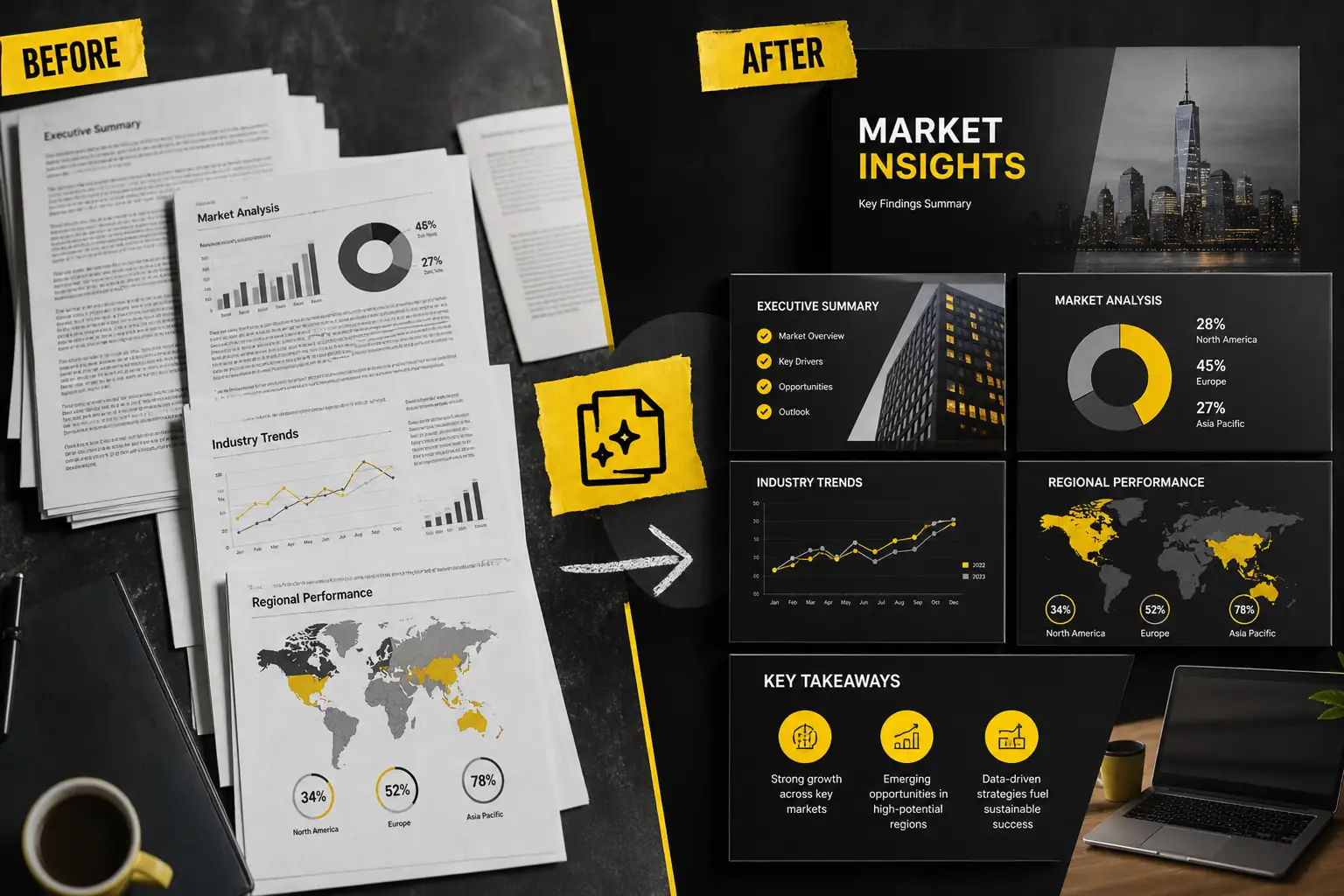
Our AI narrative engine reads your entire document to extract key insights and organize them into a presentation-friendly flow. It filters out heavy academic or corporate fluff and condenses complex paragraphs into clean, digestible bullet points. A polished, audience-ready deck, instead of a bloated page-by-page clone.

Summarize Your Report
Dense PDF report reorganized into a clear slide narrative with summarized sections and key points

Apply Professional Themes to Match Your Brand Identity

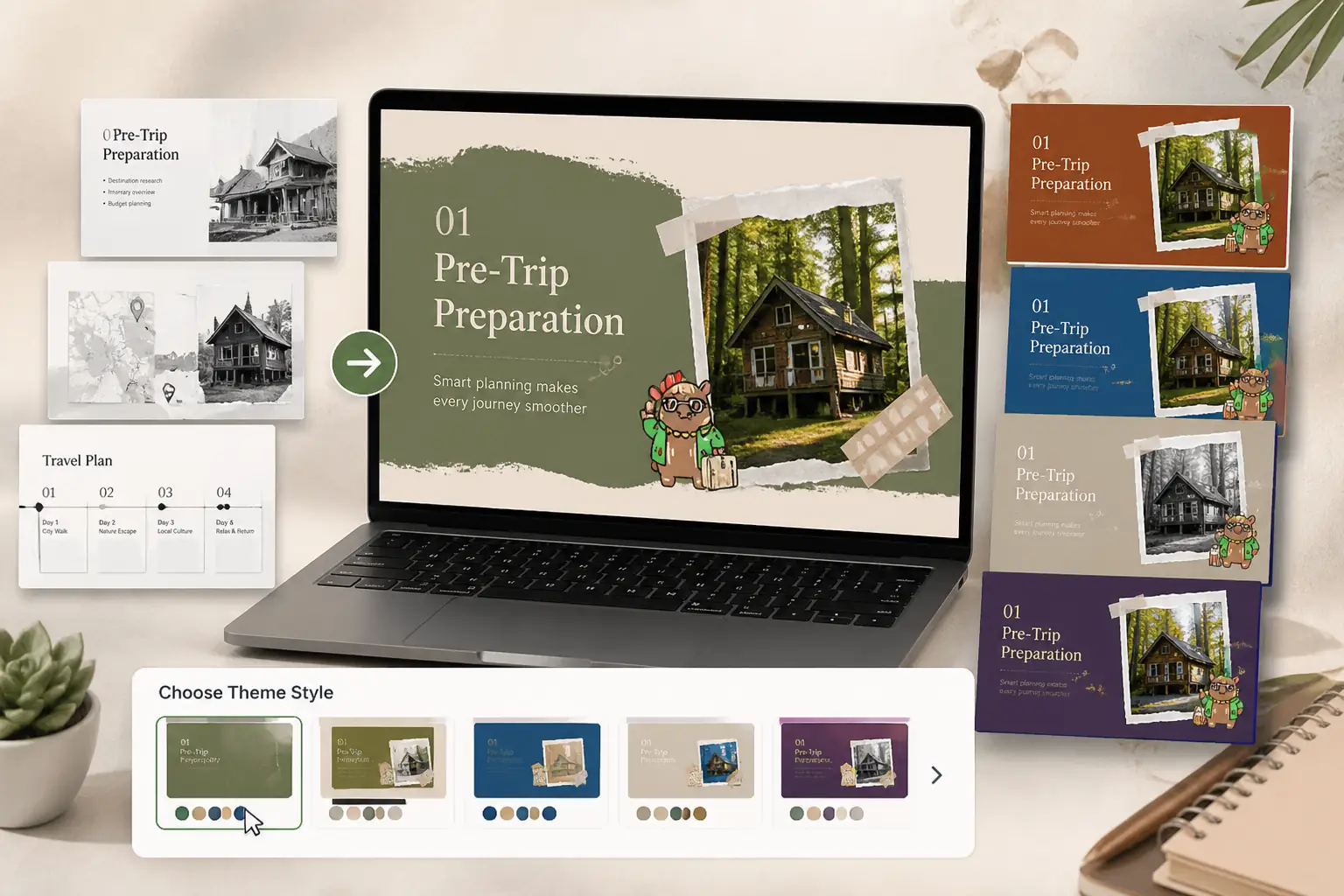
Instead of leaving you with a plain black-and-white conversion, this feature lets you apply pre-designed slide layouts and color palettes to the output. You can align the design with your company’s branding by selecting clean, modern themes before exporting. A simple way to elevate raw documents into client-ready presentations.

Choose Theme Style
Converted presentation styled with branded colors and polished slide layouts for client-ready decks

How to Convert PDF to PPT in 3 Simple Steps

Turn your static documents into dynamic, fully editable presentation slides in just a few minutes.

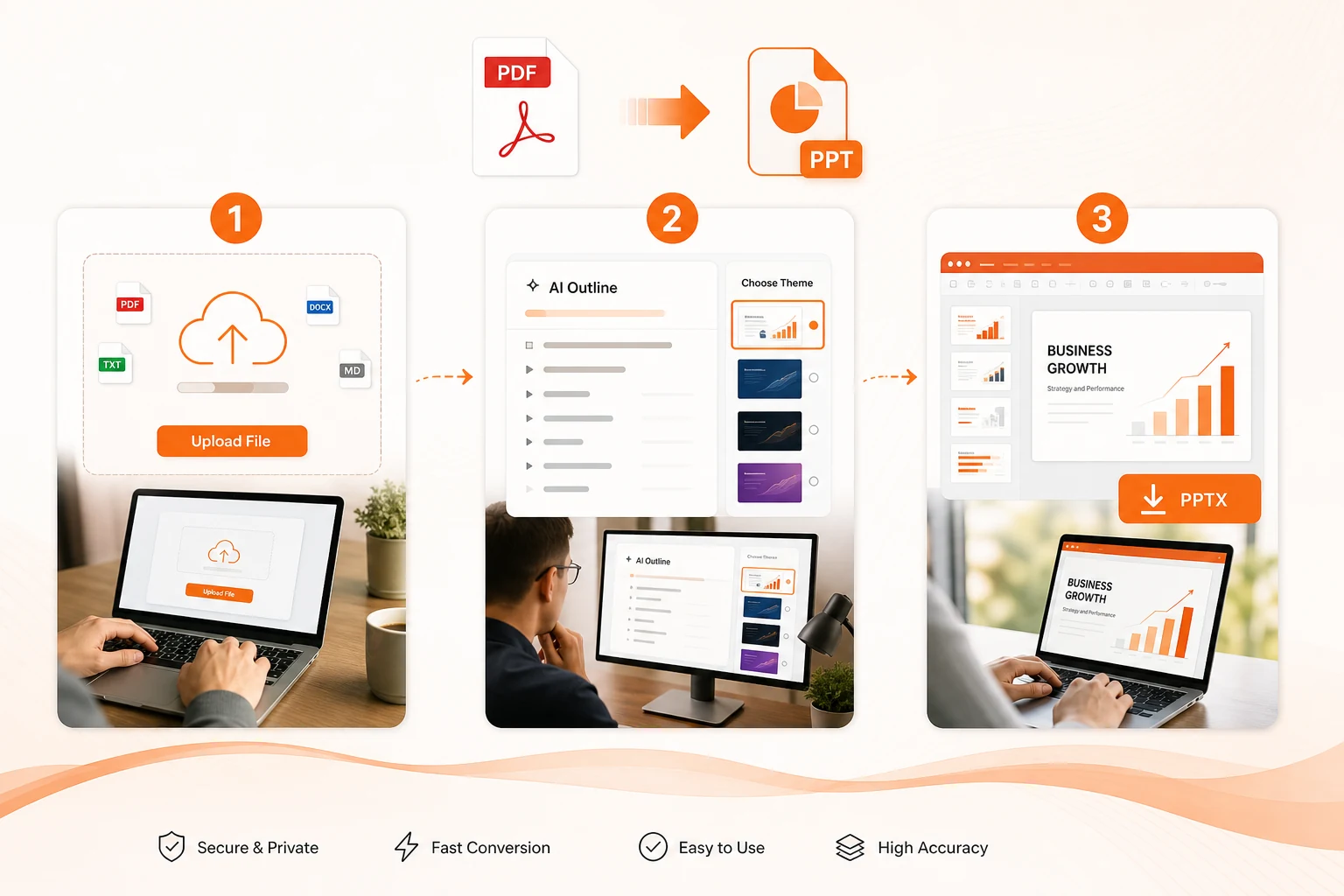
Three-step PDF to PPT workflow showing upload, outline review, online editing, and PPTX download
1

Upload Your PDF Document

Drag and drop your PDF into the upload zone, or click to select files.

2

Review and Refine the Outline

Our AI analyzes your file to structure it into logical slide sections. Preview the generated outline and select a theme to match your style.

3

Edit Online and Download

Make quick adjustments to your presentation layout online, then download the native PPTX file. Complete your final edits seamlessly in PowerPoint.

Keep Original Layout

Our smart AI preserves your original fonts, alignment, and structure, eliminating the need for tedious manual formatting adjustments.

Instant Conversion

Convert even large or complex PDF documents into slides in just a few seconds, keeping your productivity high.

Secure Conversion & Privacy

We safeguard your data with SSL encryption and guarantee that all uploaded files are permanently deleted from our servers after conversion.

Multi-Platform Compatibility

The converted files work flawlessly across all major presentation software on Windows, Mac, and web platforms.

See Who's Using Our PDF to PPT Converter

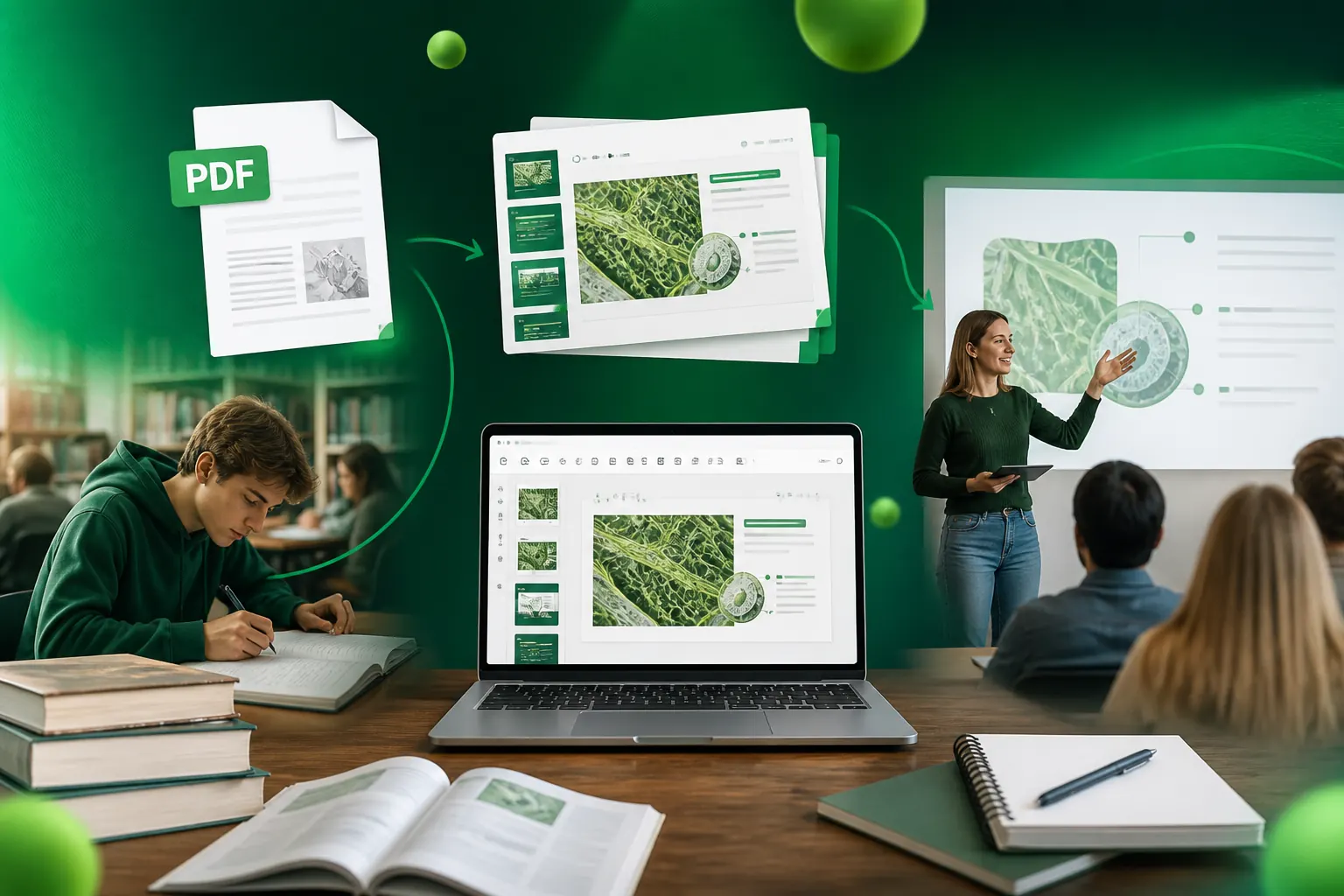
Convert Study Guides and Syllabus PDFs into Class-Ready Slides

Ideal for students preparing for group presentations and educators structuring upcoming lectures. This seamless transition turns static syllabus files, dense textbook chapters, or exam study guides into clean, interactive slides for Google Slides or Keynote, helping you save hours of preparation time and focus entirely on delivering a great classroom performance.

Syllabus and study guide content transformed into classroom presentation slides for lectures

It is an online tool designed to convert static PDF documents into editable PowerPoint presentations. Unlike traditional tools that simply capture uneditable screenshots of each page, our AI-driven converter analyzes the document structure, extracts text, images, and tables, and rebuilds them as native PowerPoint elements so you can edit them directly.

We strive to keep your original design, fonts, and layouts as accurate as possible. However, because PDF and PowerPoint use completely different formatting systems, highly complex layouts or rare fonts might require some minor manual adjustments after conversion.

Traditional converters simply copy and paste elements blindly, which often breaks paragraphs and scrambles layouts. An AI-powered converter actually “reads” and understands your file. It recognizes the hierarchy of your document—separating headers, body text, and captions—and can even summarize heavy paragraphs into presentation-ready bullet points.

Yes, absolutely. The converted file is exported as a standard .pptx file, which is universally compatible. This means you can open and edit it seamlessly in Microsoft PowerPoint, upload it directly to Google Drive to work on Google Slides, or import it into Apple Keynote without any hassle.

Your privacy is our top priority. All file transfers are secured with end-to-end SSL/HTTPS encryption. Furthermore, both your uploaded PDFs and the converted files are automatically and permanently deleted from our servers within a few hours, and we never use your documents to train our AI.

Ready to Turn Your PDF to PPT and Start Presenting in One Click?

⭐⭐⭐⭐⭐ 4.9/5 — Trusted by 30,000+ students, educators, and business professionals.

Convert PDF to PPT Free