
Choose the resolution that fits your visual, from quick 1K outputs to sharper 4K results.
Nano Banana 2 AI Model for Image Creation
Nano Banana 2 helps creators move from a prompt or reference to a polished visual more quickly, with readable on-image copy, dependable characters or products, format-ready layouts, and simple follow-up changes.
Reference images
Model
Loading models…
Preview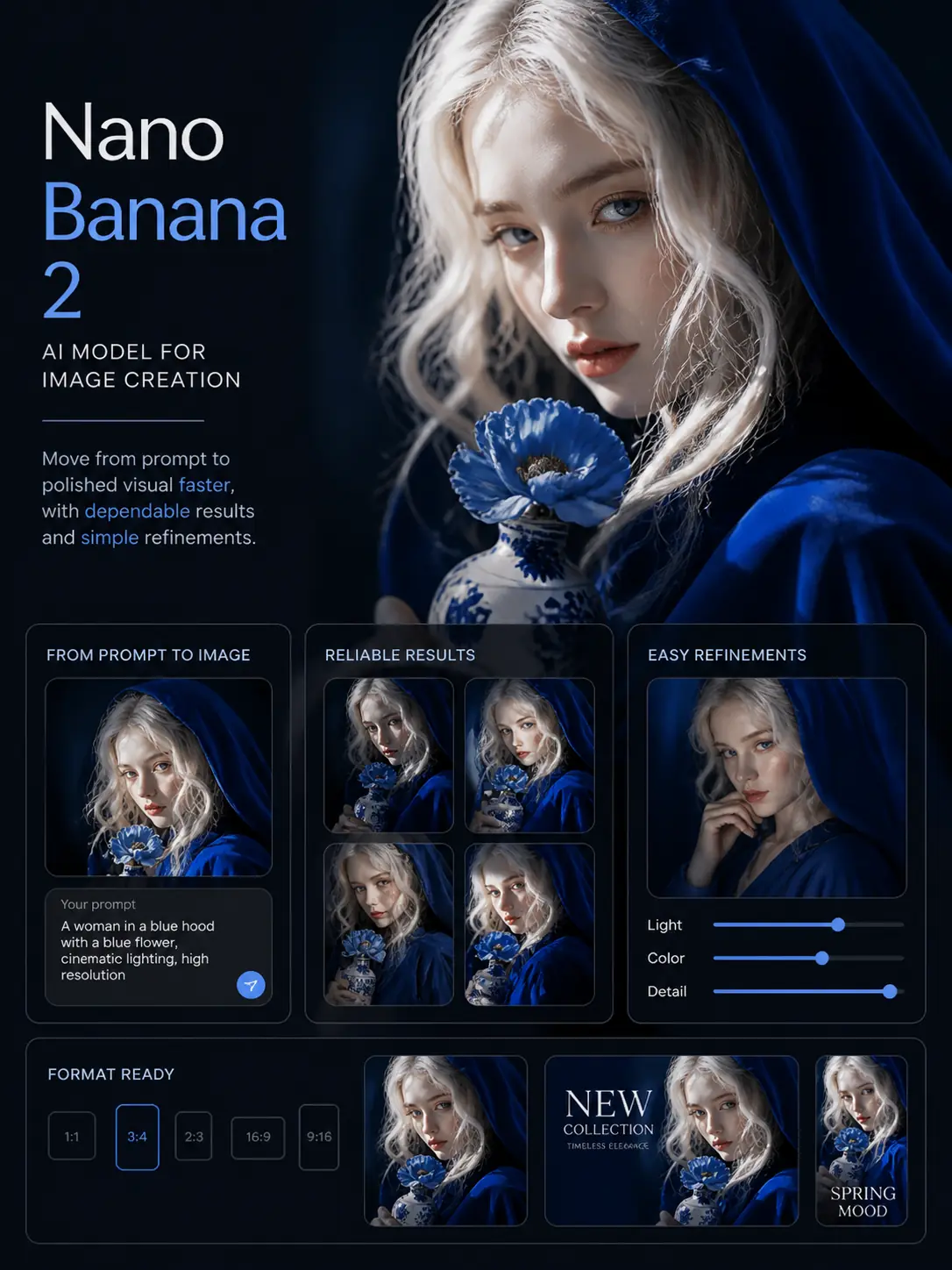
Create in popular formats including 16:9, 9:16, 1:1, 2:3, 3:2, 4:3, 3:4, and 21:9.
Generate one focused result or compare up to four image options in the same run.
What Is Nano Banana 2?
Nano Banana 2 is Google’s Gemini image model for text-to-image creation, reference-based editing, and follow-up visual refinements. Built on Gemini 3.1 Flash Image, it is designed for creative workflows that need faster results, clearer on-image text, steadier subject details, and output options that can fit different formats.
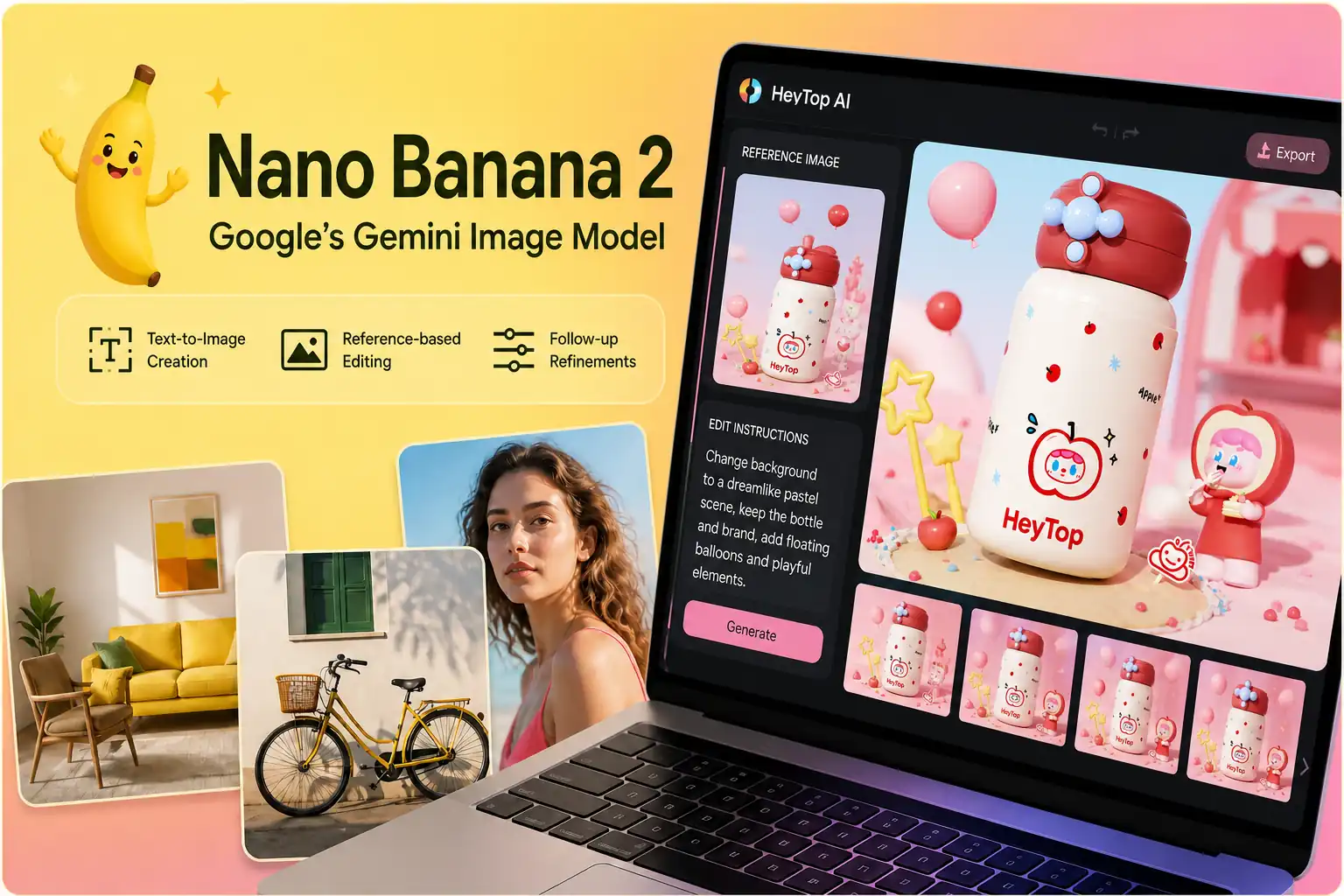
What Are the Core Features of the Nano Banana 2 AI Image Model?
Explore the core Nano Banana 2 features that help users create, adjust, and prepare images with better control. This section focuses on what the model can handle, not just what kind of pictures it can make.
Turn Detailed Prompts into Images with Clearer Creative Intent
Nano Banana 2 can respond to prompts that describe the subject, setting, style, mood, lighting, composition, and intended purpose of an image. This allows users to give the model a fuller creative direction, so the result is shaped by more than a short keyword or generic style request.
Create from Prompt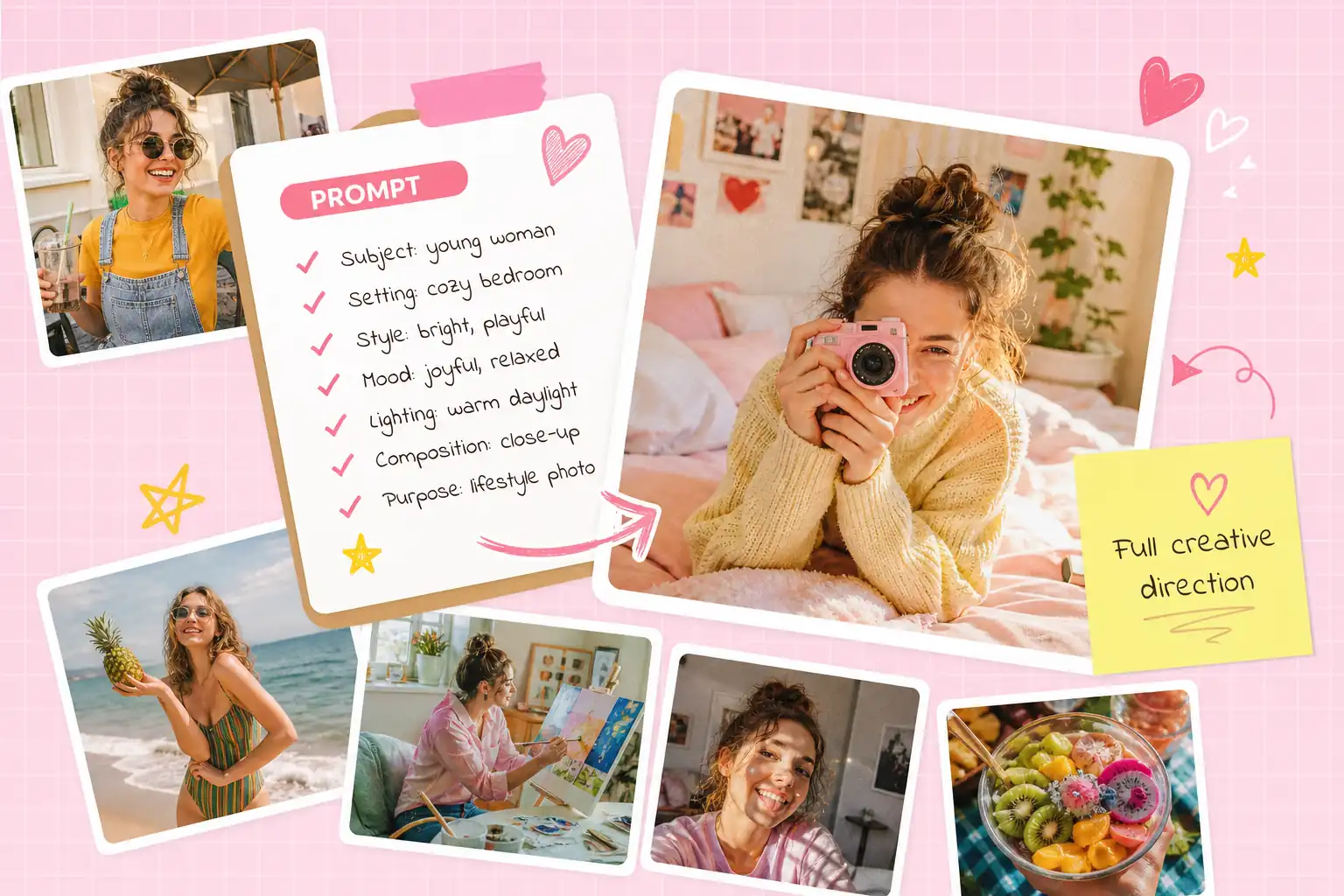
Guide the Result with a Reference Image Instead of Starting Blind
A reference image gives Nano Banana 2 a visual anchor for elements such as shape, pose, material, color, structure, or overall composition. This helps the model understand what should influence the next result while still leaving room for a newly generated or revised image.
Use Reference Image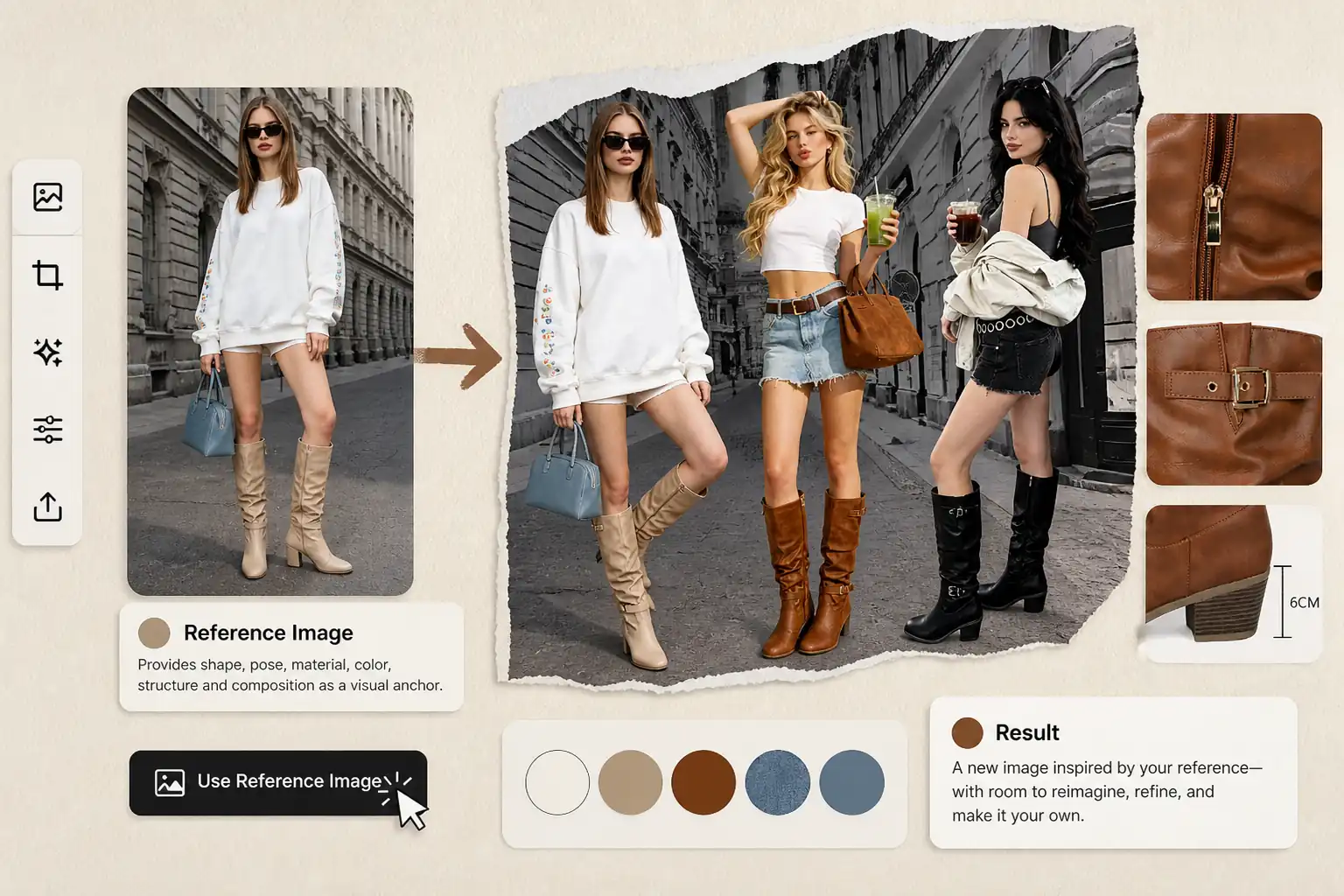
Create Images Where Short Text Reads as Part of the Visual Design
Nano Banana 2 can place concise words, labels, signs, titles, or notes directly inside the picture. This helps when the image needs to carry readable information within the composition, instead of depending only on separate captions or post-edit overlays.
Add Image Text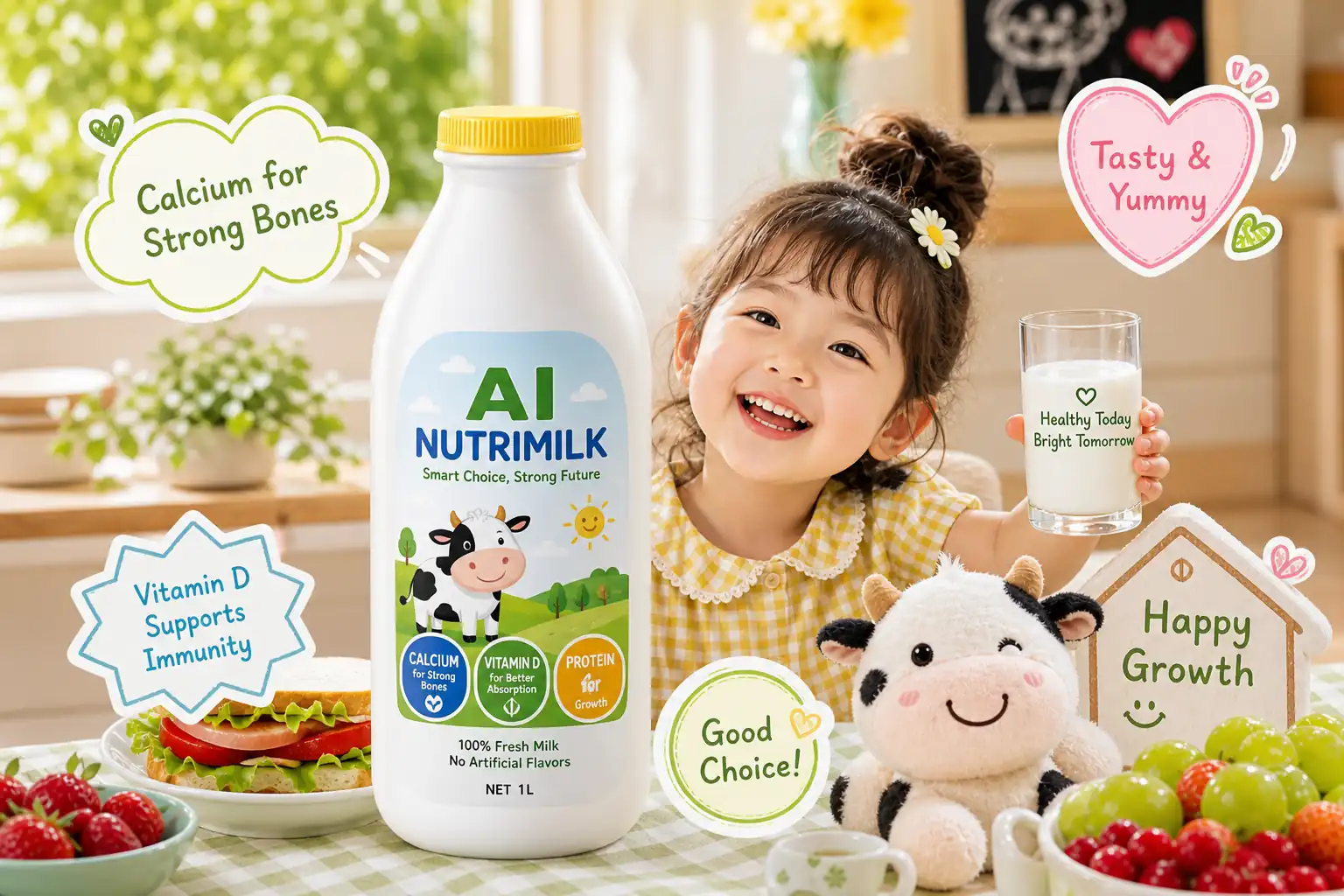
Keep the Same Subject Recognizable Across Versions
When a person, product, object, or character appears in related image versions, Nano Banana 2 can help retain the visual traits that make the subject familiar. This gives users a clearer way to compare updates while keeping the main identity of the image intact.
Keep Subject Details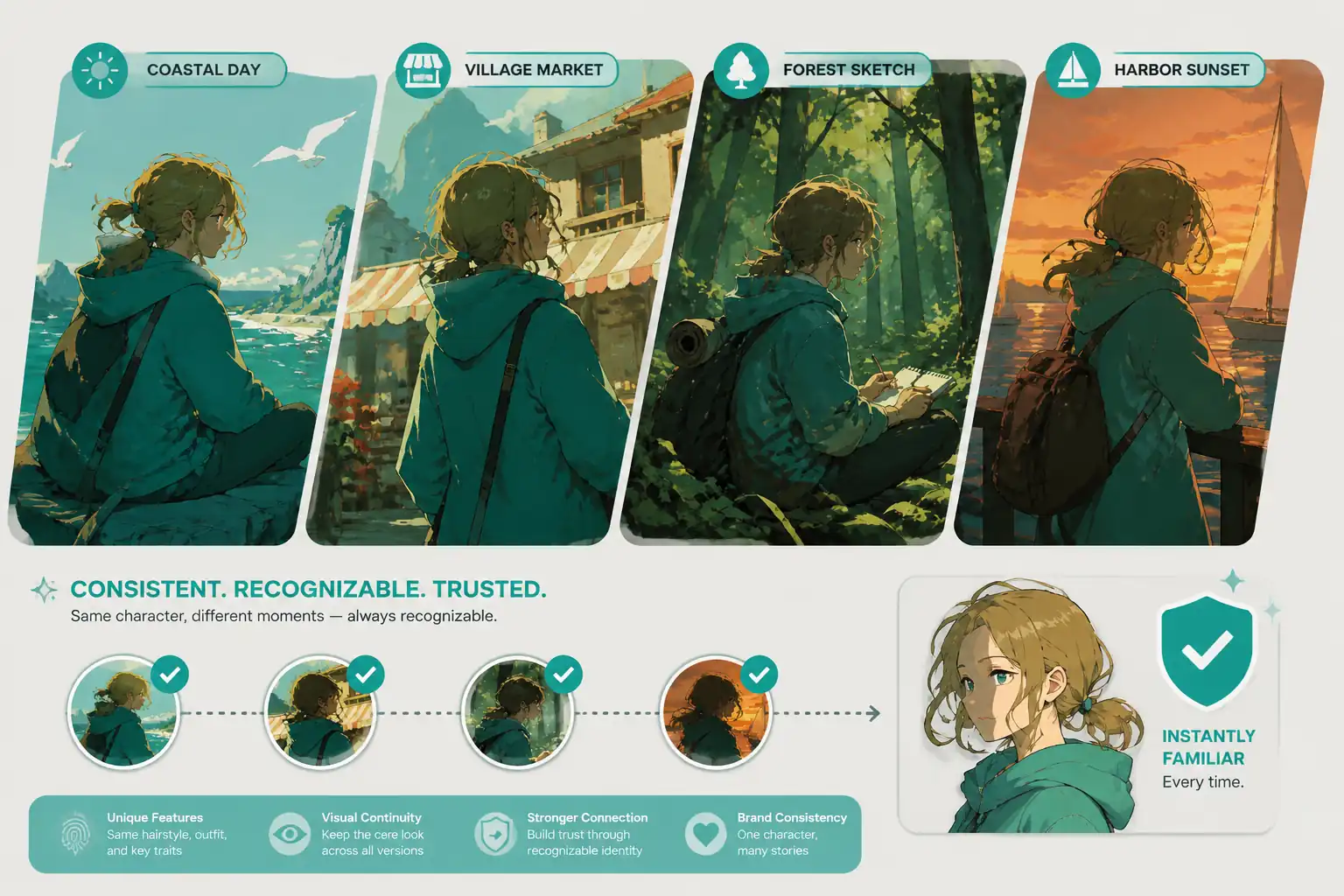
Refine Local Areas Without Reworking the Entire Image
Nano Banana 2 can adjust selected parts of an existing result, such as background, lighting, color balance, expression, object placement, or composition. This makes it easier to improve a specific area while keeping the broader visual direction in place.
Refine Local Details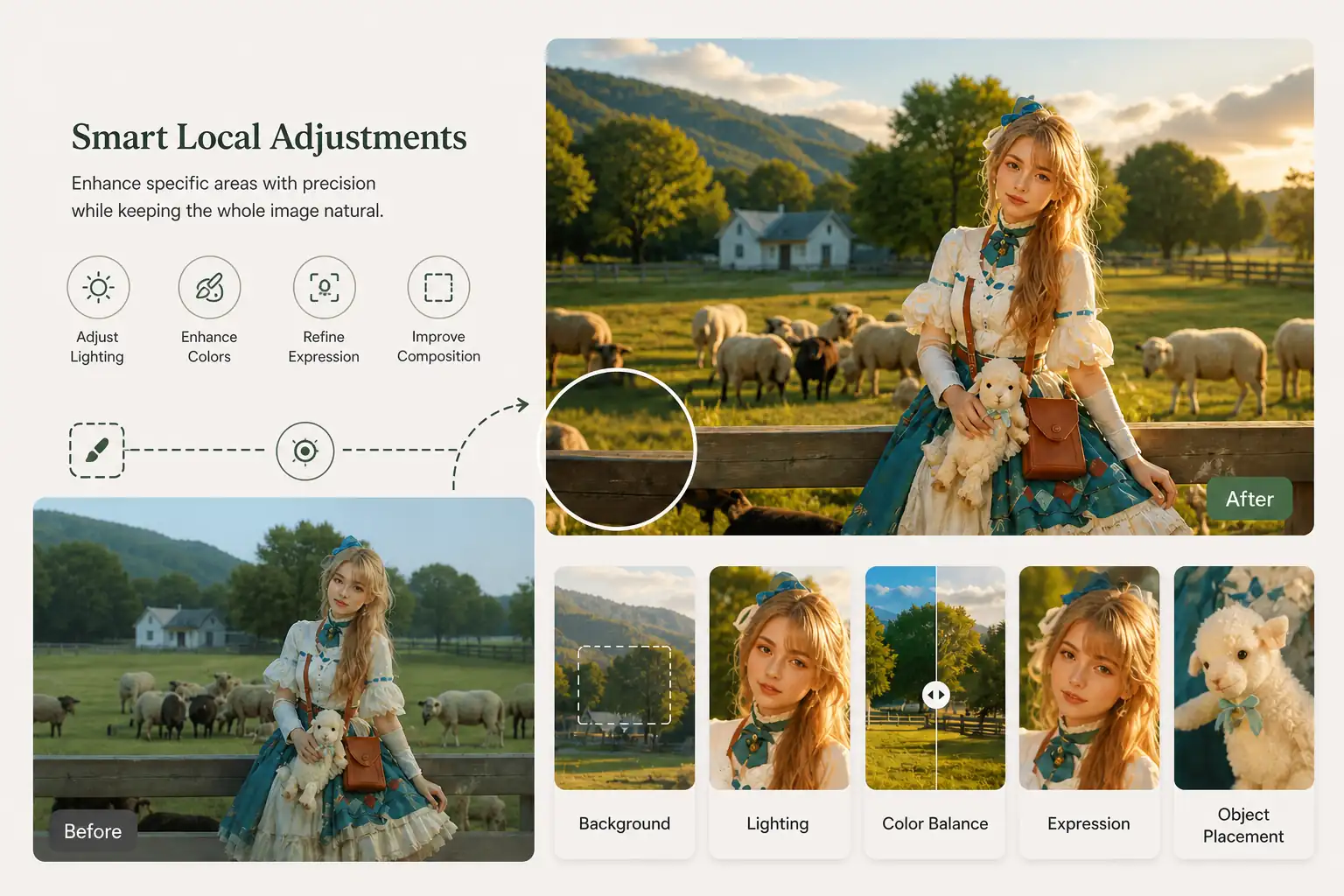
Prepare Images for Different Ratios, Sizes, and Comparisons
Nano Banana 2 supports multiple output choices, including common aspect ratios, resolution levels, and image count options. This helps users shape a single visual idea into versions that are easier to review, compare, resize, and prepare for different creative needs.
Set Output Options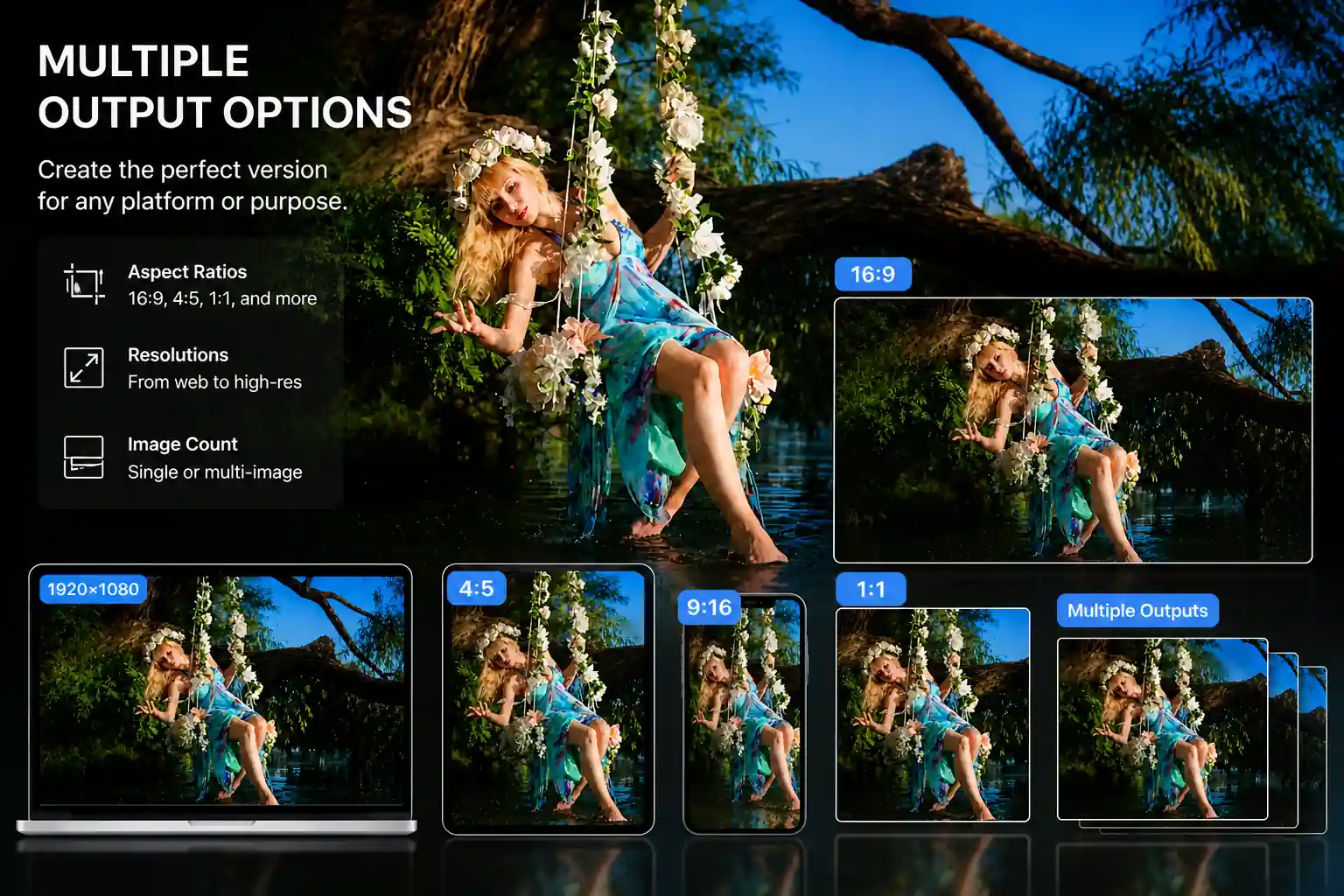
How to Use Nano Banana 2 Online
Create with Nano Banana 2 in three steps, whether you start from a text prompt, a reference image, or an image that needs further refinement.
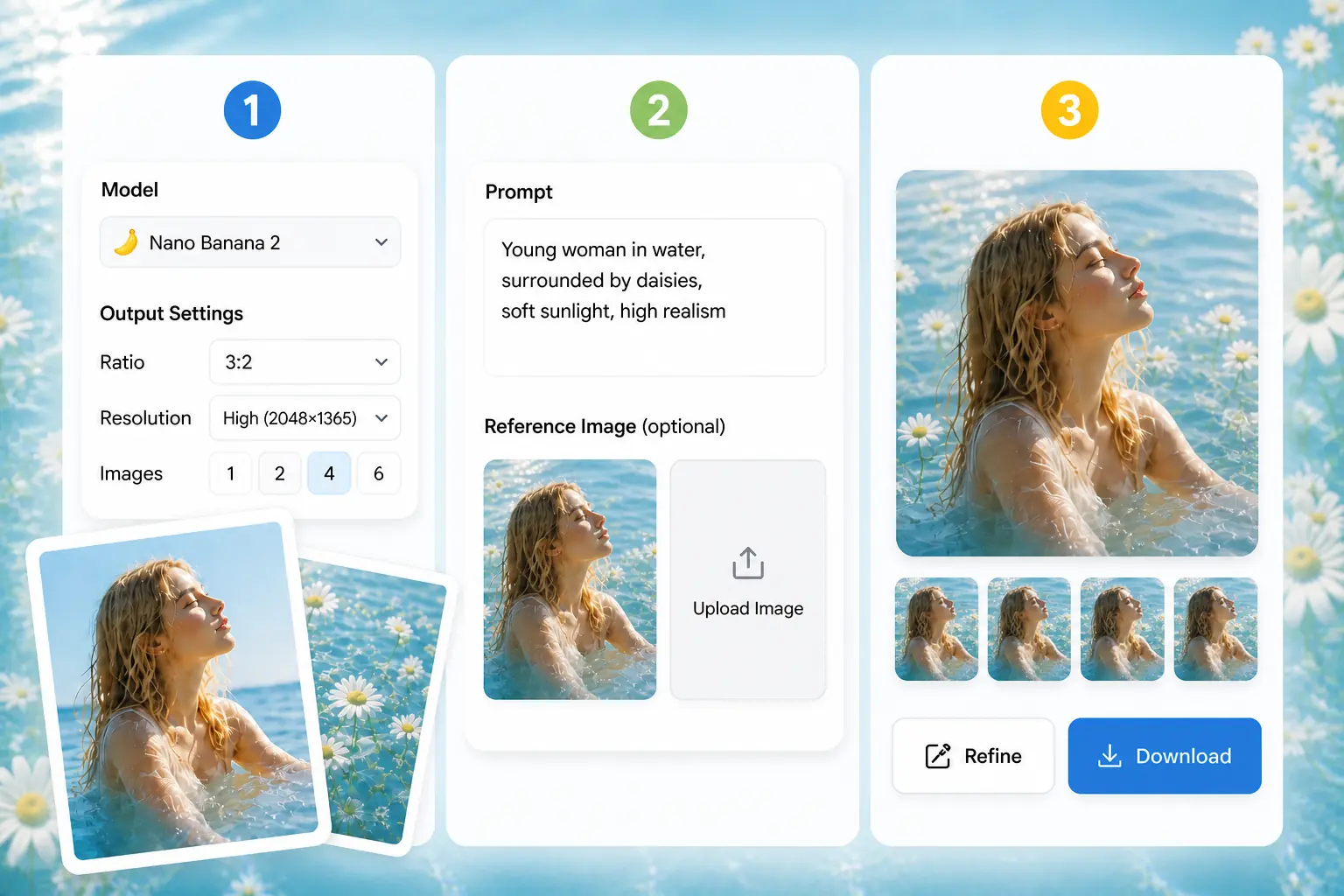
Choose Nano Banana 2 and Output Settings
Select Nano Banana 2 from the model list, then choose the ratio, resolution, and image count that match your image goal.
Add a Prompt or Reference Image
Enter a clear prompt, upload a reference image, or use both to guide the subject, style, layout, and key details.
Generate, Refine, and Download
After generation, adjust text, composition, ratio, subject details, or visual style through natural language, then download the version you want.
Why Choose Nano Banana 2 on HeyTop AI for Your Creative Projects
Closer First Pass
The model can follow detailed intent more closely, so users spend less effort correcting the basic scene before moving into finer adjustments.
Faster Image Turnaround
Nano Banana 2 shortens the wait between an idea and a viewable image, which helps teams test creative routes while the brief is still fresh.
Cleaner In-Image Copy
Nano Banana 2 is a strong fit when titles, labels, signs, or short messages need to appear inside the picture and remain easy to read.
Multilingual Image Creation
Nano Banana 2 can support images that include text in different languages, making it useful when the same visual idea needs to reach more than one audience.
Consistent Series Look
For repeated characters, products, or themes, the model helps keep related images from drifting too far apart in appearance.
Multi-task creation
Run multiple image tasks in parallel without waiting, helping you compare different ideas or prepare multiple visual materials in the same session.
Nano Banana 2 Use Cases for Real Creative Work
See how different teams can use Nano Banana 2 in daily content, marketing, commerce, and communication workflows.
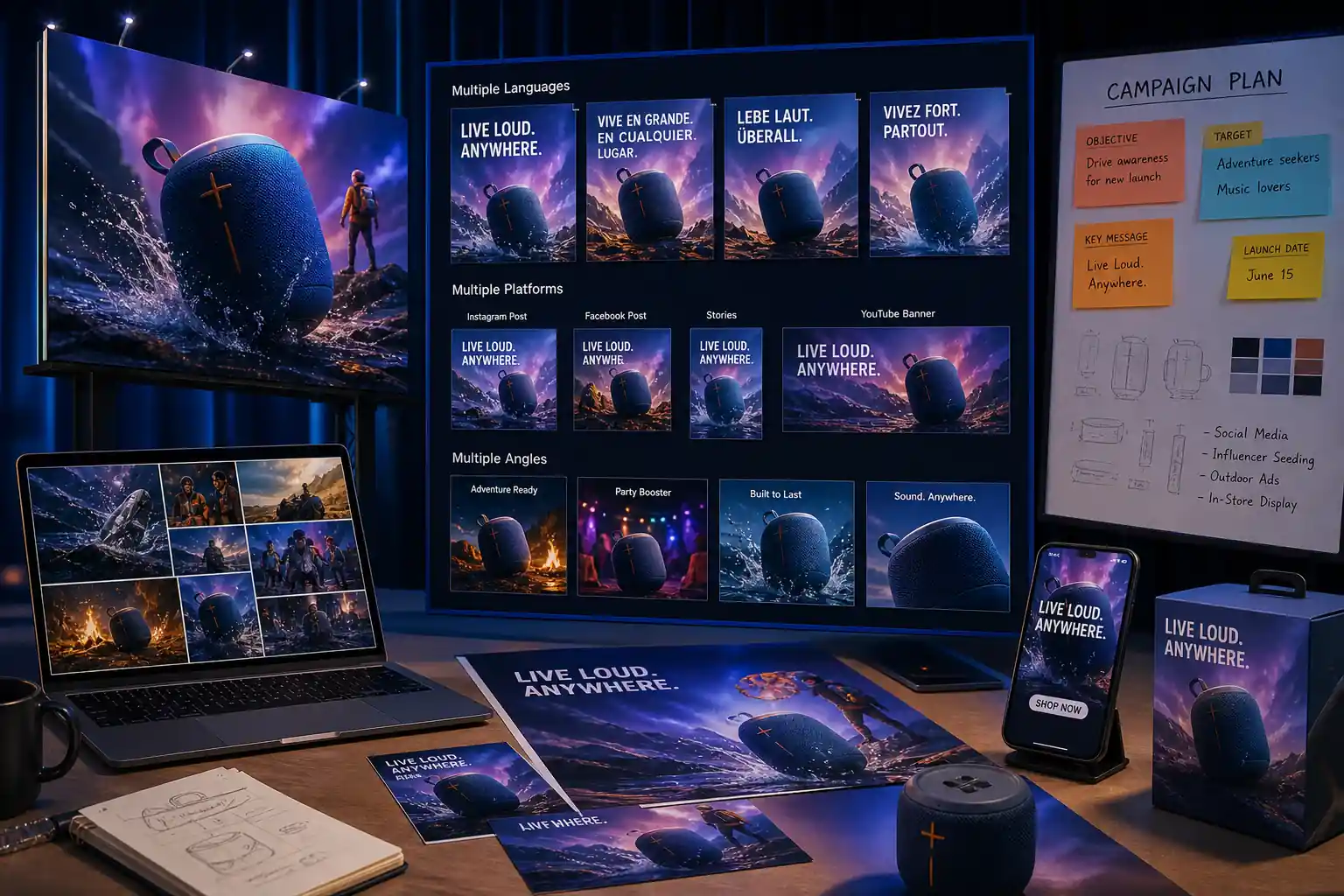
Launch Campaign Visuals for Multiple Markets
Marketing teams can use Nano Banana 2 to prepare campaign visuals for product launches, seasonal promotions, app releases, and brand announcements. It is useful when one idea needs several language versions, platform sizes, or message angles before the final creative direction is chosen.
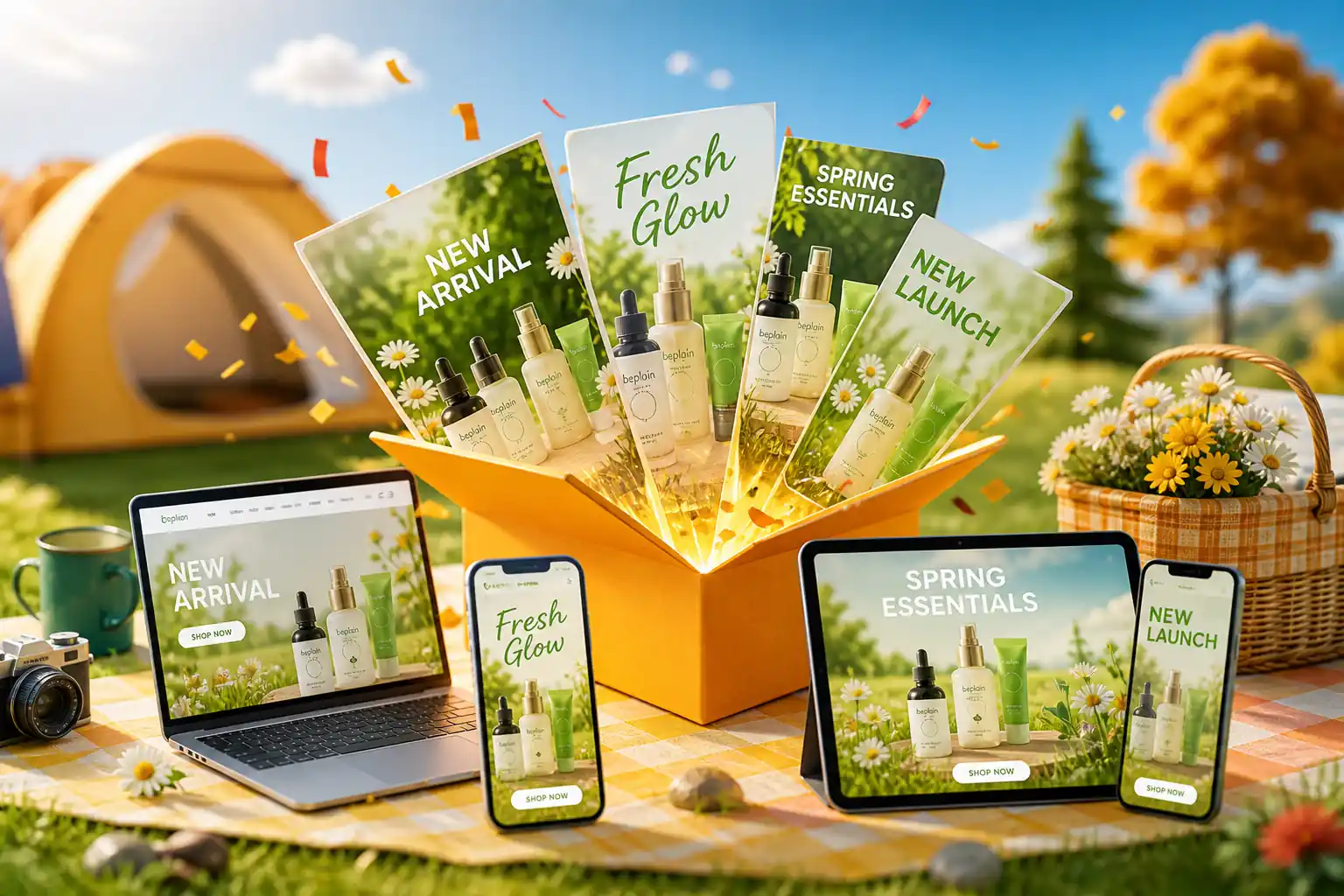
Create Product Images for Online Stores and Promotions
Ecommerce sellers, DTC brands, and product teams can use Nano Banana 2 to create product scenes for listings, landing pages, sale banners, and launch materials. This helps teams show products in different contexts before arranging a full shoot or final design pass.
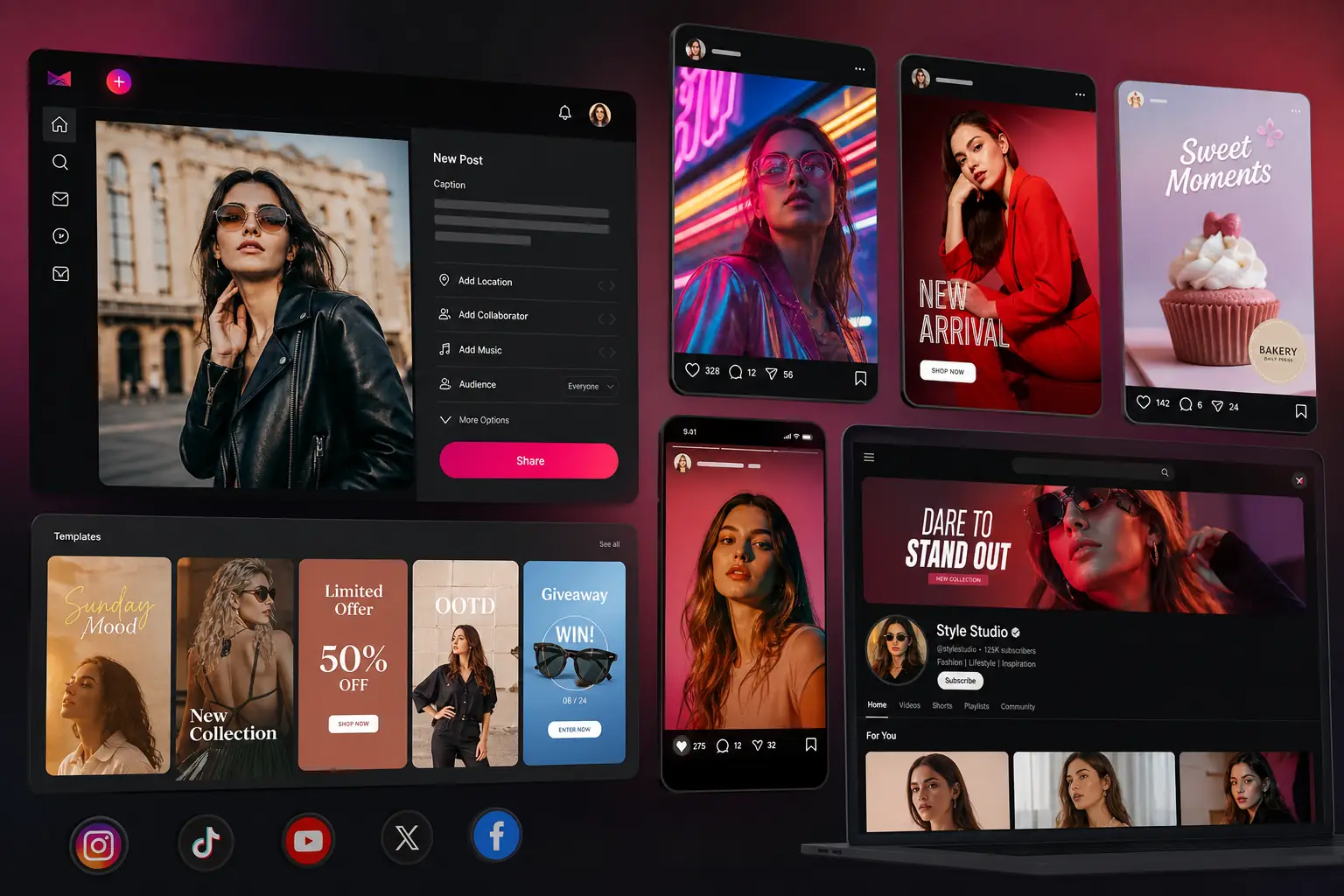
Design Social Posts, Covers, and Thumbnails Faster
Creators and social teams can use Nano Banana 2 for post visuals, channel covers, short-video thumbnails, carousel graphics, and promotional tiles. It helps turn a content idea into a visual asset that is easier to test across different feeds and formats.
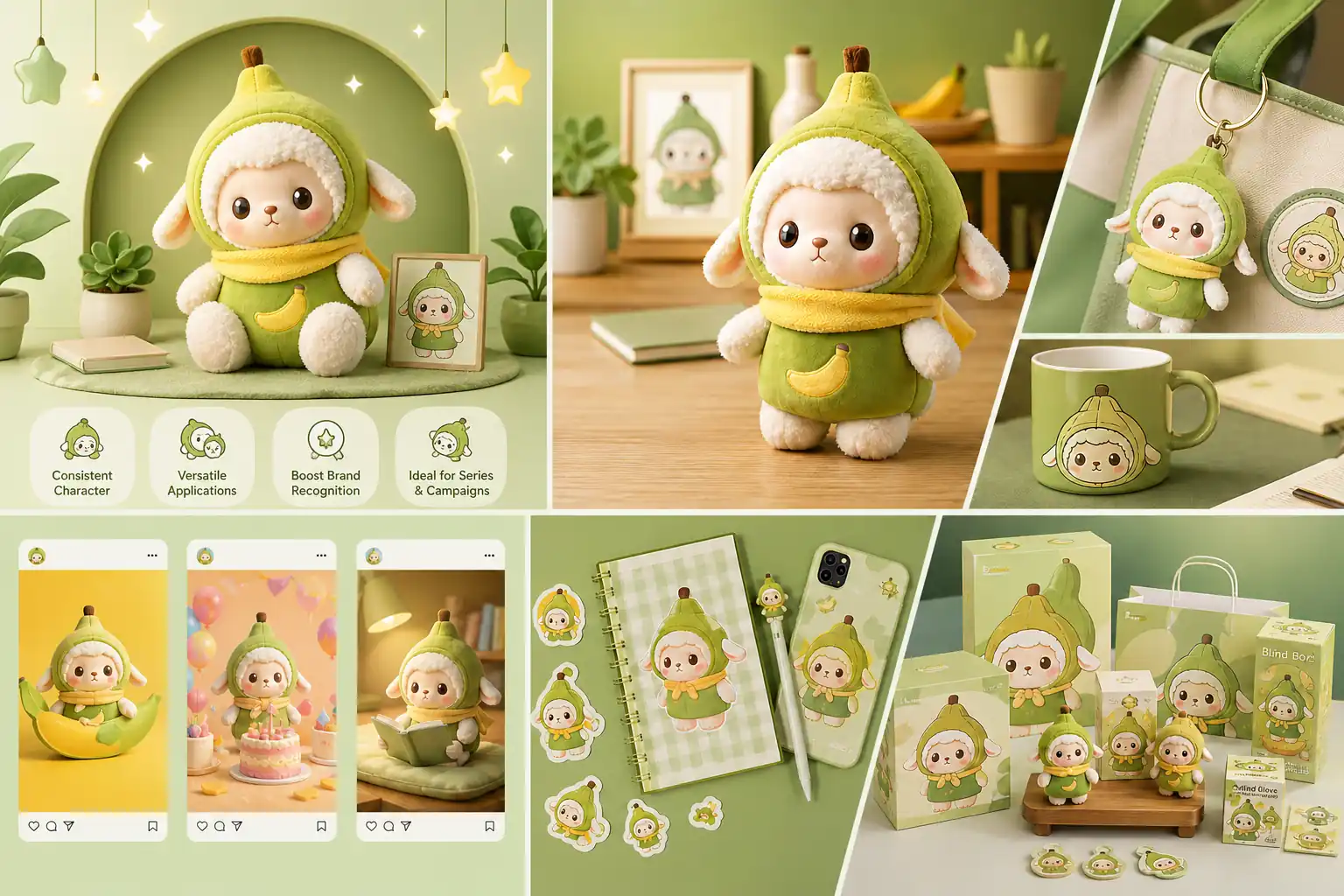
Build a Consistent Set of Character or Product Visuals
Brands, creators, and agencies can use Nano Banana 2 when a character, mascot, product, or recurring object needs to appear across several images. This works well for visual storytelling, campaign sequences, creator IP, and product-led content series.
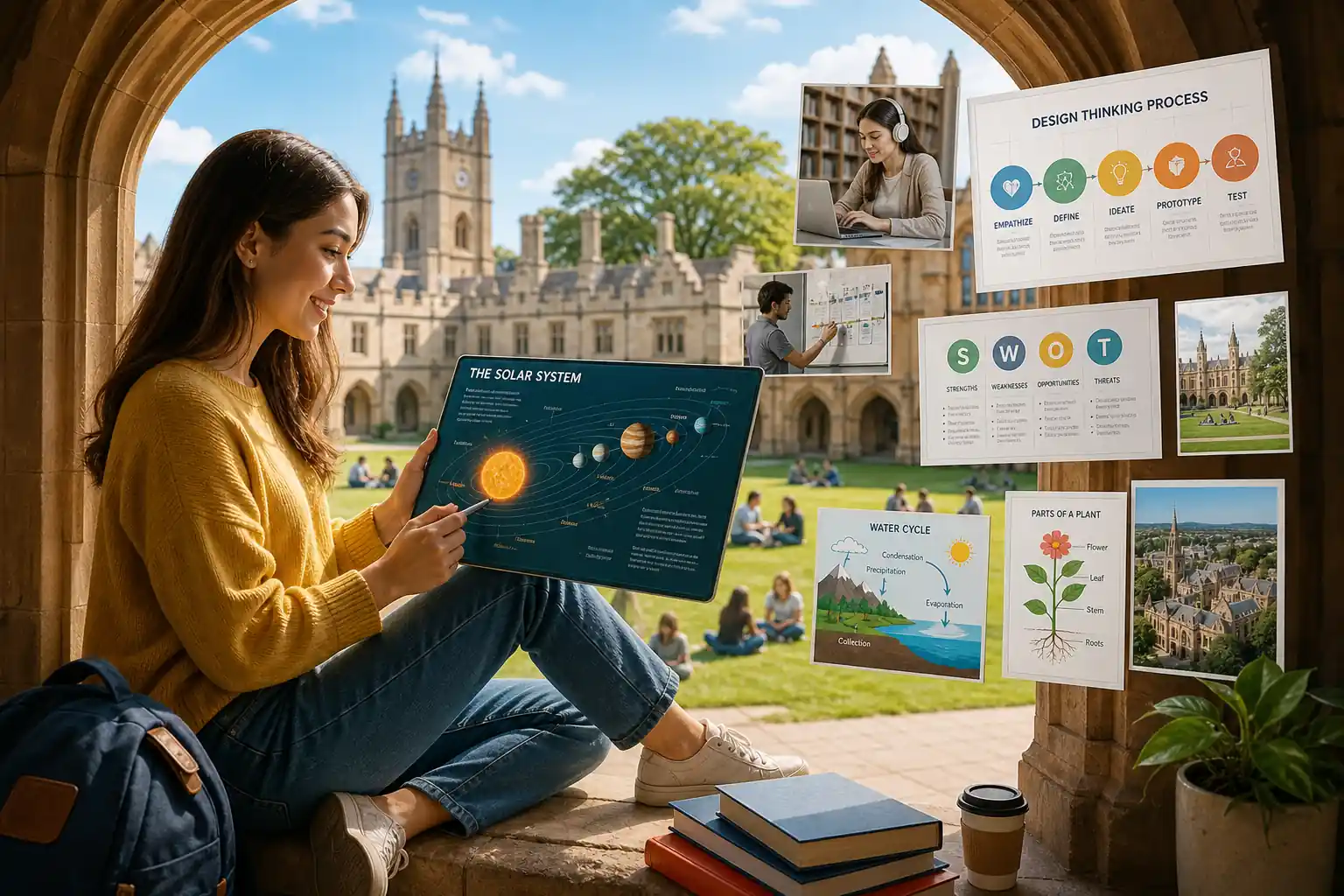
Turn Ideas into Guides, Diagrams, and Explainer Images
Educators, product marketers, and content teams can use Nano Banana 2 to create tutorial images, process diagrams, learning visuals, feature explainers, and simple infographic-style assets. It helps make information easier to scan when plain text is not enough.
What Users Say About Nano Banana 2 AI Model
Nano Banana 2 is the tool I open when a campaign idea is still half-formed. It helps me see whether the mood, subject, and headline space can work together before I spend real design time on it. That first visual check makes the next design decision much easier.
Mara Quinn
Brand Designer
I use reference images a lot, especially for product visuals. What I like is that the item still feels familiar while I test a new background, crop, or seasonal setup. It gives me enough confidence to choose which product direction is worth polishing.
Leo Hartmann
Ecommerce Seller
For short ad copy inside an image, this model gives me a cleaner start. I can tell much earlier if the headline has enough room or if the layout needs to change. That saves time when I am comparing several ad concepts at once.
Sana Velasquez
Ad Designer
Speed matters when I am making social posts. I can try a few thumbnail ideas, pick the one with the strongest hook, and keep editing from there instead of overthinking the first step. It makes the early creative process feel lighter.
Davin Cho
Content Creator
My team likes that the first image does not feel like a dead end. We can keep adjusting the format, message, or overall look, which makes reviews feel more productive. It is easier to discuss a visual when everyone can react to the same image.
Nora Weiss
Marketing Manager
Frequently Asked Questions
Yes. You can start with a written prompt, upload a reference image, or use both together. This makes it useful when you want the model to follow a specific subject, style, layout, or visual direction.
Nano Banana 2 is designed to work better with short text in images, such as titles, labels, signs, and simple visual copy. For important ads, product claims, or multilingual text, it is still worth reviewing the words before publishing.
Yes. New HeyTop AI users can get starter credits after signing in, which can be used to try Nano Banana 2 image generation. For higher output settings, more generations, or regular creative work, the pricing plans offer additional options.
On HeyTop AI, Nano Banana 2 supports common aspect ratios such as 16:9, 9:16, 1:1, 2:3, 3:2, 4:3, 3:4, and 21:9, with 1K, 2K, and 4K resolution options. You can also choose the image count based on how many results you want to compare.
Nano Banana 2 can help create visuals for marketing, ecommerce, social content, and creative planning. Before using any generated image commercially, review HeyTop AI’s usage terms and check the output for trademarks, likeness rights, text accuracy, and brand compliance.