HeyTop.ai

Chat with GPT-5.4 AI Model Online for Free

HeyTop AI gives you instant access to GPT-5.4 for AI chat, writing, coding, research, image analysis, and everyday productivity. No API setup is required — start chatting online and turn complex ideas into polished results faster.

Loading models…

0 SecInstant Access
1.5X Output Speed
1M+Context Window
Overview visual introducing GPT-5.4 as an online AI model for chat and work tasks

What Is GPT-5.4?

GPT-5.4 is OpenAI’s advanced AI model built for more capable chat, deeper reasoning, coding, image understanding, and professional work. It helps turn scattered ideas, files, questions, and tasks into clearer answers and more useful outputs. When a task needs context, structure, or several steps to get right, this model gives you more room to think and create.

GPT-5.4 vs Other GPT Models: What’s Different?

See how GPT-5.4, GPT-5.4 Pro, GPT-5.3-Codex, and GPT-5.2 compare across key model dimensions in the table below. Before you start, use this comparison to quickly understand which model fits each type of task best.

Dimension GPT-5.4 GPT-5.4 Pro GPT-5.3-Codex GPT-5.2
PositioningBalanced model for chat, work, coding, research, and agentsStronger version for complex tasksCoding-first model for developersEarlier model for general reasoning
ChatClearer structure in longer conversationsBetter for deep reasoningBest for technical chatsReliable for everyday Q&A
CodingStrong coding and debugging with Codex-level gainsBetter for complex codebasesVery strong for software developmentGood for common code help
DocumentsBetter for reports, sheets, slides; 83.0% on GDPvalBest for heavy files and high-stakes workMainly useful for developer docsHandles basic file tasks
ResearchStronger search and summary; 82.7% on BrowseCompBetter for hard researchGood for technical researchFits simpler summaries
VisionSupports images, screenshots, documents, and computer use; 75.0% on OSWorldBetter for advanced screen tasksMore dev-environment focusedMore limited visual ability
Long ContextUp to 1M+ context in supported useBest when long files need deeper reasoningStrong for code-heavy contextBetter for lighter tasks
Best ForCreators, marketers, developers, researchers, students, business usersTeams, analysts, engineers, advanced usersDevelopers and engineering teamsGeneral users

Core Features of the GPT-5.4 AI Chat Model

Built for practical work, this AI chat model brings stronger writing, reasoning, coding, web search, and multimodal analysis into a faster online experience.

Turn Rough Ideas into Work-Ready Documents

GPT-5.4 can turn notes, meeting records, outlines, and raw information into reports, summaries, proposals, emails, or presentation drafts. If you need an AI model for documents and business writing, it helps you build a clearer structure, sharpen the wording, and create content that is easier to edit, send, or present.

Turn Notes into a Draft
GPT-5.4 workspace turning rough notes into structured documents and polished outputs

Solve Complex Questions with Clearer Reasoning and Web Search

Instead of giving a short reply and leaving the hard work to you, GPT-5.4 chatting model can break down a question, compare choices, explain trade-offs, search across web information, and suggest next steps. It is useful for planning, decision-making, learning, fact-checking, or turning an unclear request into a direction you can actually follow.

Break Down My Question
GPT-5.4 reasoning workflow connecting complex questions with clearer web-backed answers

Build, Debug, and Improve Code with AI Support

GPT-5.4 supports code generation, bug analysis, refactoring ideas, frontend logic, automation scripts, and developer task planning. For anyone looking for a GPT-5.4 coding assistant, it can explain what went wrong, suggest a fix, and make each code change easier to understand.

Fix My Code with GPT-5.4
Coding workspace showing GPT-5.4 support for debugging, refactoring, and code improvement

Analyze Images, Screenshots, and Research Material Faster

Upload images, screenshots, charts, document pages, or long research notes, and let the model identify key details, summarize findings, and organize the information that matters. It works well for visual analysis, study support, market research, content planning, and any task that involves reviewing a lot of material quickly.

Analyze My Content
Visual analysis workspace reviewing screenshots, charts, documents, and research material

How to Use GPT-5.4 for Conversations on HeyTop AI

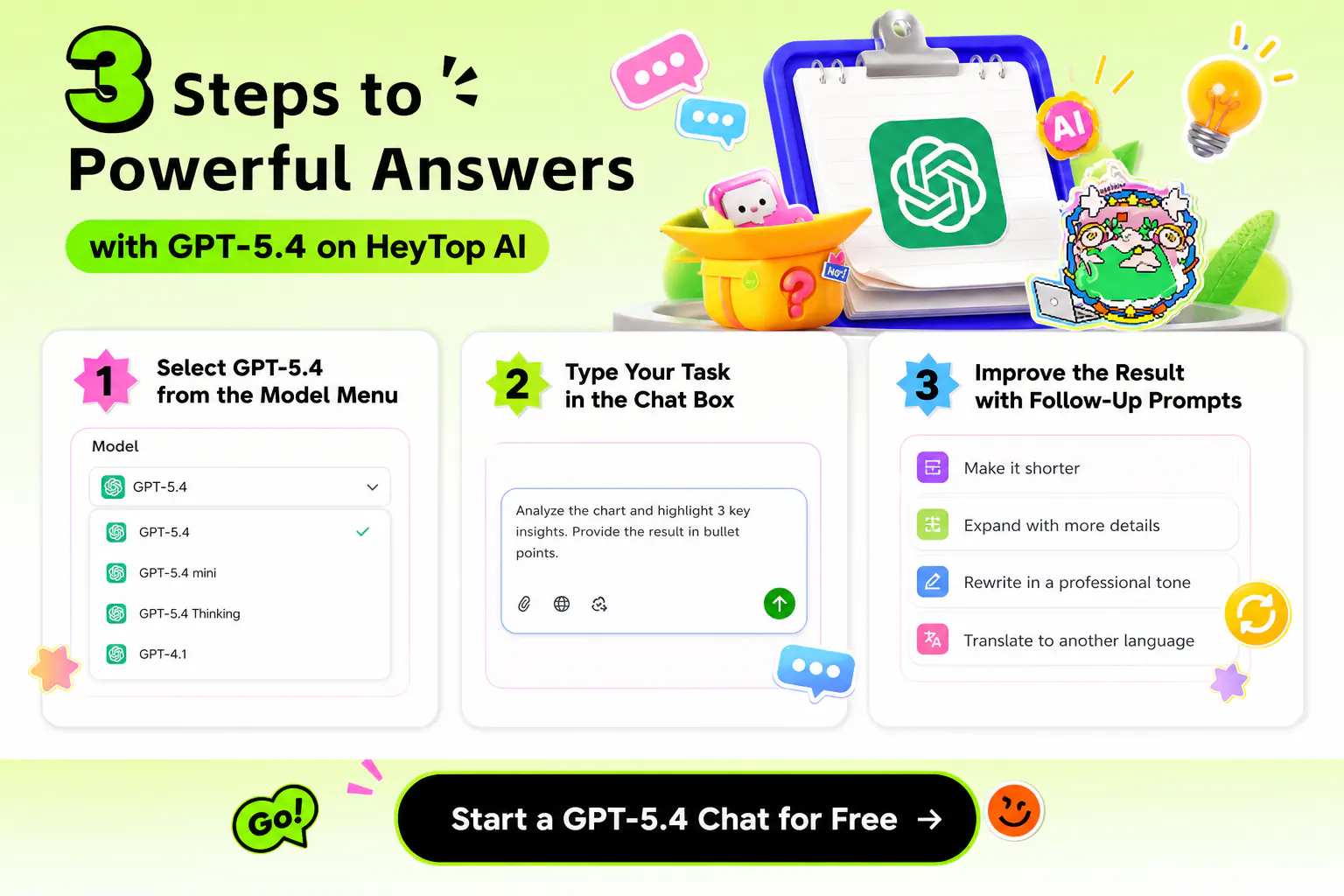
You can start a GPT-5.4 chat for free in just 3 steps, then refine the response based on your objective until it matches your task goal.

Three-step GPT-5.4 chat workflow from model selection to prompt refinement
1

Select GPT-5.4 from the Model Menu

Open the chat box and choose GPT-5.4 from the model selector before sending your first prompt.

2

Type Your Task in the Chat Box

Describe what you need, add useful context, and include the output format you prefer.

3

Improve the Result with Follow-Up Prompts

Ask the model to shorten, expand, rewrite, compare, translate, or change the tone until the answer matches what you need.

Why Choose GPT-5.4 AI Model on HeyTop AI?

Free Online Access

Start using GPT-5.4 online without installing tools, so new users can test the model with less friction.

No Setup or API Keys Needed

HeyTop AI removes technical steps, letting you use the GPT-5.4 AI Model without endpoints, keys, or developer setup.

Fewer Model Switches for Work

GPT-5.4 gives you one balanced option when your tasks move between chat, planning, files, code, and research.

More Control in Long Chats

The GPT-5.4 chatting model keeps context more consistently, making it easier to adjust details across longer conversations.

Stronger Results for Pro Tasks

Official benchmarks show GPT-5.4 performs strongly on professional work, which matters when output quality is important.

Easy Fit for Daily Workflows

Use the model during writing, planning, reviewing, or problem solving without changing how you already work.

What Are the Common Work Usage Scenarios for GPT-5.4?

Build a Sharper Weekly Team Plan from Mixed Inputs

Use the GPT 5.4 chatting model to organize goals, deadlines, blockers, and team notes into a practical plan. It fits weekly planning, project kickoff, sprint prep, and priority reviews, giving teams a clearer path before work begins.

Team planning workspace organizing goals, blockers, deadlines, and weekly priorities

Make Difficult Lessons Easier to Follow and Review

For students and self-learners, this AI chat model can simplify dense topics, create practice questions, compare concepts, and prepare review notes. It is helpful when you need a clearer way to study without jumping between too many tools.

Study support workspace simplifying lessons, review notes, and practice questions

Keep Multi-Channel Content Campaigns Moving Faster

Marketers and creators can use the model to plan blog angles, newsletter ideas, landing page sections, and social variations from one campaign theme. It helps keep messaging consistent across channels while leaving room for different audiences and formats.

Content planning workspace mapping campaign ideas across blogs, newsletters, and social posts

Transform Product Feedback into Clear Product Next Steps

Product teams can sort user comments, feature requests, support notes, and competitor ideas into cleaner priorities. This is useful for founders, PMs, and builders who need to move from rough feedback to requirements, tickets, or roadmap discussion.

Product workflow sorting user feedback into priorities, requirements, and roadmap actions

Polish Customer Messages Before They Go Out to Clients

Across sales, support, onboarding, and account management, the model can adjust tone, clarify next steps, and make replies easier to act on. If you want to try GPT-5.4 free online as an API alternative, customer communication is one of the fastest ways to feel the difference.

Customer communication workspace polishing support, sales, and onboarding messages

Frequently Asked Questions

Yes. It can be used for natural back-and-forth conversations, from quick questions to longer prompts that need context. Compared with a basic chatbot, it is better at keeping the thread organized as the discussion grows.

Yes. GPT-5.4 builds on GPT-5.3-Codex capabilities and can help generate snippets, inspect errors, explain logic, improve frontend behavior, and outline developer tasks.

Yes. OpenAI highlights improvements in visual understanding, screenshot analysis, document page reading, and computer-use tasks, making it useful for images, charts, files, and interface-related questions.

Start using GPT-5.4 directly on HeyTop AI. Open the model in your browser, enter a prompt, and use it for chat, content creation, file review, image analysis, or idea development without API setup.

GPT-5.4 is the balanced option for most users who want one model across everyday and work tasks. GPT-5.4 Pro is aimed at heavier reasoning, larger workloads, and situations where accuracy and depth matter more than speed.

Start Your Free GPT-5.4 Chat on HeyTop AI

★★★★★ Rated 4.8/5 by users for ease of use, response quality, and task completion.

Try GPT-5.4 AI Model Now!