HeyTop.ai

AI ChatPDF: Intelligent Q&A for Your PDF Documents

Chat with your PDF documents using natural language to extract core insights instantly. HeyTop AI seamlessly analyzes multiple, long-context PDFs simultaneously, delivering precise answers linked directly to the source text for effortless reference.

Source-linked answer
Summarize the methodology and compare findings across these papers.
The uploaded PDFs share three core methods: longitudinal tracking, survey-based scoring, and controlled benchmark comparison.
Page 12 cited
Encrypted sessionLong context ready
  • Multi-PDF Analysis
  • Smart Text Extraction
  • Direct Source Location
  • Long-Context Q&A

Smart Features to Help You Read and Understand PDFs Faster

Unlock the full potential of your documents with advanced extraction, cross-file synthesis, and absolute data privacy.

Seamless Multi-File Chat to Compare and Synthesize

Break free from the limits of reading one file at a time by combining your source materials. Upload multiple research papers, textbooks, or business reports together to analyze trends, compare data, and extract cross-document insights in a single chat.

Compare Multiple PDFs

Multiple PDF reports feed one chat where cross-document trends are summarized visually

Instant Outlines and Tailored Key Summaries

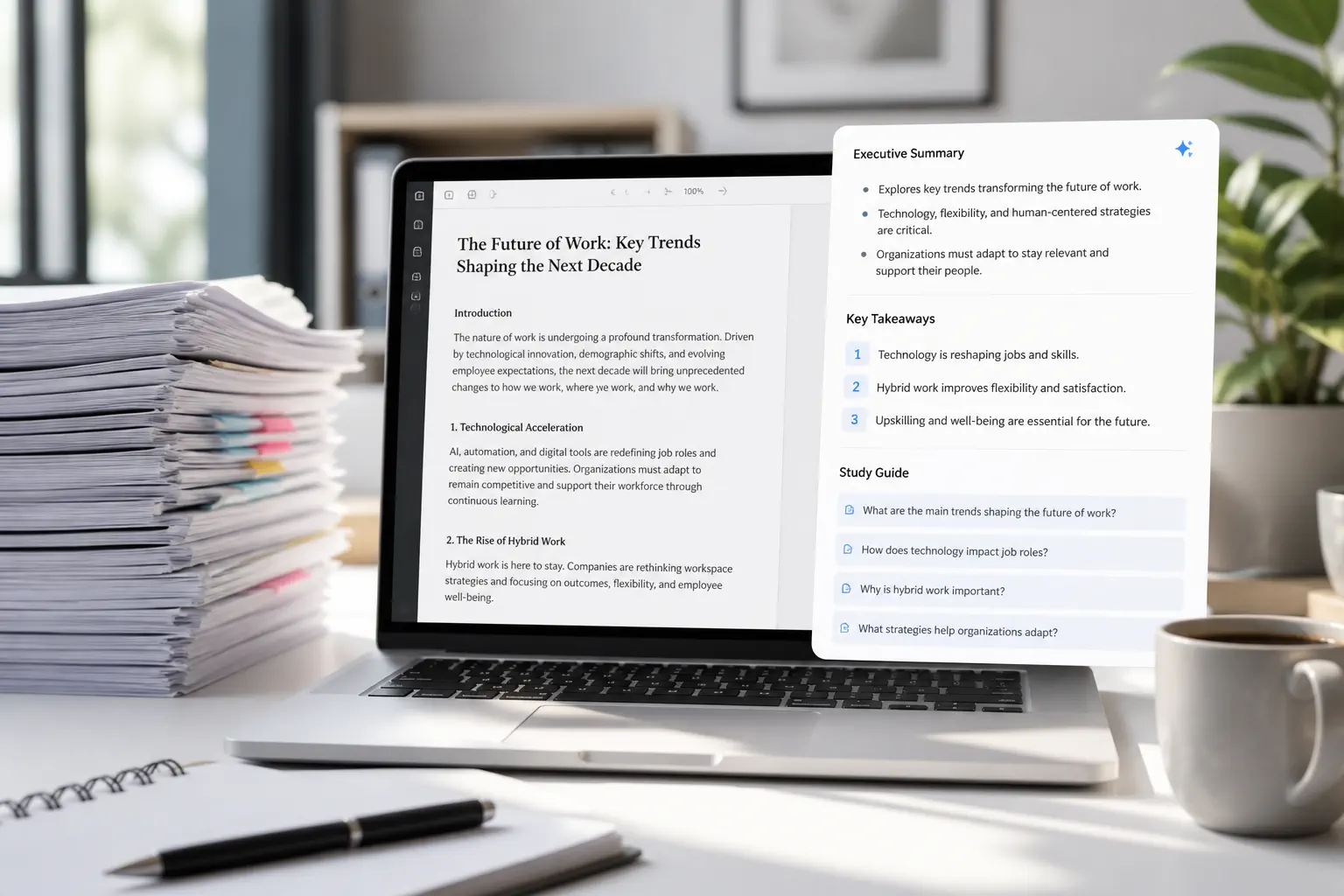
Skip the fluff and capture the core value of any lengthy document without spending hours reading page by page. Instantly generate clean, well-structured executive summaries, key takeaways, or custom study guides tailored to your exact needs.

Summarize Your Document
Laptop shows a long PDF with an executive summary, key takeaways, and study questions

Interactive Page Citations for Verifiable Answers

Never waste time guessing where your AI answers came from or scrolling through hundreds of pages to double-check. Simply click the interactive reference link next to any response to jump straight to the highlighted source text in your original document.

Try Interactive Citations
AI answer links to highlighted PDF pages that verify financial figures and sources

Secure, Privacy-First File Processing You Can Trust

Your academic research, sensitive reports, and personal intellectual property are always kept confidential. We process all uploaded files in a highly secure, encrypted environment and automatically delete them after your session for peace of mind.

Start Private Session
Secure upload interface shows encrypted PDF processing, privacy controls, and auto-delete

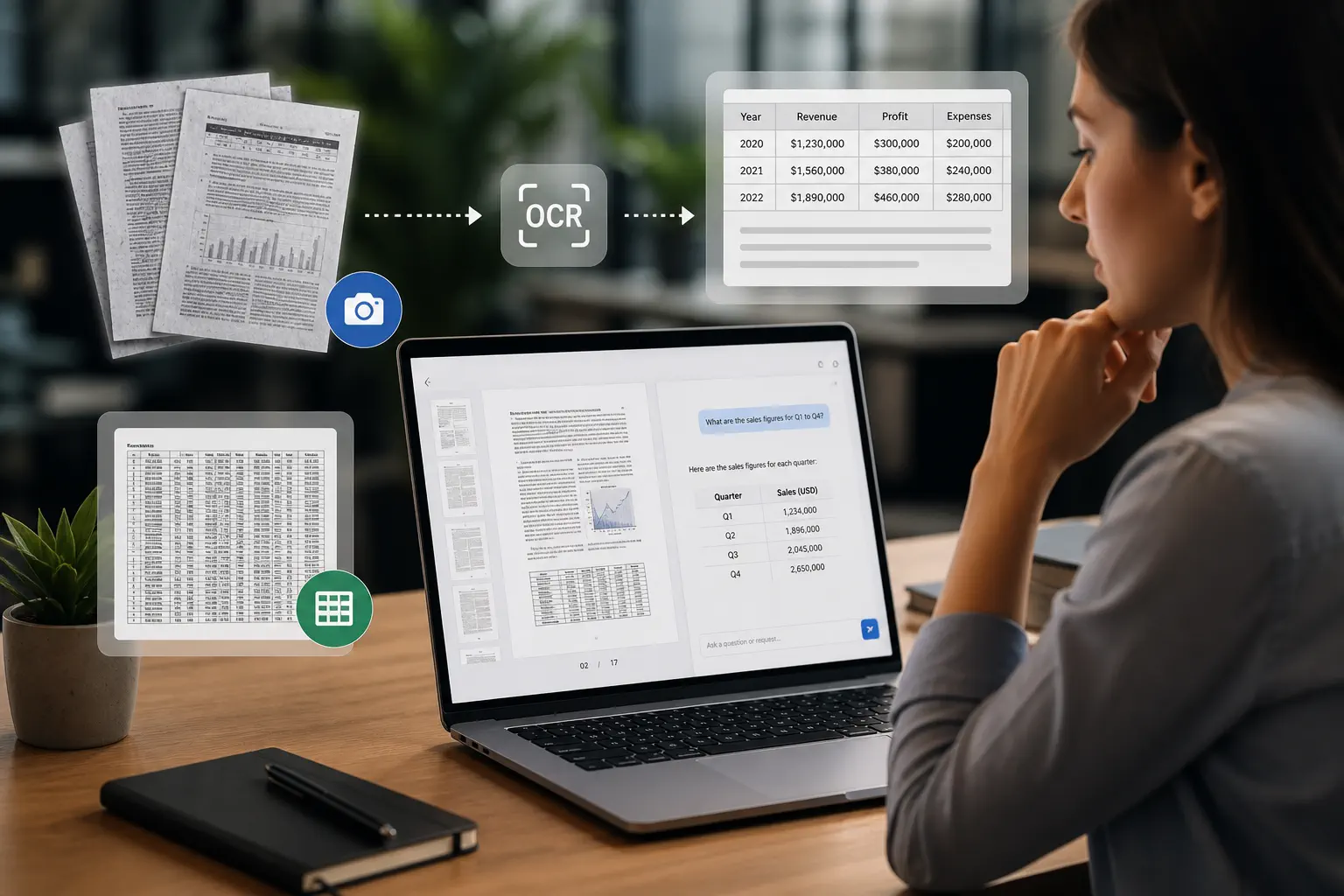
Intelligent Text Recognition for Scanned PDFs and Tables

Don’t let scanned images, photocopied pages, or complex multi-column tables slow down your research progress. Our intelligent recognition technology reads non-searchable files smoothly, allowing you to ask questions and copy data just like a normal digital text.

Analyze Scanned Files
OCR workflow converts scanned PDF pages and tables into readable extracted data

How It Works: 3 Simple Steps to Chat with Your PDFs

Transform complex, lengthy PDF documents into precise, actionable insights in seconds.

1

Upload Your PDF Documents

Drag and drop single or multiple PDF files. HeyTop AI instantly indexes the text for secure, long-context analysis.

2

Ask in Natural Language

Type your questions naturally. Ask for overall summaries, key takeaways, or specific details hidden deep within your PDFs.

3

Get Answers & Locate Sources

Receive precise, AI-synthesized answers paired with interactive page citations. Click to jump directly to the source text in your PDF.

Start Chatting with Your PDF

Three-step PDF chat workflow shows upload, natural language questions, and cited answers

How Different Fields Use HeyTop AI ChatPDF

See how different industries use HeyTop ChatPDF to eliminate manual reading and work smarter.

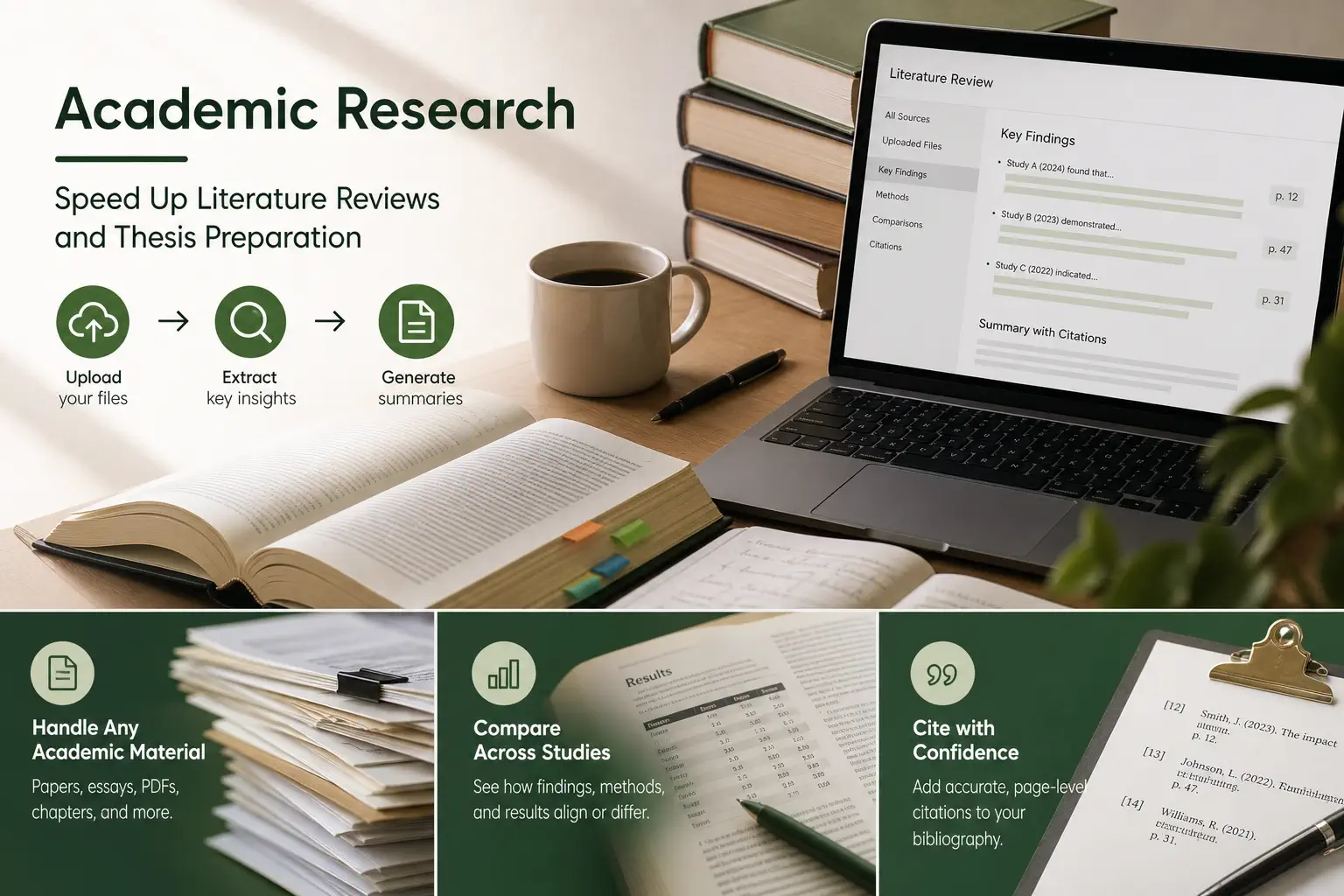
Speed Up Literature Reviews and Thesis Preparation

When facing piles of dense academic papers, essays, or textbook chapters, scrolling for hours can stall your research progress. Simply upload your files to extract core methodologies, compare findings across studies, and draft summaries with direct page-level citations for your bibliography.

Researcher reviews multiple papers while AI ChatPDF extracts methods and cited findings

Extract Key Financial Metrics and Market Trends in Seconds

Sifting through 200-page annual reports, market forecasts, or quarterly earnings transcripts to find specific revenue data is incredibly tedious. Feed your financial documents to our AI to instantly compare year-over-year balance sheets, isolate performance metrics, and build clean summaries for your next presentation.

Analyst uses PDF financial reports to compare revenue metrics and market trend charts

Troubleshoot Faster by Demystifying Technical Manuals and Guides

Dealing with massive product user manuals, API documentations, or technical specifications can be frustrating when you just need a quick setup step. Type your questions to instantly pull step-by-step instructions, explain complex schematics in plain English, and locate specific diagram numbers without manual searching.

Technician asks a PDF manual question and receives setup steps tied to diagrams

Turn Competitor Pitch Decks and Whitepapers into Actionable Strategy

Consultants and marketing teams must quickly digest industry whitepapers, competitor slide decks, and customer survey PDFs to pitch winning ideas. Instantly synthesize market pain points, extract statistical evidence for your reports, and draft compelling presentation outlines directly from your source files.

Team reviews competitor documents and turns PDF insights into strategy recommendations

Loved by Students, Researchers, and Professionals Worldwide

"Writing my literature review was overwhelming until I started using this tool. It lets me summarize complex research papers with AI in seconds. The best part is the interactive PDF citations—I can instantly verify the source page without scrolling endlessly."

Frequently Asked Questions

HeyTop AI ChatPDF is an online interactive tool designed for PDF documents. It helps you extract insights and get instant answers without scrolling page by page. Simply ask in natural language, like "What is this document about?" or "What does Chapter 2 discuss?" It also supports long-context analysis and multiple PDFs simultaneously.

Yes. Your privacy is our priority. All uploaded PDFs are processed via encrypted connections, kept strictly confidential, and automatically deleted from our servers after 24 hours. We never share your data or use it to train our AI.

HeyTop AI supports multi-document analysis, allowing you to upload and compare multiple PDFs simultaneously. Currently, we support individual files up to 50MB, with robust support for ultra-long documents.

Yes. HeyTop AI is fully multilingual. You can upload a PDF in any language (e.g., German, Spanish, French) and ask questions or get summaries in English, Chinese, or your preferred language.

Yes. We offer a free daily plan with access to core chat and summarization features. For higher daily limits, larger file uploads, or advanced AI models, we also provide flexible premium plans.

Ready to Read PDFs Smarter and More Efficiently?

Start a free PDF conversation